
Preview



Description
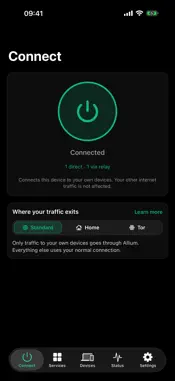
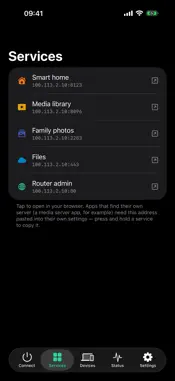
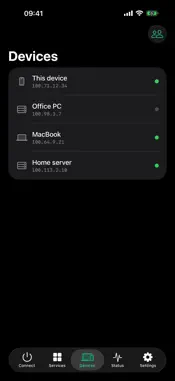
Allium Connect links your phone, laptop, and home server into one private, encrypted network — a mesh that works from anywhere, with no port forwarding and no configuration. • One tap to connect. Your devices get stable private addresses and find each other directly whenever possible, falling back to encrypted relays when they can't. • Reach your self-hosted apps. Plex, Home Assistant, your NAS — open them from the Services tab as if you were on your home Wi-Fi. • Choose how traffic leaves. Standard mode tunnels only mesh traffic; Home mode routes everything through your own home connection. • Private by design. WireGuard®-grade end-to-end encryption; relays only ever see ciphertext. No ads, no tracking, no selling data — read our privacy policy. • Roams with you. Wi-Fi to cellular and back without dropping your connections. Allium Connect is the companion app to your Allium account. It connects YOUR devices to YOUR network — it is not an anonymization or commercial VPN service.
What's New
Version 1.3.2 2026-10-29
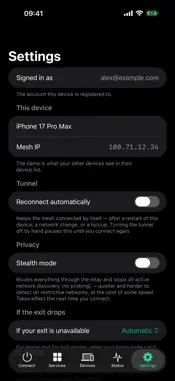
- Connects right after you sign in, no extra tap needed. - Reconnect automatically is now on by default, unless you turned it off. - Home Assistant services: on...- Connects right after you sign in, no extra tap needed. - Reconnect automatically is now on by default, unless you turned it off. - Home Assistant services: one tap copies the address to use in the Home Assistant app. - Security update: newer networking library in the connection engine. Technical Analysis
Package Overview Basic metadata
Bundle ID
network.allium.connect Current Version 1.3.2
Minimum iOS 15.0
Package Size App Store Size
Package Metadata 0 / 0 version records
Detailed binary, privacy manifest, framework, and Info.plist results have not been indexed for this package yet. The verified App Store and archive metadata above remains available.
Developer Information
Known Version Records
0 version records with stored package metadata
Stored metadata does not guarantee a package is currently available to download.
| Details | Version / IDs | Version date | Action |
|---|