Preview

Description
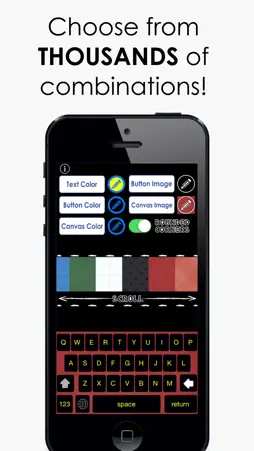
CUSTOMIZE YOUR KEYBOARD with THOUSANDS of COLOR combinations!! Are you bored with the same keyboard you've been using for YEARS?! Never type on a boring keyboard again with CUSTOM COLOR KEYBOARDS!! Choose from endless fun colors to customize your texting, emailing, and overall typing experience! Use your new color keyboard in any app...automatically! ---------------------------------- Follow the steps below to activate your new keyboard! 1. Go to: Settings > General > Keyboard > Keyboards > Add New Keyboard > Color Keyboards Pro - Custom KB 2. Tap “Custom KB” and switch “Allow Full Access” to ON. This allows your keyboard color & style to change Note: When testing keyboards in the app, simply press the globe icon until your new color keyboard appears! ---------------------------------- Enjoy your keyboard freedom!
What's New
Version 1.0 2014-10-17
This app has been updated by Apple to display the Apple Watch app icon. Technical Analysis
Package Overview Basic metadata
Bundle ID
app.ColorKeyboardsUltimate Current Version 1.0
Minimum iOS 8.0
Package Size App Store Size
Package Metadata 1 / 1 version records
0.0 / 5.0 (0 ratings)
Detailed binary, privacy manifest, framework, and Info.plist results have not been indexed for this package yet. The verified App Store and archive metadata above remains available.
Developer Information
Known Version Records
1 version record with stored package metadata
Stored metadata does not guarantee a package is currently available to download.
| Details | Version / IDs | Version date | Action |
|---|---|---|---|
| 31.45 MB | v1.0 App Store ID: 838693366Build: 1.0 | 2014-10-17 04:19:43 | Paid / Arcade |