Preview








Description
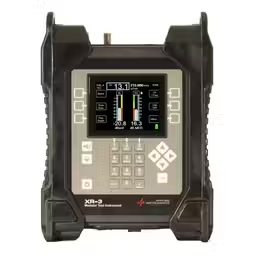
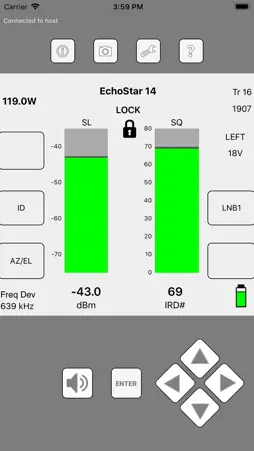
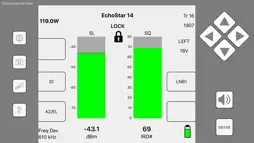
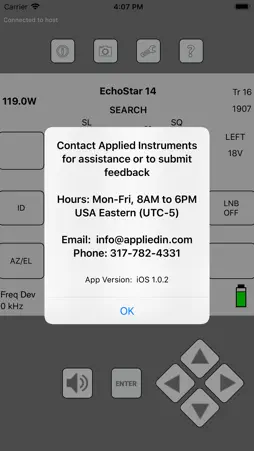
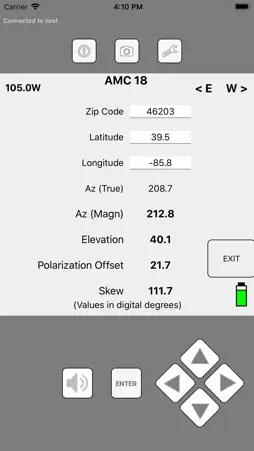
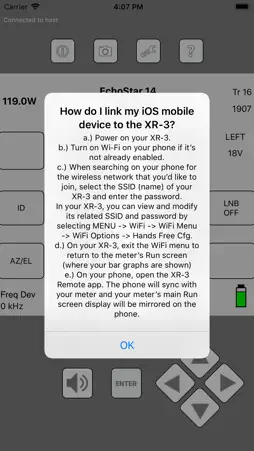
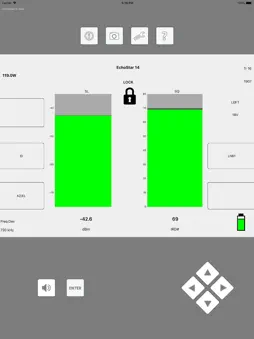
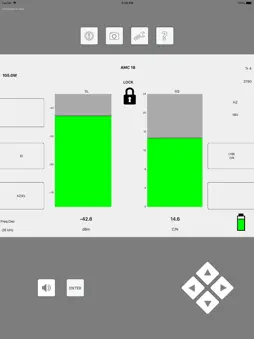
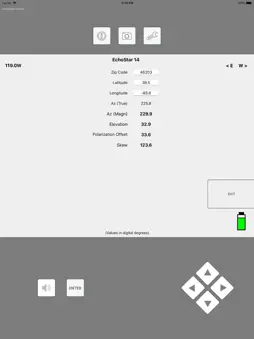
Use the XR-3 Remote companion app to remotely monitor and control Applied Instruments' WiFi enabled XR-3 Modular Test Instrument when paired with a compatible iPhone or iPad. The iOS mobile device connects to the XR-3 satellite meter using WiFi technology without using any 4G data and without going through the internet. Application example: Connect your XR-3 satellite meter at the ground block location and power on the XR-3. Then pair your XR-3 to your iOS mobile device via WiFi. Climb the ladder with your phone on an armband, run the XR-3 Remote app, and check signal level and quality and re-align your satellite dish without having to first remove the LNBF head and temporarily connect short coax jumper cables from the LNBF to your satellite meter. The XR-3 meter's screen is mirrored on your mobile device, allowing you to identify the satellite, toggle to different satellites and transponders and measure RF level, demodulated signal quality, and LNB LO drift. This method offers safety and speed advantages for the satellite technician. Present Limitations: 1) Only works with XR-3 hardware version 3.01 (XR-3's with optional WiFi hardware module installed). To confirm the hardware version of your XR-3, press MENU, select Versions from the Main Menu and refer to the Base HW Version field. If your XR-3 doesn't have hardware version 3.01, contact Applied Instruments for a quote to have it modified. 2) XR-3 Remote app only works with the XR-3's satellite meter modules. Support for the cable modules will be coming soon! 3) Only the XR-3's main Run screen, AZ/EL screens, and limit scan screens are viewable and controllable via the mobile device. Increased functionality (more screens) will be offered at a later date via software updates. 4) Only 1 mobile device can be connected to each XR-3 at a time. 5) WiFi range of iOS mobile device to XR-3 satellite meter varies depending on obstacles and terrain, but is approximately 100 to 300 feet. What do I need to get started? 1) iPhone or iPad 2) WiFi Enabled XR-3 Modular Test Instrument (hardware version 3.01) with a related satellite meter module For more details about WiFi functions of the WiFi-enabled XR-3, visit http://www.appliedin.com/www/assets/products/XR_3/downloads/XR-3_Meter_WiFi_Operations.pdf For more details about the XR-3 Remote iOS app, visit http://www.appliedin.com/www/assets/products/XR_3/downloads/XR-3_Remote_iOS_App.pdf How do I link my iOS mobile device to the XR-3? 1) Power on your XR‐3. 2) Turn on Wi‐Fi on your iPhone or iPad if it’s not already enabled. 3) When searching on your iOS device for the wireless network that you’d like to join, select the SSID (name) of your XR‐3 and enter the password. 4) In your XR‐3, you can view and modify its related SSID and password by selecting MENU --> WiFi --> WiFi Menu --> WiFi Options --> Hands Free Cfg. 5) On your XR‐3, exit the WiFi menu to return to the meter’s Run screen (where your bar graphs are shown) 6) On your iPhone or iPad, open the XR‐3 Remote app. The phone will sync with your meter and your meter’s main Run screen display will be mirrored on the phone. Learn more about the Applied Instruments XR-3 and other Applied Instruments products at www.appliedin.com
What's New
Version 1.4.0 2021-12-05
Fixed compatibility issue with iOS 15 Technical Analysis
Package Overview Package analysis available
Bundle ID
com.appliedin.XR3Remote Current Version 1.4.0
Minimum iOS 14.4
Package Size App Store Size
Package Metadata 1 / 5 version records
Charts
org.cocoapods.Charts v3.0.3iOS 8.0+1.43 MB
SwiftSocket
org.cocoapods.SwiftSocket v2.0.2iOS 8.0+102.86 KB
Developer Information
Known Version Records
1 version record with stored package metadata • 5 known version records
Stored metadata does not guarantee a package is currently available to download.
| Details | Version / IDs | Version date | Action |
|---|---|---|---|
 2.7 MB | v1.4 App Store ID: 845732443Build: 5 | 2021-11-29 17:09:34 | Get Version |
| Not archived | App Store ID: 840539976 | Unknown | Request Version |
| Not archived | App Store ID: 837513263 | Unknown | Request Version |
| Not archived | App Store ID: 826915540 | Unknown | Request Version |
| Not archived | App Store ID: 826804090 | Unknown | Request Version |