
Keynote: Design Presentations App Icon

Keynote: Design Presentations

Productivity • Apple
4+ v15.4.2 Recorded price: Free App Store →
★★★★★
★★★★★
(84,692 App Store ratings)
IPA Analysis
Technical Specs
Bundle ID com.apple.Keynote
Version 15.4.2
App Store Size 662.0 MB
Minimum iOS 26.0
Devices iPhone, iPad, iPod touch, Apple Watch, Mac, Vision Pro
Catalog release date 2010-04-01
Latest recorded version date 2026-10-23
Features & Support
Apple Watch
Advisory 4+
Languages (33)
English, Arabic, Catalan, Croatian, Czech, Danish, Dutch, Finnish, French, German, Greek, Hebrew, Hindi, Hungarian, Indonesian, Italian, Japanese, Korean, Malay, Norwegian Bokmål, Polish, Portuguese, Romanian, Russian, Simplified Chinese, Slovak, Spanish, Swedish, Thai, Traditional Chinese, Turkish, Ukrainian, Vietnamese
Top In App Purchases
No In App Purchases Listed

Preview

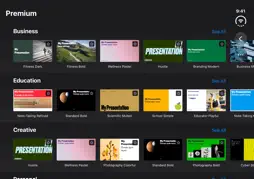
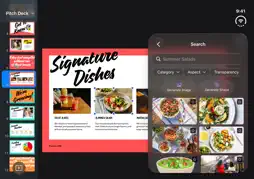
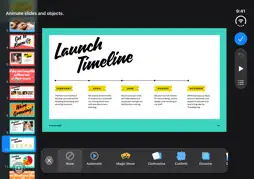
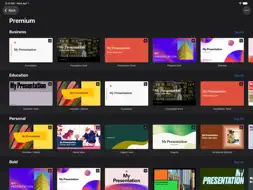
Keynote: Design Presentations screenshot 1 Keynote: Design Presentations screenshot 2 Keynote: Design Presentations screenshot 3 Keynote: Design Presentations screenshot 4 Keynote: Design Presentations screenshot 5 Keynote: Design Presentations screenshot 6 Keynote: Design Presentations screenshot 7 Keynote: Design Presentations screenshot 8 Keynote: Design Presentations screenshot 9 Keynote: Design Presentations screenshot 10 Keynote: Design Presentations screenshot 11 Keynote: Design Presentations screenshot 12 Keynote: Design Presentations screenshot 13 Keynote: Design Presentations screenshot 14 Keynote: Design Presentations screenshot 15 Keynote: Design Presentations screenshot 16 Keynote: Design Presentations screenshot 17 Keynote: Design Presentations screenshot 18 Keynote: Design Presentations screenshot 19 Keynote: Design Presentations screenshot 20 Keynote: Design Presentations screenshot 21 Keynote: Design Presentations screenshot 22

Description

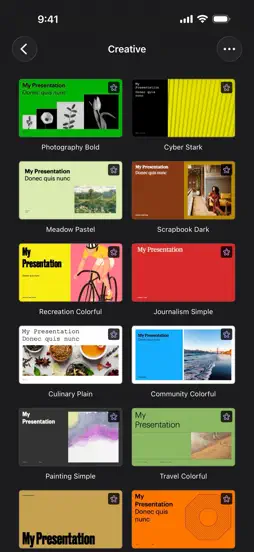
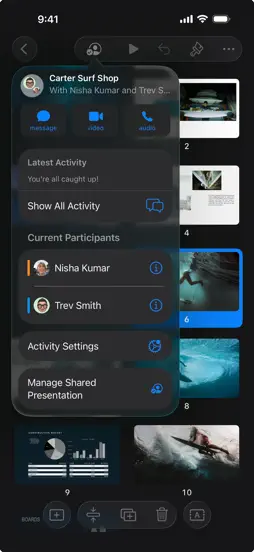
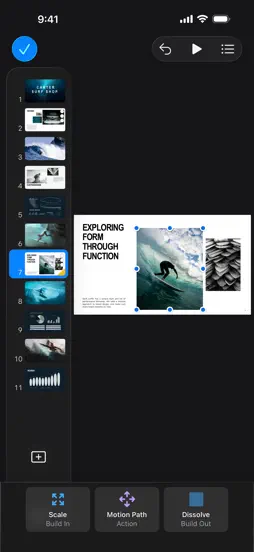
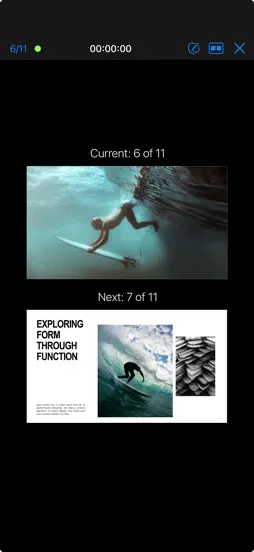
Keynote is now part of Apple Creator Studio, an amazing collection of Apple’s most powerful creative apps designed to help you bring your ideas to life. The suite includes Final Cut Pro, Logic Pro, Pixelmator Pro, Motion, Compressor, and MainStage — plus premium content and intelligence features in Keynote, Pages, Numbers, and Freeform, all in one simple plan. Creating, viewing, and editing presentations in Keynote, as well as collaborating in real time, does not require a subscription. Create memorable presentations on iPhone, iPad, Mac, and Apple Vision Pro. Start with an Apple-designed theme and add text, images, charts, and shapes. Bring it all to life with cinematic animations and transitions. Confidently present from anywhere, in person or virtually, and take turns controlling a presentation in multi-presenter slideshows. Get Started Quickly • Work from iPhone, iPad, Mac, Apple Vision Pro, or even a PC with iCloud.com • Select from a wide variety of Apple-designed themes • Import and edit Microsoft PowerPoint presentations Create Stunning Presentations • Easily change slide layouts and backgrounds • Add recorded audio, live video, and image galleries • Use powerful graphics tools including background removal and masking • Draw or write with Apple Pencil on iPad Cinema-Quality Animations • Beautiful cinematic slide transitions and impressive animations • Emphasis builds and Magic Move let you effortlessly add impact • See live on-canvas previews as you animate your slides • Draw a motion path with Apple Pencil on iPad Present to Your Audience • Rehearse with a customizable presenter display • Practice in an immersive Conference Room or Theater environment on Apple Vision Pro • Highlight with Apple Pencil or with your finger while presenting on iPad • Control your slideshow from an iPhone, iPad, or Apple Watch Share with Anyone • Share your presentation publicly or collaborate with specific people using iCloud or Box • Make changes from any device and see a list of changes from others in real-time • Export presentations to Microsoft PowerPoint, PDF, HTML, movies, and image files Apple Intelligence • Use Writing Tools to proofread, rewrite, summarize, and compose text • Create your own fun images with Image Playground based on a description Some features of Apple Creator Studio require an Apple Intelligence–capable device. For full system requirements and usage limits for Apple Creator Studio intelligence features, see Apple Support article 125029.

What's New

Version 15.4.2 2026-10-23
This update contains bug fixes and performance improvements.
Version 15.4.1 2026-10-22
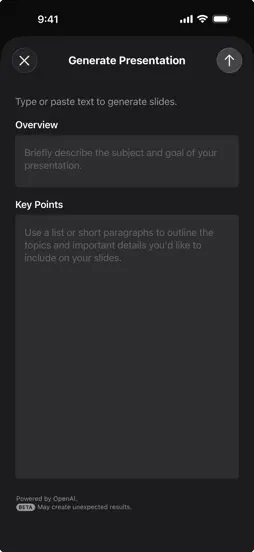
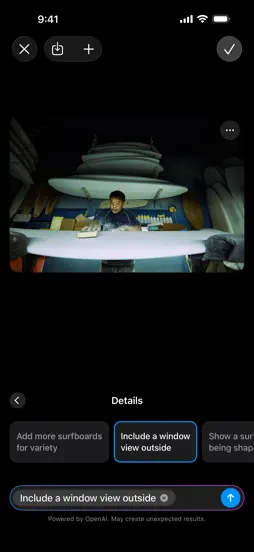
For Apple Creator Studio Subscribers: Intelligent Assistant (Beta)* • Build your story, add animations, and refine your slides with an assistant that understan...For Apple Creator Studio Subscribers: Intelligent Assistant (Beta)* • Build your story, add animations, and refine your slides with an assistant that understands your presentation • Get guidance on where to start, learn how to use advanced features, or try a suggestion to see what’s possible • Generate slides, presenter notes, images, and shapes using natural language • Search for up-to-date information on a topic and incorporate it into your slides New Premium Content • Elevate your presentation with a new collection of professionally-designed themes • Browse the Content Hub to find curated videos that add motion and depth to your presentation For Everyone: • Import and export presentations in Keynote’s new Interchange Format (.keyx), an open file format that makes it easier to work with content outside of the app (beta) • Additional bug fixes and performance improvements * US English only. Requires an Apple Intelligence-capable device with iOS 27, iPadOS 27, or later.
Version 15.4 2026-09-29
For Apple Creator Studio Subscribers: • Make your work stand out with a new collection of professionally-designed themes • Automatically create new images tailo...For Apple Creator Studio Subscribers: • Make your work stand out with a new collection of professionally-designed themes • Automatically create new images tailored to your presentation with improved intelligent slide generation (beta) For Everyone: • Request access to collaborate on a shared presentation • Ask Siri questions about Keynote to get quick answers • Includes stability improvements and bug fixes
Version 14.2 2024-09-17
• Advance your slides hands-free with the double tap gesture on supported Apple Watch models. (Requires watchOS 11) • See HDR images and movies in greater dynam...• Advance your slides hands-free with the double tap gesture on supported Apple Watch models. (Requires watchOS 11) • See HDR images and movies in greater dynamic range on supported devices. (Requires iOS 18 or iPadOS 18) • Squeeze Apple Pencil Pro to quickly switch tools, line weights, and colors. • Use the new document browser to easily create a new presentation or find a recent one. (Requires iOS 18 or iPadOS 18) • Additional bug fixes and performance improvements.

App Store User Reviews

Sawyer_1266 2023-04-21
★★★★★
★★★★★

Great! A Few Suggestions, Though

When I first got this iPad, I thought Keynote was just one of those useless apps that just happens to appear on your device once you get it. Then one day I deci...When I first got this iPad, I thought Keynote was just one of those useless apps that just happens to appear on your device once you get it. Then one day I decided to try it out; and believe me, I was wrong. It’s awesome!!! I do like everything on it. But there was one day I did do a presentation on Keynote, and there is one thing that I needed to do for it that you can do on Keynote. That was to remove background on videos. You can remove background perfectly fine on photos. Why not on videos? It’s just like a photo, but it captures movement and sound. so my one and only request of this amazing and functional app is that it can remove background on videos. and this word REALLYE the best app ever if it was easier to use your finger and/or Apple Pencil and draw on the presentation. I later found out that there is a way to do that, but I would appreciate it if I could access the drawing toolbox a bit easier.
Yara 🖤🖤 2023-05-07
★★★★★
★★★★★

So cool

When I got my iPad, I saw this app all the time and I thought, “ Why do they put this app on here, I don’t think we would need it.” ZThen, it was getting closer...When I got my iPad, I saw this app all the time and I thought, “ Why do they put this app on here, I don’t think we would need it.” ZThen, it was getting closer to my dads sisters birthday. She took care of us when my mom was in the hospital and spent nearly all her money on us. I thought she really did something really special for everything she did so I decided I would look through the apps that I’ve never been on and I came up to the Keynote app.I tried it out and I saw that you could use by and I decided that I would you know just kinda like put some nice birthday stuff on there. Put a nice happy birthday song and have some nice note her husband had some things I wanted to say to her you know romance, so we decided that he could pick some poems on there. Then there can my uncle/my aunt which is the birthday girls brother. And he said what are you doing for the a lot of my iPad when I was on keto and I told him that I was really making a surprise for my aunt. Let’s call her candy. My uncle also wanted to do something so he said let’s go get some balloons and cake. Then in the evening of her birthday we got the cake from Maya and the balloons from a party place and the things you like the most was the presentation on keynote. It made her super happy.
Chloe Jean Baptiste 2025-12-25
★★★★★
★★★★★

Why this is such a great app

It is fun and you can write your own presentation to why you want something or how you want something or you can practice your homework on or like an essay and ...It is fun and you can write your own presentation to why you want something or how you want something or you can practice your homework on or like an essay and if you do really love ELA I would get this app. This app may help you and it may guide you through getting something you want by writing slides, telling your parents why you want it in reasons why like introduction body paragraph reason one reason, two reason three for example for example for example and then your conclusion and then all about the author, but we don’t need to worry about and it is family, friendly a child should have it and they should not worry about their parents finding out there is nothing inappropriate or bad you can do whatever you want on it. I don’t mean whatever you want. I mean, you can write whatever you want, but you can always have parental controls on it to see what your kids are writing so this is why I would recommend this app. It is so fun. You can do your own presentations. Telling you it helped me so maybe it might help you.
BrokenCylon 2026-05-27
★★★★★
★★★★★

Refusing To Update To This Version

I learned long ago, read the release notes, read the reviews. This used to be free & would take some of the sting out of the high priced hardware. Now Apple is ...I learned long ago, read the release notes, read the reviews. This used to be free & would take some of the sting out of the high priced hardware. Now Apple is putting portions of this software behind a paywall & annoying us w/nagging ads to subscribe if you don’t. While I’m convinced that Apple would definitely posses the ability to extract blood from a turnip, why would you? Why do this to your LOYAL customers? Why force feed us yet another subscription? Y’all aren’t wealthy enough? Your office is literally a giant high tech spaceship. I don’t want to have to subscribe to Apple Creator Studio, I want to use Numbers/Pages/Keynote & know that I have access to all of it’s content & features having just shelled out over $2k on a 13” laptop or over $1,200 on a phone (a phone!) or whatever. So I will use my old version for as long as I can. Just disgusted. Also, the app icons are terrible. They don’t visually fit w/the rest of iOS, just like Clock & Camera (& arguably Preview), they look completely out of place on the screen. Now some are skeuomorphic, some are not. Scott Forstall would love it though.
buggyboy23333 2026-11-06
★★★★★
★★★★★

Amazing- Give it a try! 2 suggestions, though…

I’ve tried Slides & PowerPoint. Keynote is the best. First, it is beautiful. There are amazing templates to choose from, & Magic Move really stands out. The ani...I’ve tried Slides & PowerPoint. Keynote is the best. First, it is beautiful. There are amazing templates to choose from, & Magic Move really stands out. The animations are much more solid than the other 2. For those of you that stick to PowerPoint because you think it can handle more data, you’re wrong. I’ve tested Keynote with this, and it’s just as good. It’s just much better when you’re trying to attract someone. One suggestion I have is to make personal, family, & everyday stuff templates free. Currently, the best ones of those cost money, so I would suggest this action. Another suggestion is to remove the subscription clutter if I’m not a subscriber. It’s annoying to see interesting features just being used to lure me into paying. But overall, I think Keynote is the best presentation app you’ll ever see. I think you should try it!
ranDMC77 2023-07-29
★★★★★
★★★★★

AHH SO AMAZING AND PLLS READ

So, like, this is like iMovie and slides merged together… creating something better. I love keynote. And I’ve been playing this for 5 minutes. So some of you mi...So, like, this is like iMovie and slides merged together… creating something better. I love keynote. And I’ve been playing this for 5 minutes. So some of you might think, ‘oh nah you should play it for longer before you Judge it or else the game might turn out to be bad and you’ll be heartbroken so don’t think that it’s good yet’ but I have a feeling that this game is going to be very fun for me. In slides, you don’t really have the option for all these fonts and the insert photos and all the details, and you can’t choose the background of the presentation, which you can do in iMovie, but iMovie is quite glitchy and laggy and never saves my work…so when I downloaded this 5 minutes ago, I knew this was going to be a creating game that I would use in every second of my free time. I’d like to thank whoever came up with keynote and everyone who helped bring it to life.
🦇Addi🦇 2023-04-29
★★★★★
★★★★★

Amazing

Ive been doing family writing/presentations and i was looking for an app. I was at school, and they asked me to download keynote. I saw it on my page on my iPad...Ive been doing family writing/presentations and i was looking for an app. I was at school, and they asked me to download keynote. I saw it on my page on my iPad at home, and since I knew how good it was, I went on and downloaded it. With normal apps like this, there would be ads, interruptions, and other things to get you off task. But with this there are 0 ads, 0 interruptions, and 0 of all the other bad stuff. It was easy to add pictures and texts, the selection of next slides make it easy, The only thing I would add is putting the video in the presentation. Like not a link. So the next slide I could just press play and choose the size of the video so I could maybe have some notes on the side or something like that. Another this is different colored texts and fonted texts. Overall amazing app, I will recommend this to my family members. Thanks for reading my review!
KRD2011 2023-11-30
★★★★★
★★★★★

Pro tip: you can make hand drawn movies

It takes a while, but here’s how. 1. Draw a picture of something or use shapes. 2. Animation. There are two ways to do it. First method: Select an object and pr...It takes a while, but here’s how. 1. Draw a picture of something or use shapes. 2. Animation. There are two ways to do it. First method: Select an object and press “Animate”. You can phase your object in and out of the scene with a wide variety of build ins and build outs, as well as in between animations, such as changing opacity, giving it a path to follow, and more. Second method: Draw the object you want to create on one slide, and give the slides automatic transitions. On each slide, draw the object in a slightly different position, drawing more or less positions depending on how smooth you want the animation to be. 3. Backgrounds. There are a lot of different backgrounds to choose from. You can use simple gradients, solid colors, your own images, and more. You can even add dynamic backgrounds for dreamlike landscapes, ghostly abysses, vast oceans, floating above the clouds, and even gliding through mountains! 4. Voiceover and Captioning. For the character dialogues and narration, press the “Record” button. There are endless possibilities as to what the characters could say. For captioning, go into the shapes menu and select “Text”. You can use any font you wish. From Party LET for a whimsical feel or Bodoni Ornaments for cryptic and alien languages (or a fancy way to censor bad words), to Impact for its huge… impact. Make sure it’s at a reasonable size so people can read it. 5. Sound effects. For those who want a more immersive feel, you can go into third party apps like LumaFusion (what I use) and download Storyblocks sound effects and music. These sound effects will go into your files in the “StoryBlocks” folder. You can access these files and use them in your presentation. For voice effects, go into a voice changer app and record your voice with the filter you want to use. If you can save your voice recordings and save them in files as “compatible” recordings, you’ve got your very own filtered phrases to use in your presentation! 6. Storyline. Every show needs a story. If you can imagine it, you can create it. Enjoy!
Dr JLW 2026-01-11
★★★★★
★★★★★

Easy to use; easy to transition to the classroom

Love Keynote Speaker. I’ve been teaching college for around fifteen or so years, and this has been my go-to program for lectures since I started. The tools ar...Love Keynote Speaker. I’ve been teaching college for around fifteen or so years, and this has been my go-to program for lectures since I started. The tools are incredibly easy to use (the, “magic move” transition is essential); I am also able to easily export to PDF or other programs as-needed. Morning of a lecture, I can easily import images or adjust text, even on the go, even running into class. Because the program is now standard on the Apple iPad, I can also pull up my keynote presentations on my iPad, and connect (with adaptors) directly to the projector in the classroom, circumventing the PC entirely with its (very different, proprietary, sub-par and very fiddly) programs- which makes it faster, easier, and more seamless to instantly go into the lecture for the day. Keynote for iPad is why I can get everything setup quickly, and attend to the myriad other issues in the classroom that crop up at setup every day. (My only criticism is difficulty in finding a slide advancer device that works with iPad. Logitech spotlight finally worked!) Bringing everything on an iPad each day also saves my backache and tension- I teach at different campuses across the city, so having everything on one small device (but not too small) makes everything seamless and ensures I can also bring my stacks of handouts, readings, etc in one quick trip. I used to bring an entire laptop- and pretty quickly, my sciatica, etc. would flare up. This is small, portable, and mighty. Please never get rid of this program. I love Keynote and it is an essential tool to my everyday work, all semester long. I rely on this software every single day.
Wicked Claws 2024-05-11
★★★★★
★★★★★

Improved but still frustrating

Keynote has improved dramatically and is functional as a slide creator but there are still issues. - Autoscroll when zoomed in is erratic, taking selected item...Keynote has improved dramatically and is functional as a slide creator but there are still issues. - Autoscroll when zoomed in is erratic, taking selected item careening off its prior location - menu disappearing when zoomed in but tapping to get the menu unselects item, no way around except zooming out which makes item selection or grabbing handles difficult - exporting to GIF is fragile and breaks if the GIF has anything more than a simple animation, symptom is the preview and save menu option disappear, only Save to Files available - when saving a single slide as a JPEG the default range should be only the slide or slides selected - no way to turn off spline curve grabbing nearby objects, should be option to turn that off like there is for Edge Alignment; work around is to group spline curve to off slide object so spline can be manipulated without being hijacked - slide menu on LHS of screen should be able to be hidden without it auto-appearing again by toggling on slide number indicator - zoomed in views not allowed to go beyond edge of slide, making sizing handles impossible to grab - modifications menu for things like font changes obscure what is being changed; either allowing the pull down to pull-off and float over slide or the ability to center select item on the screen behind the menu would mitigate this problem Please keep improving Keynote

Technical Analysis

Package Overview Package analysis available
Bundle ID com.apple.Keynote
Current Version 15.4.2
Minimum iOS 26.0
Package Size App Store Size
Package Metadata 27 / 122 version records
Architectures
arm64 arm
✗ Swift ✗ Objective C ✗ PIE ✗ Stack Canary ✗ Bitcode

More by Apple

Developer Information

Known Version Records

27 version records with stored package metadata • 122 known version records

Stored metadata does not guarantee a package is currently available to download.

Details Version / IDs Version date Action
Keynote: Design Presentations icon
Not archived
v15.4.2
App Store ID: 893692144Build: 15.4.2
2026-10-23 05:50:39 Request Version
Keynote: Design Presentations icon
Not archived
v15.4.1
App Store ID: 892234480Build: 15.4.1
2026-10-22 19:07:08 Request Version
Keynote: Design Presentations icon
455.71 MB
v15.4
App Store ID: 891941736Build: 7377.0.77
2026-09-29 19:01:04 Get Version
Keynote: Design Presentations icon
449.52 MB
v15.3
App Store ID: 886393061Build: 7375.0.54
2026-06-06 09:27:30 Get Version
Keynote: Design Presentations icon
449.52 MB
v15.3
App Store ID: 884777076Build: 7375.0.54
Unknown Get Version
Keynote: Design Presentations icon
Not archived
v15.3
App Store ID: 884336756Build: 15.3
2026-06-30 19:00:57 Request Version
Keynote: Design Presentations icon
439.9 MB
v15.2
App Store ID: 882423352Build: 7374.0.70
2026-03-21 09:38:28 Get Version
Keynote: Design Presentations icon
Not archived
v15.2
App Store ID: 882355138Build: 15.2
2026-04-09 19:00:29 Request Version
Keynote: Design Presentations icon
436.25 MB
v15.1.1
App Store ID: 882156203Build: 7373.0.283
2026-02-09 05:21:20 Get Version
Keynote: Design Presentations icon
1010.63 MB
v15.1
App Store ID: 880859824Build: 1006.0.279
Unknown Get Version
Keynote: Design Presentations icon
436.25 MB
v15.1
App Store ID: 880743304Build: 7373.0.281
2026-01-15 06:55:38 Get Version
Keynote: Design Presentations icon
Not archived
App Store ID: 880362357 Unknown Request Version
Keynote: Design Presentations icon
Not archived
App Store ID: 880362322 Unknown Request Version
Keynote: Design Presentations icon
Not archived
App Store ID: 878340752 Unknown Request Version
Keynote: Design Presentations icon
Not archived
App Store ID: 878340747 Unknown Request Version
Keynote: Design Presentations icon
Not archived
App Store ID: 875365334 Unknown Request Version
Keynote: Design Presentations icon
Not archived
App Store ID: 875364092 Unknown Request Version
Keynote: Design Presentations icon
Not archived
App Store ID: 873767270 Unknown Request Version
Keynote: Design Presentations icon
Not archived
v15.1
App Store ID: 873767261Build: 15.1
2026-01-28 15:02:47 Request Version
Keynote: Design Presentations icon
942.23 MB
v14.4
App Store ID: 873264278Build: 1005.0.90
2025-03-19 11:14:20 Get Version
Keynote: Design Presentations icon
Not archived
App Store ID: 873164903 Unknown Request Version
Keynote: Design Presentations icon
349.07 MB
v14.4
App Store ID: 873131658Build: 7372.0.92
2025-03-19 09:58:02 Get Version
Keynote: Design Presentations icon
Not archived
App Store ID: 872424918 Unknown Request Version
Keynote: Design Presentations icon
Not archived
App Store ID: 872424916 Unknown Request Version
Keynote: Design Presentations icon
Not archived
App Store ID: 871103731 Unknown Request Version
Keynote: Design Presentations icon
Not archived
v14.4
App Store ID: 871103720Build: 14.4
2025-04-03 17:16:12 Request Version
Keynote: Design Presentations icon
Not archived
App Store ID: 869635815 Unknown Request Version
Keynote: Design Presentations icon
928.19 MB
v14.3
App Store ID: 869564618Build: 1004.0.73
2024-12-06 03:29:46 Get Version
Keynote: Design Presentations icon
Not archived
App Store ID: 869101958 Unknown Request Version
Keynote: Design Presentations icon
Not archived
v14.3
App Store ID: 869101955Build: 14.3
2024-12-12 20:10:51 Request Version
Keynote: Design Presentations icon
928.12 MB
v14.2
App Store ID: 866884048Build: 1003.0.109
2024-09-11 03:51:00 Get Version
Keynote: Design Presentations icon
Not archived
v14.2
App Store ID: 866884037Build: 14.2
2024-09-17 17:18:54 Request Version
Keynote: Design Presentations icon
Not archived
App Store ID: 865808336 Unknown Request Version
Keynote: Design Presentations icon
Not archived
App Store ID: 865808330 Unknown Request Version
Keynote: Design Presentations icon
Not archived
App Store ID: 865782163 Unknown Request Version
Keynote: Design Presentations icon
337.38 MB
v14.1
App Store ID: 865770043Build: 7369.0.73
2024-05-31 12:01:46 Get Version
Keynote: Design Presentations icon
Not archived
App Store ID: 865274368 Unknown Request Version
Keynote: Design Presentations icon
337.38 MB
v14.1
App Store ID: 865102229Build: 7369.0.73
2024-05-31 12:01:46 Get Version
Keynote: Design Presentations icon
Not archived
App Store ID: 864989059 Unknown Request Version
Keynote: Design Presentations icon
337.38 MB
v14.1
App Store ID: 864989051Build: 7369.0.73
2024-05-31 12:01:46 Get Version