Preview




Description
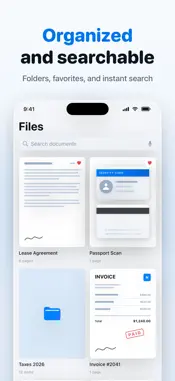
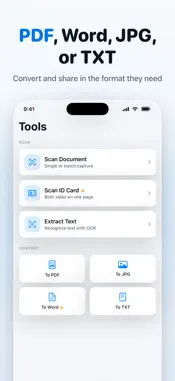
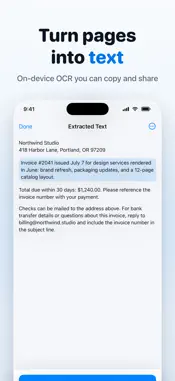
Scan anything into a sharp, clean PDF in seconds. Receipts, contracts, ID cards, passports, notes, whiteboards: point your camera and Scanner App finds the page edges, straightens the shot, and saves it. Everything runs on your iPhone. No account, no cloud, no servers. Your documents never leave your device. SCAN ANYTHING • Automatic edge detection and perspective correction • Single page, or batch capture for long documents • ID Card and Passport modes put both sides on one page • Seven filters: Auto, Magic Color, Gray, Black & White, Lighten, No Shadow, and Original EXTRACT TEXT WITH OCR • Recognize the text in any scan, then copy, search, or export it • Turn a photo of a printed page into text you can actually use CONVERT AND EXPORT • Save as PDF, JPG, TXT, or Word (DOCX) • Turn photos and pictures into a single PDF • Share straight to Mail, Messages, Files, or any other app SIGN AND EDIT • Draw a signature or stamp once, then reuse it on any document • Rotate pages, change filters, and reorder pages by dragging • Rename documents, sort them into folders, and search your library EXTRA TOOLS • QR code and barcode scanner • Count objects in a photo BUILT TO STAY PRIVATE You scan your most sensitive paperwork. It should stay yours. • 100 percent on-device processing. We run no servers for this app • No account, no sign-up, no email required • No ads at any tier. No analytics, no trackers, no third-party SDKs • App Store privacy label: Data Not Collected • Lock the app behind a 4-digit PIN and Face ID FREE AND PREMIUM Scanner App is free to use, with limits: up to 20 saved documents, 3 pages per document, 5 OCR text extractions, and 3 exports per day. Free PDF and JPG exports carry a small watermark. Scanner Premium unlocks: • Unlimited scans, documents, and pages • Unlimited OCR text recognition • Convert scans to Word (DOCX) • Signatures and stamps • No watermarks on exports Premium is available as a weekly, monthly, or yearly subscription, with a free trial on the weekly plan. Pricing for your region is shown in the app before you buy. Payment is charged to your Apple Account at confirmation of purchase. Subscriptions renew automatically unless auto-renew is turned off at least 24 hours before the end of the current period, and your account is charged for renewal within 24 hours before the period ends. You can manage or cancel your subscription in your Apple Account settings after purchase. Any unused portion of a free trial is forfeited when you purchase a subscription. Privacy Policy: https://apphaze.com/scanner/privacy/ Terms of Use: https://apphaze.com/scanner/terms/ Support: https://apphaze.com/scanner/support/
Technical Analysis
Package Overview Basic metadata
Bundle ID
app.pdfscanner.smart Current Version 1.0.0
Minimum iOS 26.2
Package Size App Store Size
Package Metadata 0 / 0 version records
Detailed binary, privacy manifest, framework, and Info.plist results have not been indexed for this package yet. The verified App Store and archive metadata above remains available.
Developer Information
Known Version Records
0 version records with stored package metadata
Stored metadata does not guarantee a package is currently available to download.
| Details | Version / IDs | Version date | Action |
|---|