Preview


Description
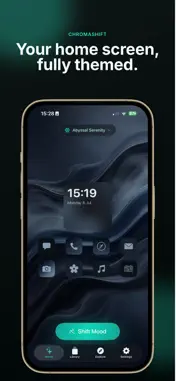
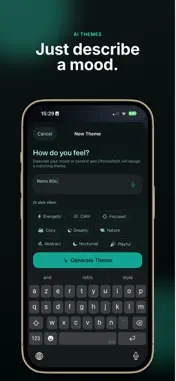
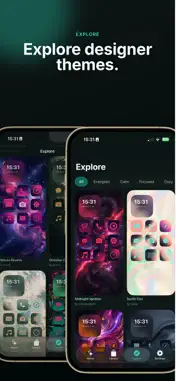
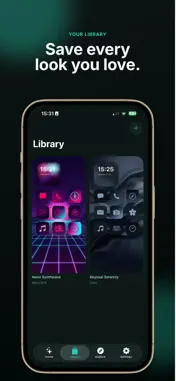
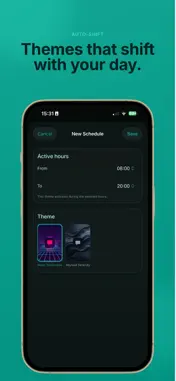
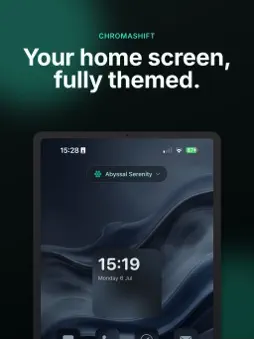
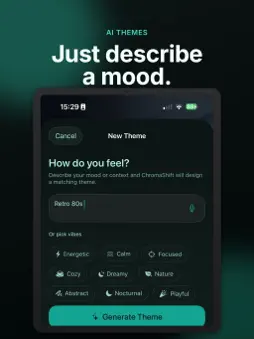
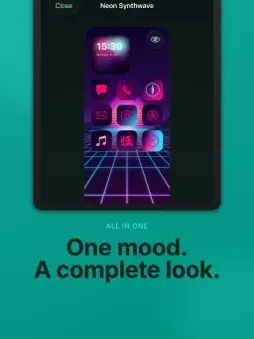
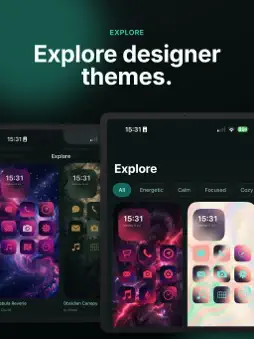
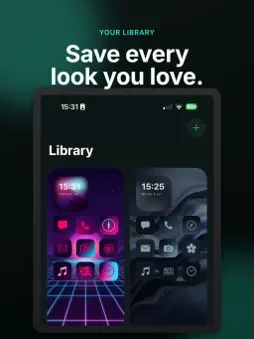
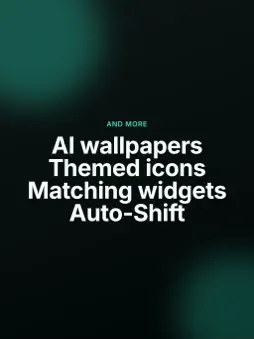
Turn any mood into a complete iPhone look. Just describe how you feel — "Neon Tokyo rain", "cozy autumn morning", "retro 80s" — and ChromaShift designs a full aesthetic for your home screen: a matching wallpaper, themed widgets, and a coordinated set of app icons. No design skills needed. DESCRIBE IT, DON'T DESIGN IT Type a mood or tap a vibe (Energetic, Calm, Focused, Cozy, Dreamy, Nature, Playful and more). ChromaShift builds a cohesive color palette and look in seconds. You can even describe your mood by voice. A COMPLETE MATCHING SET Every theme comes as a package: • A unique wallpaper — AI art, animated gradient, or a real photo • Themed app icons for your favorite apps • Widgets styled in your theme's colors CHOOSE YOUR WALLPAPER STYLE Prefer bold AI artwork, a clean gradient, or a real photograph? Switch the wallpaper source with one tap and keep the rest of your theme intact. REFINE UNTIL IT'S PERFECT Not quite right? Tell ChromaShift "make it warmer and softer" or shuffle the colors until it feels like you. BUILD YOUR LIBRARY Save every look you love. Switch your active theme anytime from Home or your Library. EXPLORE READY-MADE THEMES Browse a curated gallery of designer themes across every mood — from Midnight Ignition to Abyssal Serenity, Nebula Reverie to Obsidian Canopy. Filter by vibe and make any of them yours. THEMED WIDGETS Add home-screen widgets that match your active theme: • Themed Clock Widget • Themed Battery Widget • Year Progress Widget AUTO-SHIFT THROUGH YOUR DAY Schedule themes by time of day. Energizing colors for the morning, calm tones at night — your widgets shift automatically, even without opening the app. DESIGNED FOR iOS iOS doesn't let apps change your wallpaper or icons directly, so ChromaShift saves your wallpaper and icons to Photos and walks you through applying them step by step — including Shortcuts and Focus tips for automatic switching. Describe your mood. Get your look. Shift anytime. — Themes are generated on-device and with AI. Photos courtesy of Pexels. Terms of use: https://www.apple.com/legal/internet-services/itunes/dev/stdeula/
What's New
Version 1.0.2 2026-08-08
Enhance performance and introduce a premium subscription Technical Analysis
Package Overview Basic metadata
Bundle ID
com.approver.ChromaShift Current Version 1.0.2
Minimum iOS 26.0
Package Size App Store Size
Package Metadata 1 / 3 version records
Detailed binary, privacy manifest, framework, and Info.plist results have not been indexed for this package yet. The verified App Store and archive metadata above remains available.
Developer Information
Known Version Records
1 version record with stored package metadata • 3 known version records
Stored metadata does not guarantee a package is currently available to download.
| Details | Version / IDs | Version date | Action |
|---|---|---|---|
| Not archived | App Store ID: 889453045 | Unknown | Request Version |
| Not archived | App Store ID: 888749466 | Unknown | Request Version |
| 46.69 MB | v1.0.2 App Store ID: 887799450Build: 1.0.2 | 2026-08-08 23:56:50 | Get Version |