Preview



Description
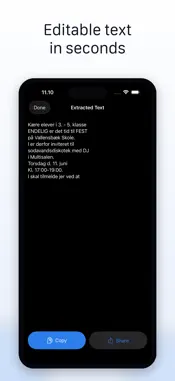
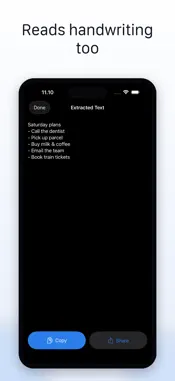
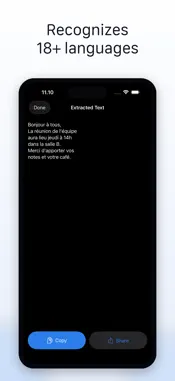
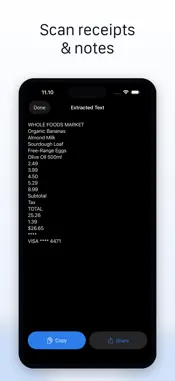
Turn any photo into editable text in seconds. Image to Text: Photo OCR Scan is the fastest way to pull words off a page, sign, receipt, slide, or screenshot. Point the camera, pick a photo from your library, and the app reads the text and hands it back ready to copy, share, or save. Built around Apple's on-device Vision framework, recognition runs locally on your iPhone. That means it's fast, it works without an internet connection, and your images never leave your device. No accounts, no uploads, no servers, no analytics. KEY FEATURES • Scan with your camera — capture a page, sign, whiteboard, or note • Scan from Photos — pick any image already in your library • High-accuracy text recognition powered by Apple Vision • Recognises 18+ languages automatically based on your device language • Copy extracted text to your clipboard with one tap • Share to any app — Mail, Messages, Notes, Translate, ChatGPT • Selectable text view so you can grab just the snippet you need • Works fully offline — no network required, no account to create WHO IT'S FOR • Students copying handouts, slide decks, and textbook pages into their notes • Professionals extracting numbers from receipts, invoices, and business cards • Travelers reading signs, menus, and labels in unfamiliar scripts • Writers and researchers pulling quotes from photographed books or articles • Anyone tired of retyping text that's already on a page in front of them HOW IT WORKS 1. Tap Scan with Camera or Scan from Photos on the home screen 2. Capture or pick an image containing text 3. Wait one or two seconds while Vision reads the image 4. Tap Copy to paste anywhere, or Share to send the text to another app That's the whole flow. No accounts, no uploads, no settings to configure. PRIVACY Image recognition happens entirely on your iPhone. We do not collect, transmit, or store your photos or the text we extract. There are no analytics SDKs, no tracking pixels, no third-party advertising networks, and no user accounts. Read the full policy at https://www.appharbour.com/imagetotext/privacy.html SUBSCRIPTION This app offers a weekly subscription with a 3-day free trial, and an annual subscription. Payment is charged to your Apple ID at confirmation of purchase. Subscriptions automatically renew unless cancelled at least 24 hours before the end of the current period. Manage or cancel subscriptions in your Apple ID Account Settings. Restore purchases from the app settings. Terms of Use (EULA): https://www.apple.com/legal/internet-services/itunes/dev/stdeula/ Privacy Policy: https://www.appharbour.com/imagetotext/privacy.html Support: https://www.appharbour.com/imagetotext/service.html
What's New
Version 1.0.8 2026-06-29
Thanks for using Image to Text! This update brings: • Smoother, more reliable text extraction • Polish and refinements across the app • Bug fixes and performan... Technical Analysis
Package Overview Basic metadata
Bundle ID
com.appharbour.imagetotext Current Version 1.0.8
Minimum iOS 17.0
Package Size App Store Size
Package Metadata 0 / 2 version records
Detailed binary, privacy manifest, framework, and Info.plist results have not been indexed for this package yet. The verified App Store and archive metadata above remains available.
Developer Information
Known Version Records
0 version records with stored package metadata • 2 known version records
Stored metadata does not guarantee a package is currently available to download.
| Details | Version / IDs | Version date | Action |
|---|---|---|---|
| Not archived | App Store ID: 887377626 | Unknown | Request Version |
| Not archived | App Store ID: 886225769 | Unknown | Request Version |