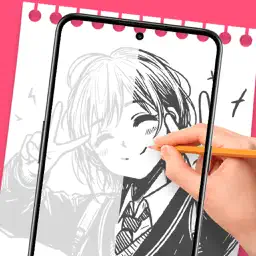
Preview


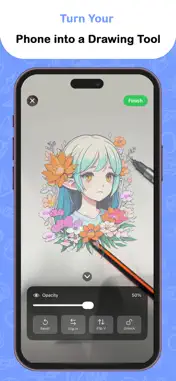


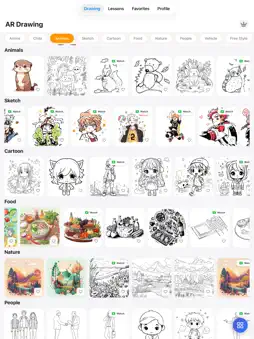
Description
Draw Through Camera – Sketch, Trace & Learn Draw accurately by looking through your phone camera. Trace images, follow step-by-step lessons, and improve your drawing skills using real-world alignment. Draw Through Camera is a camera-based sketching app that helps you draw on paper by overlaying images directly onto the live camera view. Simply place your phone above an object or drawing surface, look at the screen, and trace the image underneath with precision. No projection, no complex setup. Just your phone, paper, and creativity. How It Works 1. Choose an image Select an image from the app’s library, drawing lessons, or import your own photo. 2. Convert to tracing mode Apply filters to turn the image into a clean, easy-to-trace outline. 3. Set up your phone Place your phone about 30–40 cm above your paper or object. 4. Draw through the camera The image appears transparently on the camera screen. Look at your phone while drawing on paper below. 5. Learn step by step Follow structured lessons that guide you through each drawing stage. Key Features - Camera-based image tracing on real paper - Transparent image overlay for accurate drawing - Step-by-step drawing lessons for beginners - Import photos and convert them into tracing images - Adjustable transparency and tracing filters - Works with real objects for better alignment and proportions Who Is This App For - Beginners learning to draw - Users practicing sketch accuracy - Students and hobby artists - Anyone who wants to draw on real paper using camera guidance Premium Subscription Upgrade to Draw Through Camera Premium to unlock: - Full access to all drawing lessons - Premium tracing images and templates - Ad-free experience - Advanced tracing and filter tools Terms of Use(EULA): https://www.apple.com/legal/internet-services/itunes/dev/stdeula/ Privacy Policy: https://homeaidecor.app/privacy.html
What's New
Version 1.0.8 2026-03-29
More Stunning Drawing Templates - Explore a fresh collection of beautiful and detailed drawings to inspire your creativity and enhance your AR tracing experienc... Technical Analysis
Package Overview Basic metadata
Bundle ID
com.designkit.ar.drawing.sketchpro Current Version 1.0.8
Minimum iOS 17
Package Size App Store Size
Package Metadata 0 / 3 version records
Detailed binary, privacy manifest, framework, and Info.plist results have not been indexed for this package yet. The verified App Store and archive metadata above remains available.
Developer Information
Known Version Records
0 version records with stored package metadata • 3 known version records
Stored metadata does not guarantee a package is currently available to download.
| Details | Version / IDs | Version date | Action |
|---|---|---|---|
| Not archived | App Store ID: 883686606 | Unknown | Request Version |
| Not archived | App Store ID: 882282438 | Unknown | Request Version |
| Not archived | App Store ID: 880503605 | Unknown | Request Version |