Preview


Description
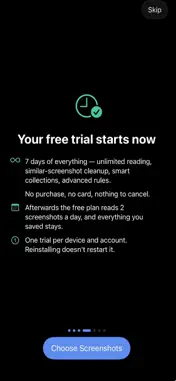
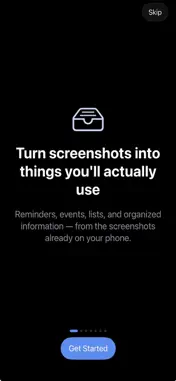
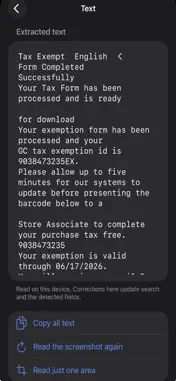
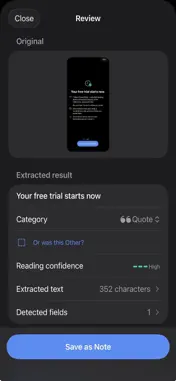
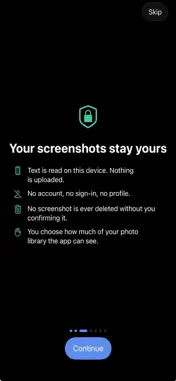
Your camera roll is full of screenshots you meant to do something with. A concert date. A recipe. A tracking number. A business card. A return window that closes on Thursday. Screenshot Inbox reads each one — on your iPhone, never on a server — works out what it is, and proposes the obvious next step. You confirm; it acts. Then, once what mattered is safely out, it offers to clear away the original. WHAT IT DOES • Finds new screenshots automatically and reads the text in them • Recognises dates, addresses, prices, order and tracking numbers, links, phone numbers and email addresses • Suggests one clear action: add the event, set the reminder, save the contact, keep the link, file the record • Saves what it extracted before it does anything else, so nothing is lost if a calendar write fails or you change your mind • Keeps a searchable Library of everything you saved, findable from the Home Screen with Spotlight • Tracks return deadlines and warranty dates, and reminds you before they pass • Snoozes a screenshot until a time — or until you arrive somewhere • Combines a run of scrolling screenshots into one long image and reads it as a whole • Spots duplicates and near-duplicates so you can clear them in one go • Cleans up: deletes only the screenshots you select and confirm, through Recently Deleted, never silently PRIVATE BY DESIGN Everything happens on your device. Text recognition uses Apple's own on-device frameworks. There is no account, no server of ours, and no analytics. The one optional thing that can leave your phone is a saved link's address, when the app fetches that page's title — and you can turn that off. iCloud Sync is optional and off by default. Turn it on and your saved items are copied to your own private iCloud database, so they survive a lost device and appear on your other devices. Your screenshots themselves are never uploaded. Nothing is ever deleted from your photo library without a confirmation that tells you exactly what is involved. That cannot be turned off. PREMIUM Every new install starts with a 7-day free trial of everything — no purchase, no card. After that the free plan reads 2 screenshots a day; Premium removes the limit and adds visual-similarity cleanup, smart collections and multi-condition rules, available as a subscription ($2.99 a month or $14.99 a year) or a one-time purchase. Your saved items stay exactly as they are whether or not you subscribe. Terms of Use (EULA): https://mcseagate.github.io/ApexRootsolutions/screenshot-inbox/terms/ Privacy Policy: https://mcseagate.github.io/ApexRootsolutions/screenshot-inbox/privacy/
What's New
Version 1.1 2026-11-11
The paywall now spells out the subscription terms before you buy. Premium also switches on as soon as a purchase is approved by a family organizer or restored b...The paywall now spells out the subscription terms before you buy. Premium also switches on as soon as a purchase is approved by a family organizer or restored by the App Store, without waiting for you to reopen the app. Technical Analysis
Package Overview Basic metadata
Bundle ID
com.apexroot.screenshotinbox Current Version 1.1
Minimum iOS 17.0
Package Size App Store Size
Package Metadata 0 / 0 version records
Detailed binary, privacy manifest, framework, and Info.plist results have not been indexed for this package yet. The verified App Store and archive metadata above remains available.
Developer Information
Known Version Records
0 version records with stored package metadata
Stored metadata does not guarantee a package is currently available to download.
| Details | Version / IDs | Version date | Action |
|---|