Preview



Description
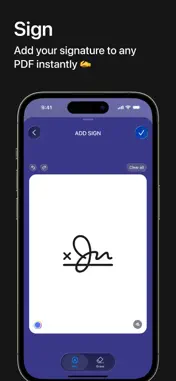
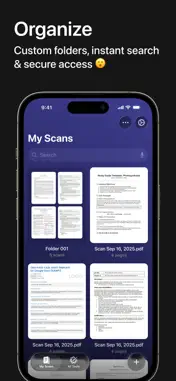
Welcome to Scanner Max! Your powerful portable scanner right in your iPhone. Forget bulky scanners and piles of paper. Scanner Max turns your smartphone into a fast, reliable tool for digitizing anything — receipts, contracts, notes, forms and more. Get sharp scans, edit them, sign and share in seconds. Instant scanning Point your camera and watch the magic: automatic edge detection, smart enhancement, high-resolution output in just a few taps. Perfect for: • business documents, contracts, invoices, letters • handwritten notes, sketches, quick memos • receipts, rent payments, tickets, any printed paper Powerful document converter Turn your scans (or imported PDFs) into the formats you need: • editable files — DOCX, PPTX, XLSX • images — PNG, JPG • plain text — TXT Ready for Word, PowerPoint, spreadsheets or simple sharing. Auto-crop & perspective correction No need for perfect alignment. The app automatically crops and straightens every page — clean, professional results every time. OCR — text recognition • Extract editable text from your scans. Search, copy or edit content easily. • Works great with printed documents, forms, books and many handwritten notes. Sign documents in seconds Create your signature(s) once — then add them to any page with one tap. Fast e-signing right on your device. Multi-page documents Scan as many pages as you need and combine them into one smooth PDF. Add, reorder, delete pages effortlessly. Custom settings Choose resolution, color mode, default format and other options to match your workflow perfectly. Secure & convenient sharing • Send scans via email, messengers or cloud. • PDF, JPEG, PNG formats • password protection available • save to Photos, Dropbox, Google Drive or any app Smart organization Create folders, rename files, find documents instantly. Everything stays neatly sorted. Who uses Scanner Max? Remote workers, students, accountants, real estate agents, lawyers, managers — anyone who deals with paper daily. Digitize contracts, tax forms, tickets, receipts, notes, homework and export in PDF, JPG or PNG. Scanner Max Subscription: • Unlock full features with a subscription • Free trial included for new users • Payment charged after confirmation • Auto-renews unless cancelled • Cancel anytime in your App Store account settings Privacy Policy: https://scannerpdfapp.framer.website/privacy Terms of Use: https://scannerpdfapp.framer.website/terms We value your opinion! Leave a review or write to us at [email protected]. Your feedback helps make Scanner Max even better.
What's New
Version 1.0.1 2026-09-21
Improved app stability and fixed minor bugs. Technical Analysis
Package Overview Basic metadata
Bundle ID
com.scan.master Current Version 1.0.1
Minimum iOS 16.0
Package Size App Store Size
Package Metadata 0 / 0 version records
Detailed binary, privacy manifest, framework, and Info.plist results have not been indexed for this package yet. The verified App Store and archive metadata above remains available.
Known Version Records
0 version records with stored package metadata
Stored metadata does not guarantee a package is currently available to download.
| Details | Version / IDs | Version date | Action |
|---|