Preview







Description
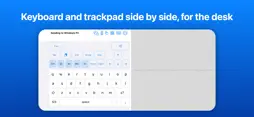
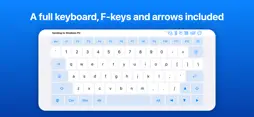
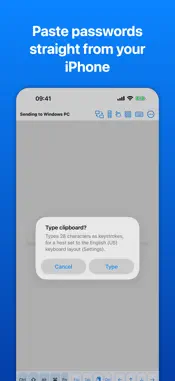
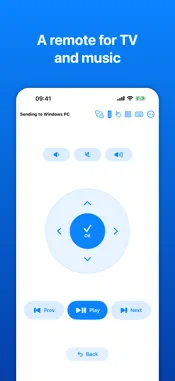
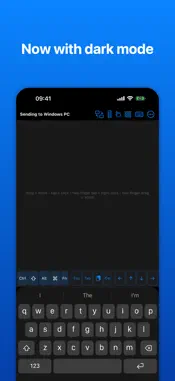
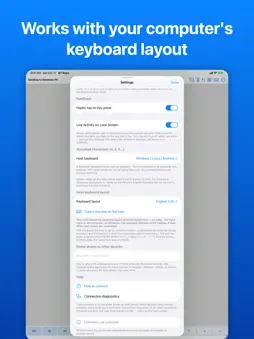
Turn your iPhone into a wireless Bluetooth keyboard and trackpad for a PC, Mac, iPad, smart TV or Raspberry Pi. Nothing to install on the other device. • Keyboard in any language, plus Ctrl, Alt, ⌘, Esc, F1–F12 and arrows • Full laptop keyboard and numpad modes • Multi-touch trackpad: click, right-click, scroll, drag • TV remote with an air pointer — aim the phone, the cursor follows • Slide controls for presentations • Macros, text snippets and clipboard paste • Several devices at once, switch with one tap • Apple Watch remote • No account, no servers, no tracking HOW IT CONNECTS • Mac, iPad or iPhone on your Apple Account: open Devices, tap Scan and pick it. No pairing screen at all. • Everything else — PC, smart TV, Raspberry Pi, or an Apple device on someone else's Apple Account: pair from that device's own Bluetooth settings, where your iPhone appears as "BT Keys", like any Bluetooth keyboard. • If neither works, install BT Keys on the other Apple device too and switch it to Receive mode. KEYBOARD • Your normal iPhone keyboard, with dictation and Japanese, Chinese and Korean input methods • Tap a modifier, then a key, for shortcuts like ⌘+Tab or Ctrl+C; double-tap to lock it • Matches the other device's keyboard layout — US, UK, German, French, Spanish, Italian, Portuguese, Nordic, Polish, Hungarian and more — so accents like ö, é, ñ and ç arrive as typed • Korean goes out as standard 2-Set (두벌식) keys. For Chinese or Japanese, type pinyin or romaji and let the other device convert it • Full keyboard: Esc, F-keys, number row and arrows, labelled in the other device's layout • Numpad: real keypad keys, so spreadsheet shortcuts and Alt-codes work TRACKPAD • One finger moves and taps to click; two fingers scroll and tap to right-click • Tap, then press again to drag • Trackpad only gives the pointer the whole screen, and flicks keep gliding REMOTE & PRESENTATIONS • Full-screen remote: play/pause, volume, brightness, a D-pad and Home • Air pointer: hold the button and aim the phone to move the cursor; tap to click • Presenter bar: start, next, previous, black screen and pointer • Apple Watch app for play/pause, skip and volume MACROS & SNIPPETS • Record a key combo and replay it with one tap • Save text snippets, and type your clipboard with the Paste key MULTIPLE DEVICES • Stay connected to several devices and choose which one gets your input • Identify wiggles a device's pointer, so you know which screen you're about to type into PRIVACY Keystrokes go straight to the paired device over encrypted Bluetooth — never recorded, never uploaded. Free for 10 minutes a day. One in-app purchase unlocks unlimited use — no subscription.
What's New
Version 1.2.45 2026-11-02
• New in Settings: Always landscape. The app stays sideways, even with the phone flat on a desk. • Three-finger swipe now works on an iPad: up goes Home, left o... Technical Analysis
Package Overview Basic metadata
Bundle ID
de.apopov.iphonekeyboard Current Version 1.2.45
Minimum iOS 16.0
Package Size App Store Size
Package Metadata 0 / 0 version records
Detailed binary, privacy manifest, framework, and Info.plist results have not been indexed for this package yet. The verified App Store and archive metadata above remains available.
Developer Information
Known Version Records
0 version records with stored package metadata
Stored metadata does not guarantee a package is currently available to download.
| Details | Version / IDs | Version date | Action |
|---|