Preview



Description
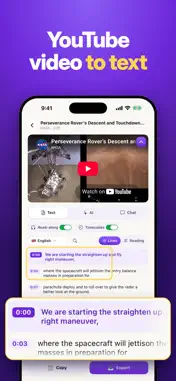
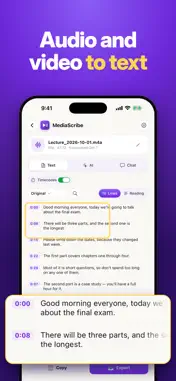
Transcript for YouTube Video turns a recorded lecture or voice, an audio or video file or a YouTube video into a time-coded transcript on your iPhone: mark key moments as you record, read along with the player, get an AI summary, translate into 50+ languages, search, copy and export as TXT, SRT, VTT, PDF or Word. A YouTube transcript loads in seconds when captions exist. A recording from your phone goes through AI speech recognition and is usually ready within minutes. No typing, no laptop. HOW IT WORKS 1. Paste a YouTube link, or tap Share in the YouTube app and pick this app from the list. 2. For your own voice, tap Record. For files, pick one in Files or Photos, or share it from Voice Memos. 3. Read the result, then search, summarize, translate or export it. YOUTUBE TRANSCRIPT AND READ-ALONG • The full youtube transcript appears as clean lines with timestamps • Tap a timestamp to jump to that moment in the built-in player • The current line lights up while the clip plays • No captions? Speech-to-text transcribes the soundtrack instead RECORD OR IMPORT AUDIO AND VIDEO (NEW) Lectures, interviews, meetings, podcasts and voice memos become a transcript the same way a clip does. • Record a lecture or your voice in the app: pause, stop and mark key moments with one tap • Recording keeps going in the background, with a Live Activity on the Lock Screen • Name it, rename it later, or transcribe it again • Import from Files or Photos, or share from Voice Memos and other apps • Formats: MP3, M4A, WAV, MP4, MOV • Only the sound is uploaded; the picture stays on your iPhone • Long recordings are processed in parts and joined back with continuous timestamps AI FORMATS, STUDY AND CHAT • Summary, key moments, chapters, article, social post or clean text, in 50+ languages • Flashcards, a quiz and a mind map from the same transcript • Chat with the video and get answers with tappable timestamps • Follow channels: new videos arrive with a one-line summary TRANSLATE ANY TRANSCRIPT • Read a lecture or interview in any of 50+ languages, from Spanish and German to Japanese and Hindi SEARCH, COPY AND EXPORT - full-text search across every line - copy everything at once - export to TXT, Markdown, SRT, VTT, PDF or Word (DOCX) with timestamps WHO IT'S FOR • Students turning lectures into study notes • Journalists and researchers with hours of interviews FAQ • How do I get the transcript of a YouTube video? Paste the link or share it from YouTube; the text loads with timestamps, ready to copy. • Can I convert a voice memo to text? Yes. Share it from Voice Memos, pick it in Files or record a new one in the app. • Where does my file go? Only its audio leaves the iPhone; the server deletes it once the text is ready, and the transcript is saved on your device. • What can I try before paying? The preview: the opening lines of a transcript, a sample summary and translation, and the first 60 seconds of a file. The rest needs Pro. • Do I need an account? No. There is no sign-up; the subscription runs through your Apple ID. • What doesn't it do? It does not download videos, and read-along works for YouTube links only. MEDIASCRIBE PRO A MediaScribe Pro subscription unlocks full transcripts of links and files, AI summaries, translation, speech-to-text for videos without captions and export to every format. File transcription is subject to fair-use limits. • Plans: weekly or yearly • Payment is charged to your Apple ID account at confirmation of purchase • The subscription renews automatically unless cancelled at least 24 hours before the end of the current period • Manage or cancel anytime in your App Store account settings Privacy Policy: https://mediascribe.app/privacy/ Terms of Use: https://mediascribe.app/terms/ Support: [email protected] Not affiliated with, endorsed by, or sponsored by YouTube or Google. YouTube is a trademark of Google LLC. The official embedded player and public captions are used; videos are not saved.
What's New
Version 1.6 2026-11-13
Three free materials, in full. • Open up to 3 videos, files or recordings without a subscription: full transcript, export and every AI tool • Home shows how man...Three free materials, in full. • Open up to 3 videos, files or recordings without a subscription: full transcript, export and every AI tool • Home shows how many free materials you have left • The subscription screen shows the free trial and its terms more clearly • Faster PDF export and small fixes Questions or ideas? [email protected] Technical Analysis
Package Overview Basic metadata
Bundle ID
com.agmobilelab.youtubetotext Current Version 1.6
Minimum iOS 16.0
Package Size App Store Size
Package Metadata 0 / 0 version records
Detailed binary, privacy manifest, framework, and Info.plist results have not been indexed for this package yet. The verified App Store and archive metadata above remains available.
Developer Information
Known Version Records
0 version records with stored package metadata
Stored metadata does not guarantee a package is currently available to download.
| Details | Version / IDs | Version date | Action |
|---|