
Preview





Description
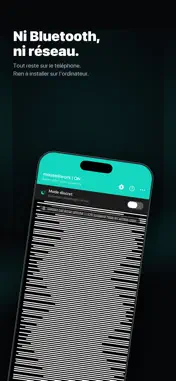
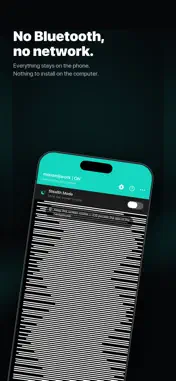
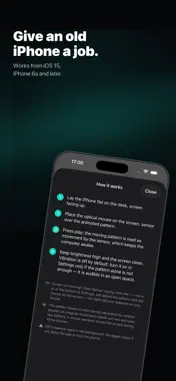
mouse@work keeps a computer awake without installing anything on it. Rest an optical mouse on your iPhone screen: a black and white pattern scrolls under its sensor, which reads it as movement. The cursor moves, the session stays active. No Bluetooth, no network, no account. Everything happens on the phone. THE CHEAT, OWNED Let's be honest: nobody installs this for the beauty of the checkerboard. Long enough for a coffee, a parcel at the door or a call in the other room, the session stays open and the cursor keeps living its own life. No judgement here. HOW IT WORKS 1. Lay the iPhone flat on the desk, screen facing up. 2. Place the optical mouse on the screen, sensor over the pattern. 3. Press play. The iPhone will not go to sleep while the app runs. TUNED TO YOUR MOUSE Every optical sensor reads a screen differently. A tuning screen lets you adjust the pattern size, its speed and its frame rate with the mouse sitting on the screen, until the cursor starts moving. Two indicators tell you whether a setting stands a chance. NATURAL MOVEMENT The pattern alternates bursts and pauses of random length, within bounds you set. Perfectly regular movement stands out; this looks more like a hand letting go of the mouse now and then. AUTOMATIC STOP Set a time to stop, or a battery threshold below which the app shuts itself off. DISCREET Stealth mode dims the screen while keeping the pattern readable by the sensor. Vibration is available as a backup but stays off by default: it is audible in an open space, and the pattern is usually enough once tuned. PUT AN OLD IPHONE BACK TO WORK Works from iOS 15, so from the iPhone 6s onwards. A retired phone on the desk does the job without tying up the one you actually use. FREE AND PREMIUM The jiggler, both patterns, vibration and brightness are free, with no ads. A single purchase unlocks sensor tuning, the automatic stops, the pause bounds and stealth mode. The first three days unlock everything, so you can fit the app to your own mouse before deciding. Settings found during the trial stay active afterwards: the controls lock, the result does not. GOOD TO KNOW • The app must stay in the foreground with the screen on: iOS suspends background apps, that is a system limitation. • Results depend on your mouse. Recent sensors follow the pattern easily, some older models need tuning, a few never manage it. • No data is collected or transmitted.
Technical Analysis
Package Overview Basic metadata
Bundle ID
com.antoinebte.opticaljiggler Current Version 1.0
Minimum iOS 15.0
Package Size App Store Size
Package Metadata 0 / 0 version records
Detailed binary, privacy manifest, framework, and Info.plist results have not been indexed for this package yet. The verified App Store and archive metadata above remains available.
Known Version Records
0 version records with stored package metadata
Stored metadata does not guarantee a package is currently available to download.
| Details | Version / IDs | Version date | Action |
|---|