Preview





Description
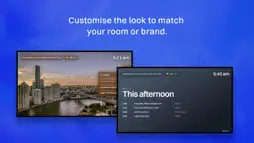
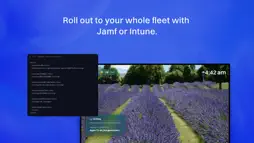
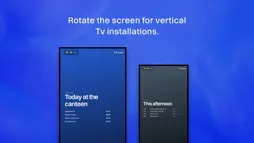
Billboard Screen is digital signage for the Apple TVs you already own. A customisable alternative to Conference Room Display for classrooms, campuses, and workplaces. There is an Apple TV in nearly every meeting room and hallway, and most of them are showing a drone shot of a fjord. Yours could be showing today's canteen menu, the running order for the athletics carnival, or just something worth looking at. The usual catch is that locking a screen into Conference Mode gives you a dead screen all day, purely so people can AirPlay to it. Billboard gives you both at once. Your content is up, the familiar AirPlay panel stays on screen, and anyone can still cast in one tap and see exactly which device to pick. Manage every screen from one browser. Change a gallery and the displays catch up on their own. Pay one flat price by number of screens, never per screen. Twenty screens or fifty, the invoice reads the same. WHAT YOU CAN PUT ON A SCREEN - Your images and video, full-screen, crossfaded. - Boards you build in the browser: menus, timetables, and notice boards. Type it, pick a background, done. - Live local weather from Apple Weather, as a chip beside the clock or a screen of its own. - A notice across the top of every screen at once. Open evenings, closures, a bus running late. - A full-screen alert when something actually matters, on every display in the building. - Captions on individual photos, for naming the team or the trip. HOW IT BEHAVES - One-tap AirPlay carries on exactly as before. The screen is signage and an AirPlay display at the same time. - The panel drifts between corners, so nothing burns into the screen. - Mount a screen upright and the whole layout follows, type included. No second gallery. - Your colour, your network details, your logo, and an optional clock. - It stays awake, resists an accidental exit, and picks itself back up after a power cut. FOR WHOEVER RUNS THE FLEET - Connect one screen with the short code it displays, or roll out four hundred with MDM. - Managed App Config for Jamf, Mosyle, Intune, Kandji, and more, with a written guide for each. - Single app mode for a locked-down, zero-touch deployment. - No new hardware. It runs on the Apple TVs already on the wall. REQUIREMENTS - An Apple TV running tvOS 17 or later. - A gallery created for free at https://getbillboard.app. - Optional: an MDM solution such as Jamf, Mosyle, Intune, or Kandji for zero-touch fleet deployment via Managed App Config. Free on two screens, forever. Flat pricing as you grow. OTHER INFORMATION Terms of Use (EULA): https://getbillboard.app/terms Privacy Policy: https://getbillboard.app/privacy
What's New
Version 1.1.0 2026-07-28
Season 1 is here. Your screens have been coasting. BOARDS Build a menu, a timetable or a week of notices right in the browser. Type it, pick a background, done... Technical Analysis
Package Overview Basic metadata
Bundle ID
app.BillboardScreen Current Version 1.1.0
Minimum iOS 17.0
Package Size App Store Size
Package Metadata 0 / 0 version records
Detailed binary, privacy manifest, framework, and Info.plist results have not been indexed for this package yet. The verified App Store and archive metadata above remains available.
Developer Information
Known Version Records
0 version records with stored package metadata
Stored metadata does not guarantee a package is currently available to download.
| Details | Version / IDs | Version date | Action |
|---|