Preview




Description
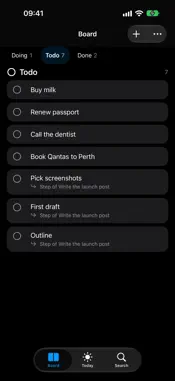
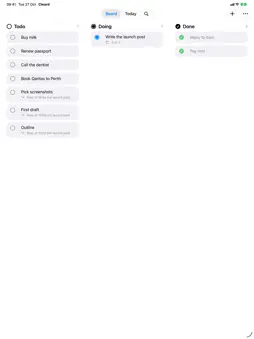
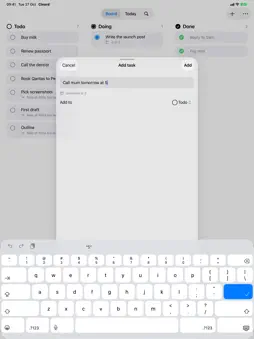
Cleard is the frictionless todo list designed for people who hate todo lists. No folders. No tags. No priorities. No complexity. Just three columns: Todo, Doing, Done. THE WIDGET IS YOUR TODO LIST Cleard lives on your Home Screen. Add the interactive widget and manage tasks without ever opening the app. Tap the circle to move a task forward, tap again to undo. Five widgets (Now, List, Board, Today and Progress), on the Home Screen and the Lock Screen, zero setup. IN THE CAR AND ON THE NIGHTSTAND Now and Progress widgets appear in CarPlay and StandBy in large, glanceable type: the one thing you're doing, and how much you've cleared today. On touchscreen cars, tap Done to finish it. CONTROLS Add a task, start your next one, or start a focus timer from Control Centre, the Lock Screen or the Action button. CAPTURE FROM ANYWHERE Share anything to Cleard. A link from Safari, a note from Messages, an email you need to follow up on: it becomes a task in one tap, with its date already read. ONE TAP FORWARD Tasks flow naturally: Todo → Doing → Done. One tap moves a task forward. No dragging, no menus, no decisions. When you finish something, tap it into Done and feel the satisfaction of seeing your list get Cleard. ASK SIRI "Add buy milk to Cleard." "What's in Doing?" "Mark the dentist done." Siri understands your tasks, and every change can be undone. APPLE INTELLIGENCE Type or speak a messy thought and Cleard tidies the title and picks up dates, all on-device and private. REMINDERS THAT WORK Set a reminder on any task. Get notified at the right time. Snooze if you need to. Simple. SYNC EVERYWHERE One board across iPhone, iPad and Mac with iCloud. Add a task on your iPhone, finish it on your Mac. UNDO EVERYTHING Every task change, from the app, a widget or Siri, can be undone. WHAT MAKES CLEARD DIFFERENT - Widget-first: The app is secondary. The widget is your daily driver. - Opinionated simplicity: Three columns. No configuration paralysis. - Capture-focused: Getting tasks in should be instant. - Completion-focused: Moving tasks forward feels good. PERFECT FOR - People overwhelmed by complex task managers - Anyone who wants tasks visible, not buried in an app - Busy people who capture ideas throughout the day - Minimalists who believe less is more Cleard isn't trying to be everything to everyone. It's trying to be perfect for people who just want to get things done and move on with their lives. Download Cleard. Add the widget. Start finishing things. LEGAL & PRIVACY Privacy Policy: https://anthonystark.au/privacy Terms of Use (EULA): https://www.apple.com/legal/internet-services/itunes/dev/stdeula/
What's New
Version 3.0 2026-10-29
Cleard 3.0 is the biggest update yet. - One board everywhere: iPhone, iPad and Mac now share the same tasks through iCloud. - Ask Siri: add, finish and find ta... Technical Analysis
Package Overview Basic metadata
Bundle ID
stark.Cleard Current Version 3.0
Minimum iOS 26.0
Package Size App Store Size
Package Metadata 0 / 1 version records
Detailed binary, privacy manifest, framework, and Info.plist results have not been indexed for this package yet. The verified App Store and archive metadata above remains available.
Price History (USA store)
2 recorded price change points. These are historical observations, not a guarantee of the current price.
| Recorded at | Price | Currency |
|---|---|---|
| 5.99 | USD | |
| 2.99 | USD |
Developer Information
Known Version Records
0 version records with stored package metadata • 1 known version records
Stored metadata does not guarantee a package is currently available to download.
| Details | Version / IDs | Version date | Action |
|---|---|---|---|
| Not archived | App Store ID: 882007107 | Unknown | Paid / Arcade |