
Preview





Description
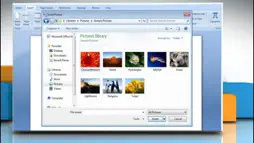
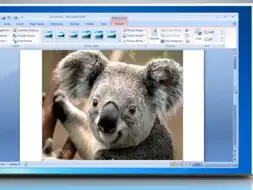
Microsoft Word is the industry standard word processing software used the World over to create stunning professional looking Documents. Now You Can Learn - how to make professional looking and well presented documents in no time at all. This app with it's incredible collection of 433 easy to follow instructional lessons will soon get you up to speed and you can use it as a reference anytime you forget or want to learn how to do something. The app has many easy to use features: *** play the lessons *** alter the lesson title *** alter the lesson description *** add your own user notes *** give your own rating to each lesson *** skip backwards and forwards between the lesson groups *** search for your favourite clip *** change the running order for each group of lessons *** move lessons between groups *** maintain complete control over all the content The lessons are far too numerous to list but include: Microsoft Word 2010 How to insert a clip art in a Word file in Windows Vista Microsoft Word 2010 How to insert a picture from a file in Windows 7 Microsoft Word 2010 Interface - environment - Tutorial 1 Microsoft Word 2010 Backstage View - Tutorial 2a Microsoft Word 2010 Backstage View - Tutorials 2b Microsoft Word 2010 Backstage View - Tutorial 2c Microsoft Word 2010 get 2003 line spacing back - Tutorial 3 Microsoft word 2010 document basics - Tutorial 4 Microsoft Word 2010 text basics - Tutorial 5 Microsoft Word 2010 format codes - Tutorial 6 Microsoft Word 2010 multiple windows - Tutorial 7 Microsoft Word 2010 basic editing - Tutorial 8 Microsoft Word 2010 basic proofing tools - Tutorial 9 Microsoft Word 2010 Setting proofing options - Tutorial 10 Microsoft Word 2010 character formatting - Tutorial 11 Microsoft Word 2010 Paragraph formatting - Tutorial 12 Microsoft Word 2010 Paragraph formatting bullets and numbering - Tutorial 13 Microsoft Word 2010 Paragraph formatting Understanding and Setting Tabs - Tutorial 14 Microsoft Word 2010 Paragraph formatting Borders and shading - Tutorial 15 Microsoft word 2010 Page setup Tutorial 16 Microsoft Word 2010 Insert Page Breaks Section Breaks Column breaks text wraping - Tutorial 17 Microsoft Word 2010 Readability Statistics Microsoft Word 2010 Insert Headers and footers - Tutorial 18 Microsoft Word 2010 Insert Tables - Tutorial 19 Microsoft Word 2010 formatting Tables - Table properties - Tutorial 20 Microsoft Word 2010 Disable Keyboard short cuts Exploring Word 2010 Chapter 1 Word 2010 Tutorial Customizing Word 2010 Full Course Word 2010 Tutorial Spell Checking Printing Full Course Word 2010 Tutorial Compatibility Mode Full Course Word 2010 Tutorial Paragraph Formatting Full Course Word 2010 Tutorial Formatting Pictures Inserting Graphics Word 2010 Tutorial Section Breaks Full Training Course Word 2010 Tutorial Headers Footers Full Course Word 2010 Tutorial Using Watermarks Full Course Word 2010 Tutorial Advanced Tables Full Training Course Word 2010 Tutorial Styles Formatting Full Course Word 2010 Tutorial Text Wrapping Pictures Full Course Word 2010 Tutorial Using Columns Full Training Course Word 2010 Tutorial AutoCorrect Full Office 2010 Training Course Word 2010 Tutorial Building Blocks Full Training Course Word 2010 Tutorial Advanced Find Replace Full Course Word 2010 Tutorial Word 2010 Captions Full Course Word 2010 Tutorials Footnotes and Endnotes Word 2010 Tutorial Bookmarks Cross-References Microsoft Word 2010 Tutorial 01 Creating Tables 1 Microsoft Word 2010 Tutorial 02 Creating Tables 2 Microsoft Word 2010 Tutorial 03 Headers Footers Find and Replace Spelling Check Microsoft Word 2010 Tutorial 04 Thesaurus Word Count Symbols Page Layout Microsoft Word 2010 Tutorial 05 Clipart and Formatting 1 Microsoft Word 2010 Tutorial 06 Clipart and Formatting 2 Microsoft Word 2010 Tutorial 07 Tracking Changes 1 Microsoft Word 2010 Tutorial 08 Tracking Changes 2 and hundreds more !
What's New
Version 4.1 2014-12-01
This app has been updated by Apple to display the Apple Watch app icon. Upgraded to latest iOS system Technical Analysis
Package Overview Basic metadata
Bundle ID
com.Vansapps.Word Current Version 4.1
Minimum iOS 8.0
Package Size App Store Size
Package Metadata 0 / 6 version records
1.0 / 5.0 (2 ratings)
Detailed binary, privacy manifest, framework, and Info.plist results have not been indexed for this package yet. The verified App Store and archive metadata above remains available.
Known Version Records
0 version records with stored package metadata • 6 known version records
Stored metadata does not guarantee a package is currently available to download.
| Details | Version / IDs | Version date | Action |
|---|---|---|---|
| Not archived | App Store ID: 837091034 | Unknown | Paid / Arcade |
| Not archived | App Store ID: 204232639 | Unknown | Paid / Arcade |
| Not archived | App Store ID: 142722639 | Unknown | Paid / Arcade |
| Not archived | App Store ID: 14995801 | Unknown | Paid / Arcade |
| Not archived | App Store ID: 14796642 | Unknown | Paid / Arcade |
| Not archived | App Store ID: 5916982 | Unknown | Paid / Arcade |