
Preview








Description
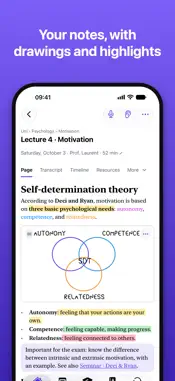
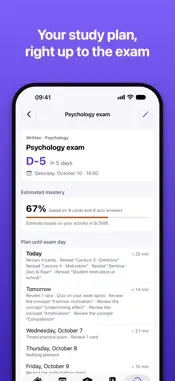
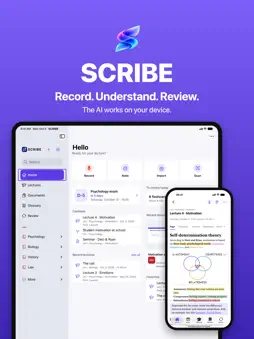
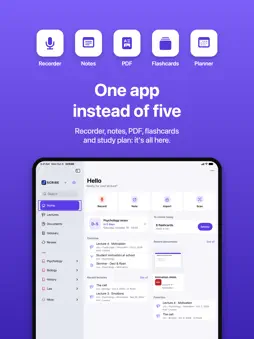
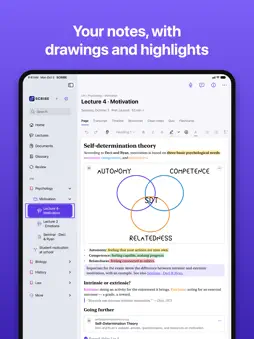
SCRIBE brings your lectures, notes, documents and reviews together in one place. The AI that helps you works on your iPhone, iPad or Mac, without sending anything. RECORD AND TRANSCRIBE • Record your lecture in one tap: it is written down while you listen. • Mark important moments and your questions during the lecture. • “Transcribe only”: the text, without keeping the sound. UNDERSTAND • Clean notes: a clear version of the lecture, every sentence with its source (the moment in the lecture, the slide). • “What did I miss?” finds what is missing from your notes. • “Ask SCRIBE”: ask a question, the answer comes from your lectures, with its sources. TAKE BEAUTIFUL NOTES • Headings, colors, highlighter, callouts, checklists, links between pages. • Draw and write by hand with Apple Pencil. • Import your PDFs, slides, Word and PowerPoint documents and photos, and annotate them. STUDY SMARTER • Flashcards with spaced repetition, quizzes and mind maps, made from your lectures. • A day-by-day study plan up to the exam, with reminders. • The “Today's review” widget on your Home Screen. PRIVATE BY DESIGN • No account, no server, no ads, no tracking. • Transcription and AI run on your device. • Optional iCloud, to find your library on all your devices. FREE, AND SCRIBE PRO SCRIBE is free: notes, documents, recording, 3 transcribed lectures a month, flashcards and review. SCRIBE Pro unlocks the AI (clean notes, suggested quizzes and flashcards, “Ask SCRIBE”), all your lectures transcribed, mind maps, and your documents and audio in iCloud. Monthly or yearly subscription with a free week, or a lifetime purchase. The subscription renews automatically unless canceled at least 24 hours before the end of the period. AI features require a device compatible with Apple Intelligence. Terms of Use (Apple's standard EULA): https://www.apple.com/legal/internet-services/itunes/dev/stdeula/
Technical Analysis
Package Overview Basic metadata
Bundle ID
ch.scribe.app Current Version 1.0
Minimum iOS 27.0
Package Size App Store Size
Package Metadata 0 / 0 version records
Detailed binary, privacy manifest, framework, and Info.plist results have not been indexed for this package yet. The verified App Store and archive metadata above remains available.
Developer Information
Known Version Records
0 version records with stored package metadata
Stored metadata does not guarantee a package is currently available to download.
| Details | Version / IDs | Version date | Action |
|---|