
Preview






Description
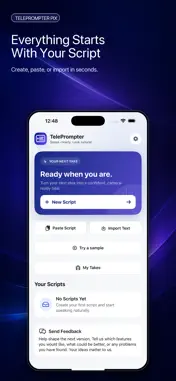
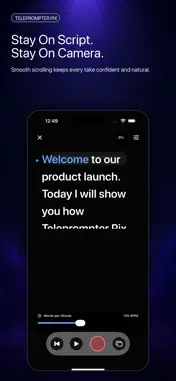
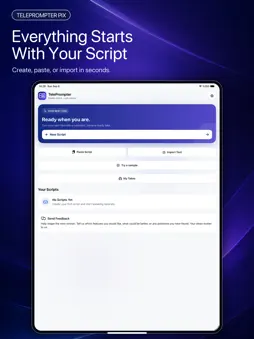
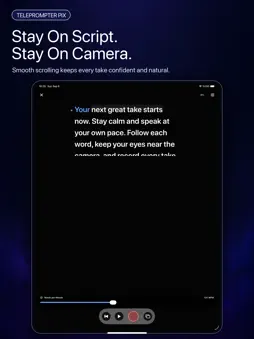
Teleprompter Pix helps you speak naturally, stay focused, and record polished videos without memorizing every word. Write, paste, or import your script, adjust the reading experience, and start recording quickly. Ideal for social media videos, presentations, online courses, product demonstrations, training, interviews, self-tapes, and professional announcements. Your text scrolls smoothly while you look toward the camera. READ AND RECORD WITH CONFIDENCE The script stays close to the camera to reduce visible eye movement and maintain a natural connection with your audience. The clean reader keeps your words easy to follow without distractions. CONTROL YOUR READING EXPERIENCE Adjust scrolling speed between 60 and 240 words per minute. Change font size, line spacing, and text margins. Pause, resume, or restart whenever needed. RECORD DIRECTLY IN THE APP Record while following your scrolling script. Switch between front and rear cameras, tap the preview to focus and adjust exposure, and lock exposure on supported devices. A configurable countdown gives you time to prepare. BUILT FOR DIFFERENT SETUPS Use portrait or landscape orientation. Enable horizontal mirror mode with physical teleprompter glass. Choose Studio, Soft Light, or High Contrast reader themes. CREATE AND ORGANIZE SCRIPTS Scripts save automatically on your device. Rename, duplicate, edit, and reuse them. Teleprompter Pix remembers your reading position so you can continue later. REVIEW AND MANAGE YOUR TAKES Watch completed recordings, save them to Photos, or share them with other apps. My Takes organizes local recordings and lets you switch between two takes while reviewing your performance. PRIVATE BY DESIGN No account is required. Scripts and local recordings remain on your device unless you explicitly save a video to Photos or share it. Terms & Conditions: https://teleprompter.artwall.digital/terms.html Privacy Policy: https://teleprompter.artwall.digital/privacy.html
Technical Analysis
Package Overview Basic metadata
Bundle ID
com.anilyolgiden.TelePrompter Current Version 1.0.0
Minimum iOS 17.6
Package Size App Store Size
Package Metadata 0 / 1 version records
Detailed binary, privacy manifest, framework, and Info.plist results have not been indexed for this package yet. The verified App Store and archive metadata above remains available.
Developer Information
Known Version Records
0 version records with stored package metadata • 1 known version records
Stored metadata does not guarantee a package is currently available to download.
| Details | Version / IDs | Version date | Action |
|---|---|---|---|
| Not archived | App Store ID: 890826220 | Unknown | Request Version |