
Preview




Description
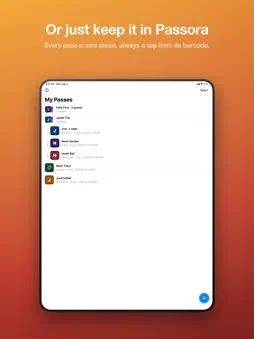
Some tickets and cards never come with an Apple Wallet pass. Passora lets you make one yourself. CREATE A PASS Type in the details, pick your colors, add a logo or image, and set the barcode. You edit directly on a live preview of the pass, so what you see is what you get. All five Apple Wallet pass styles are supported: event ticket, store card, coupon, boarding pass, and generic. ADD IT TO WALLET Passora generates a properly signed pass that works like any other Wallet pass. It shows up on your lock screen and the barcode scans at the door. OR KEEP IT IN THE APP Every pass is saved in your library, so you can also use Passora as a simple place to store tickets and cards without adding them to Wallet. Tap any pass for a full-screen view with a scannable barcode. GROUP PASSES THAT BELONG TOGETHER Put related passes into a group: a trip, an event, or one ticket per person. Open the group and swipe from one barcode to the next, so you can scan a whole party in at the gate without leaving the screen. START FROM A PHOTO OR PDF You can also start a pass from a photo, screenshot, or PDF. Passora reads the text and barcode it finds and fills in what it can. You fine-tune the rest. From a multi-page PDF, Passora finds the pages that hold a pass and creates them together as a group. PRIVACY No accounts, no ads, no analytics. Photos are processed on your device. Pass contents are sent once, encrypted, to be signed, and are never stored. Your pass library stays on your phone. Passora creates personal passes from information you provide. It is not affiliated with any venue, airline, or retailer.
What's New
Version 1.8.0 2026-08-10
OPEN A PDF Snap-to-pass now opens PDFs as well as photos, so an e-ticket that arrived by email can go straight in. Pick the page that holds the pass, and if one... Technical Analysis
Package Overview Basic metadata
Bundle ID
me.ponchotang.WalletPass Current Version 1.8.0
Minimum iOS 17.0
Package Size App Store Size
Package Metadata 0 / 0 version records
Detailed binary, privacy manifest, framework, and Info.plist results have not been indexed for this package yet. The verified App Store and archive metadata above remains available.
Known Version Records
0 version records with stored package metadata
Stored metadata does not guarantee a package is currently available to download.
| Details | Version / IDs | Version date | Action |
|---|