Preview



Description
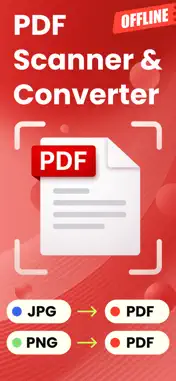
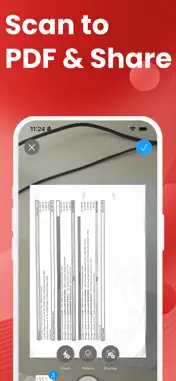
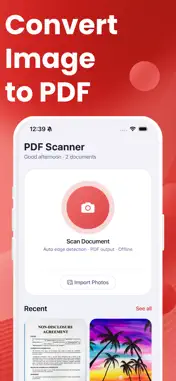
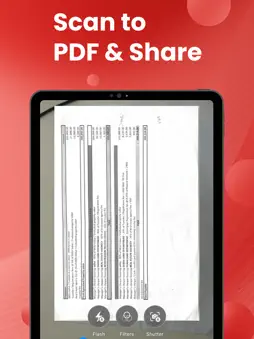
Turn your phone into a powerful portable scanner. PDF Scanner lets you digitize paper documents, receipts, contracts, notes, and more in just a few taps. Create clean, professional PDF files instantly - no bulky equipment or internet connection required. SMART DOCUMENT SCANNING Point your camera at any document and let the app do the rest. The built-in smart scanner automatically detects document edges, adjusts the perspective, and crops the image for a clean, professional result. Every scan is captured at full quality so your PDFs look sharp and readable. MULTIPLE WAYS TO CAPTURE Scan documents directly with your camera for instant results. Already have photos of documents saved on your phone? Import up to 20 images at once from your photo library and combine them into a single, organized PDF file. MULTI-PAGE PDF DOCUMENTS Combine multiple scans or photos into one multi-page PDF. Whether you are scanning a lengthy contract, a multi-page report, or a stack of receipts, you can keep everything together in a single file that is easy to manage and share. EASY SHARING AND EXPORT Send your scanned PDFs anywhere with one tap. Share files through email, messaging apps, cloud storage services, or any other app on your device. Standard PDF format ensures your documents open correctly on any computer, tablet, or phone. ORGANIZE AND FIND YOUR DOCUMENTS Keep all your scans neatly organized in one place. Rename documents to find them quickly later. Sort your files by date or name. Use the built-in search to locate any document in seconds, even if you have hundreds of scans saved. WORKS COMPLETELY OFFLINE Every scan and PDF conversion happens directly on your device. You do not need Wi-Fi or mobile data to scan, create, or view your documents. Your scanner is always ready when you need it, wherever you are. DESIGNED FOR EVERYDAY USE A clean, intuitive interface makes scanning fast and effortless. Smooth animations, haptic feedback, and a thoughtful layout help you get things done without a learning curve. Supports both light and dark mode for comfortable use any time of day. PRIVATE AND SECURE Your documents stay on your device. No cloud upload is required, so you can scan and export even without an internet connection. Download PDF Scanner and turn your iPhone or iPad into a fast, private document scanner and PDF creator. Premium unlocks unlimited scanning. Privacy Policy: https://www.termsfeed.com/live/534de2f6-465f-4ac3-8c4d-967178ea035f Terms of Use: https://docs.google.com/document/d/1-3BbXd1995wmJVM0EUzwolchibuBLHGDXExsRGDZ3pQ/edit?usp=sharing
What's New
Version 1.0.1 2026-03-18
1.0.1: Onboarding fix Technical Analysis
Package Overview Basic metadata
Bundle ID
com.appsoverflowdev.fastscanpdf Current Version 1.0.1
Minimum iOS 15.1
Package Size App Store Size
Package Metadata 0 / 2 version records
Detailed binary, privacy manifest, framework, and Info.plist results have not been indexed for this package yet. The verified App Store and archive metadata above remains available.
Developer Information
Known Version Records
0 version records with stored package metadata • 2 known version records
Stored metadata does not guarantee a package is currently available to download.
| Details | Version / IDs | Version date | Action |
|---|---|---|---|
| Not archived | App Store ID: 883490438 | Unknown | Request Version |
| Not archived | App Store ID: 883390852 | Unknown | Request Version |