
Preview




Description
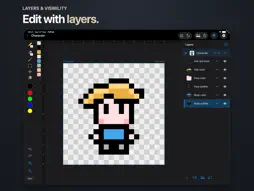
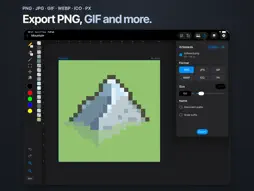
Create stunning pixel art with PxPad, a powerful native sprite editor for iPhone, iPad and Mac. Perfect for game developers, artists, and retro art enthusiasts. Features • Brush, eraser, fill, select, move, and eyedropper tools • Undo / redo feature • Zoom / pan / rotate gestures • Layers • Multiple artboards in one document • Image imports • iCloud integration • Files app icon previews • Dark mode • Export PNG / JPG / GIF / WebP / ICO / PX • Export multiple artboards at once • Canvas resizing • Full color picker • Haptics • Apple Pencil support on compatible iPads • Left-handed mode • Sample files • 41 Languages Create retro art, game graphics and sprite sheets across iPhone, iPad and Mac, with iCloud integration, native sharing and file previews. Touch shortcuts and gestures • Double-tap with the brush to fill an area (enable in Settings). • Press and hold on the canvas while using the brush, eraser or fill tool to pick a color. • 2 finger tap: Undo • 3 finger tap: Redo • 2 finger pan: Pan view • 2 finger pinch: Zoom view • 2 finger rotate: Rotate canvas • Swipe gesture on folder previews, in the grid view, to cycle through previews. • Drag eyedropper onto canvas to activate with one gesture. Notes • When editing, an orange circle by the file name indicates the file is unsaved. Green briefly confirms a successful save. Red indicates a save error. • Import .px files by moving them into the PxPad folder (see Settings). If you like PxPad, please let me know in a review! Thank you, Andy (The Developer) License Agreement: https://www.apple.com/legal/internet-services/itunes/dev/stdeula/
What's New
Version 1.2.2 2026-10-20
v1.2.2 • Improved iCloud syncing reliability between devices. • Safer file management, including selections and deletion. • Improved naming of duplicated layer... Technical Analysis
Package Overview Basic metadata
Bundle ID
com.andymoloney.pxpad Current Version 1.2.2
Minimum iOS 18.5
Package Size App Store Size
Package Metadata 0 / 1 version records
Detailed binary, privacy manifest, framework, and Info.plist results have not been indexed for this package yet. The verified App Store and archive metadata above remains available.
Developer Information
Known Version Records
0 version records with stored package metadata • 1 known version records
Stored metadata does not guarantee a package is currently available to download.
| Details | Version / IDs | Version date | Action |
|---|---|---|---|
| Not archived | App Store ID: 875548519 | Unknown | Request Version |