Preview





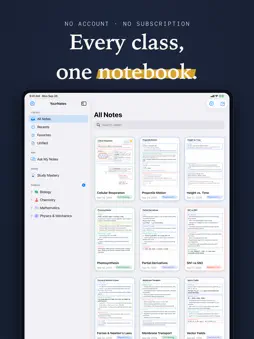
Description
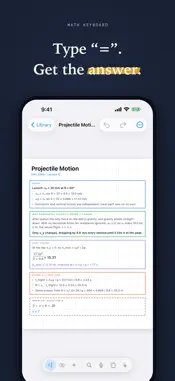
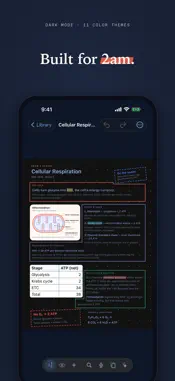
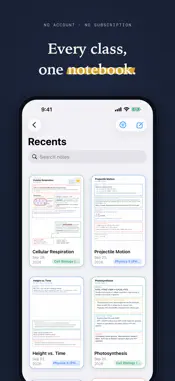
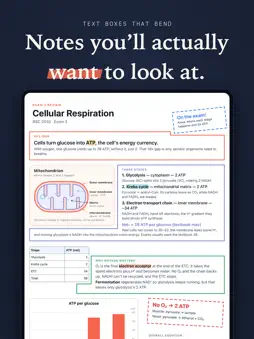
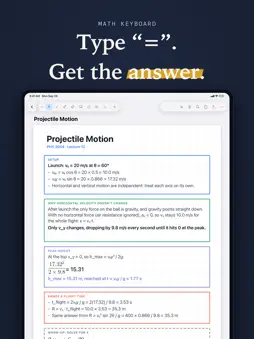
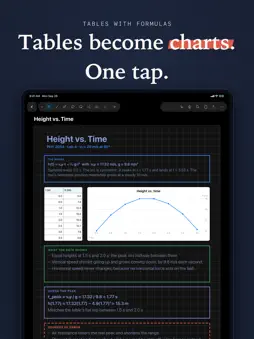
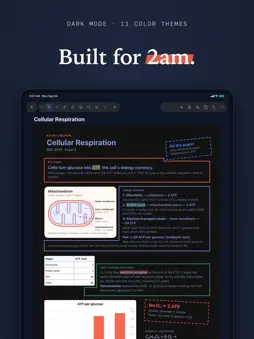
YourNotes is a notebook for iPhone and iPad where you handwrite, type, solve math, record lectures, and ask questions across everything you've written. It runs on your device, needs no account, and tracks nothing. Students use it for lecture notes and exam prep. It works the same way for meeting notes, research, and planning. Handwriting and Apple Pencil • Low-latency ink with solid, pressure-tapered, dotted, and dashed pens. • Erase part of a stroke or the whole thing. • Lasso anything to move, resize, restyle, convert handwriting to text, or save as a sticker. • Blank, lined, grid, or dotted paper with adjustable spacing. Math Solving • A math specific keyboard for fractions, exponents, roots, π, and trig functions that typeset as you write. • Type an equals sign and YourNotes computes the answer. • Ask it to solve for x right on the page. TABLES AND CHARTS • Insert tables with spreadsheet formulas like =SUM(B2:B5). • Turn any table into a bar, line, or scatter chart in one tap. • Export charts to PDF or high-resolution images. ASK YOUR NOTES • Ask a question across one note or a whole set of folders. • Every answer cites the exact sentences it used. Tap a citation to jump to that note. • Generate summaries, study guides, flashcards, and quizzes from your own notes. • Build mind maps you can expand and drop back into a page. • Research Mode writes structured, multi-pass reports. • Bring your own key for OpenAI, Anthropic Claude, Google Gemini, Ollama Cloud, Self Host, or run a local model offline. RECORD AND REPLAY • Record a lecture while you write. • Play it back and watch your ink redraw itself in sync with the audio. • Tap any word to hear what was said the moment you wrote it. IMPORT AND EXPORT • Mark up PDFs. • Open Word, Markdown, RTF, HTML, and plain text as editable notes. • Import notes from other apps. • Export as PDF, image, Markdown, or text. SYNC WITHOUT AN ACCOUNT • Sync notes, folders, and favorites across your iPhone and iPad over local Wi-Fi. • Pair by scanning a QR code. No account, no cloud subscription, no tracking. • Edit the same note on both devices and keep both copies if they ever conflict. • Search your handwriting and typed text offline. Everything stays on your device unless you choose to send it somewhere. Download YourNotes and start with the built-in sample note.
What's New
Version 1.1.0 2026-11-05
Typing that keeps going - Type past the bottom of a page and your text continues on the next one. - Superscript and subscript in the text bar. - Study guides ad... Technical Analysis
Package Overview Basic metadata
Bundle ID
LucasLabs.YourNotes Current Version 1.1.0
Minimum iOS 18.0
Package Size App Store Size
Package Metadata 0 / 0 version records
Detailed binary, privacy manifest, framework, and Info.plist results have not been indexed for this package yet. The verified App Store and archive metadata above remains available.
Developer Information
Known Version Records
0 version records with stored package metadata
Stored metadata does not guarantee a package is currently available to download.
| Details | Version / IDs | Version date | Action |
|---|