
Preview





Description
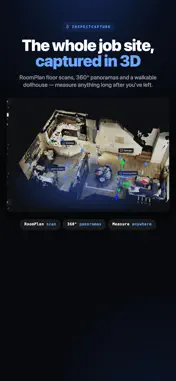
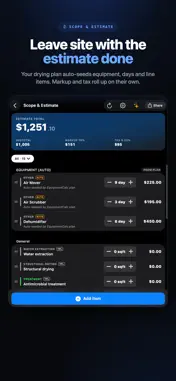
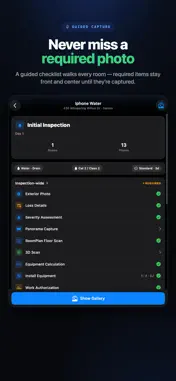
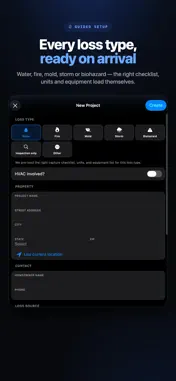
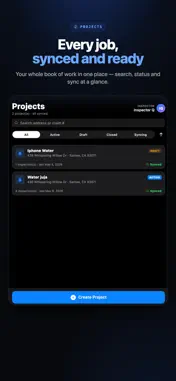
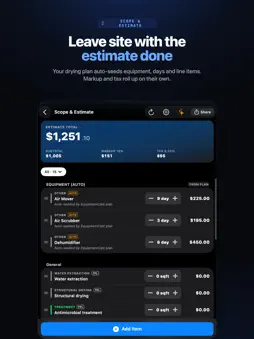
InspectCapture is a field inspection tool for property, water, and restoration professionals. Walk a site, capture everything you need, and produce a complete report right on your iPhone — even with no signal and no account. WORKS FULLY OFFLINE Everything you capture is saved on your device. Scan, photograph, take measurements, and export a finished PDF without an internet connection and without signing in. Your data stays on the device until you choose to sync. CAPTURE THE WHOLE SITE • 3D room scanning with LiDAR — capture dimensions and layout in seconds • AR mesh and 3D point-cloud scans for detailed spaces • 360° and panorama capture • Photos with automatic on-device face blur for privacy • Meter and moisture readings with on-device text recognition • Demolition time-lapse capture DOCUMENT & REPORT • Record loss severity, category, and drying timeline • Tag materials and equipment room by room • Build a scope of work and estimate • Generate a combined PDF report on your device — header, severity, drying, meters, and scope CONNECT YOUR BUSINESS SYSTEMS (online) Sign in to plug InspectCapture into the tools your team already runs on, so inspections flow straight into your workflow instead of being re-keyed: • Export estimates to industry formats such as Xactimate ESX • Sync with accounting systems such as QuickBooks • Push inspections, scope, and reports to your team workspace Already using something else? We can help connect additional systems your team relies on. These integrations are available to any signed-in user. VOICE & AI TOOLS (online) • AI-assisted review of your scope and findings • Voice notes with transcription and an AI coaching assistant Available to any signed-in user when you’re online. PRIVACY FIRST Face blur runs entirely on your device and is on by default. Optional Face ID / Touch ID lock keeps the app private on shared devices. Sign-in is optional. Use the app fully offline, or sign in to sync your work, use the online tools, and connect your business systems.
Technical Analysis
Package Overview Basic metadata
Bundle ID
com.inspectcapture.MobileScanner Current Version 1.0
Minimum iOS 18.6
Package Size App Store Size
Package Metadata 0 / 1 version records
Detailed binary, privacy manifest, framework, and Info.plist results have not been indexed for this package yet. The verified App Store and archive metadata above remains available.
Developer Information
Known Version Records
0 version records with stored package metadata • 1 known version records
Stored metadata does not guarantee a package is currently available to download.
| Details | Version / IDs | Version date | Action |
|---|---|---|---|
| Not archived | App Store ID: 885678282 | Unknown | Request Version |