
Preview




Description
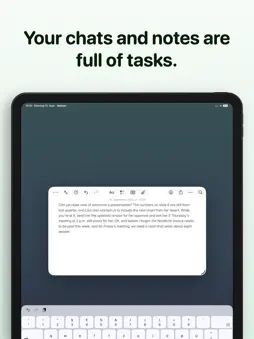
Your chats are full of tasks. “Send me the updated numbers tomorrow.” “Don’t forget the reservation.” “Can you correct the invoice and send it to Sarah?” The problem usually isn’t understanding what needs to be done. It’s getting those tasks out of messages, notes, screenshots, and documents and into your task system. That’s where Cue comes in. FROM CONVERSATION TO CONCRETE ACTION Share content with Cue. The app identifies concrete next actions and turns them into tasks you can review. “Can you send Sarah the corrected invoice tomorrow?” becomes: “Send the corrected invoice to Sarah tomorrow” If there are several tasks in one piece of content, Cue identifies them individually. It can also recognize people, context, conditions, dates, and times. SHARE. REVIEW. SEND. Cue sits between communication and the system you already use. Share text, a message, screenshot, note, or document with Cue. Review the tasks it finds. Edit titles, notes, dates, and times. Send them to the app where you get things done. Cue suggests. You decide. YOUR TASK MANAGER STAYS YOUR TASK MANAGER Cue doesn’t replace your existing system. It takes care of the step before it: capture and clarify. Send your tasks to: • Apple Reminders • Things • OmniFocus • Sorted3 • GoodTask • NotePlan • Drafts • Obsidian • Markdown • Clipboard So a task ends up where it belongs—without copying every to-do by hand. MORE CONTEXT. BETTER TASKS. Sometimes the task isn’t contained in a single message. With Cue, you can combine multiple pieces of text and process them as shared context. Cue recognizes direct and implied tasks, requests, people, relevant objects, conditions, dates, and times—including relative expressions like “tomorrow morning.” YOUR INPUT DOESN’T DEFINE YOUR OUTPUT A message in English. Your tasks in German. Cue can output tasks in a different language from the original content. Choose your device language, German, English, French, Italian, Spanish, Portuguese, or Dutch. You can also choose between Short, Normal, and Detailed to control how concise or descriptive your tasks should be. BUILT FOR SHORTCUTS Use “Open text in Cue” to make Cue part of your Apple Shortcuts workflows. Clipboard → Cue. Note → Cue. Meeting notes → Cue. Build the workflow that fits your system. YOUR CONVERSATIONS STAY ON YOUR DEVICE Shared content is processed on your device using Apple Intelligence. No Cue servers or Cue cloud accounts are required for analysis. Communication creates tasks. Cue makes sure they become actions.
What's New
Version 1.3.2 2026-11-01
A small fix for more reliable controls: Round buttons now respond to taps across their entire surface on iPhone, iPad, and in the Share Extension. This includes... Technical Analysis
Package Overview Basic metadata
Bundle ID
de.onthree.cue Current Version 1.3.2
Minimum iOS 26.0
Package Size App Store Size
Package Metadata 0 / 0 version records
Detailed binary, privacy manifest, framework, and Info.plist results have not been indexed for this package yet. The verified App Store and archive metadata above remains available.
Developer Information
Known Version Records
0 version records with stored package metadata
Stored metadata does not guarantee a package is currently available to download.
| Details | Version / IDs | Version date | Action |
|---|