
Preview







Description
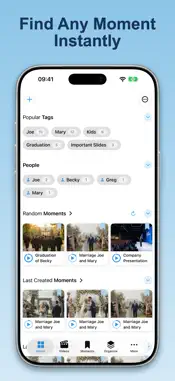
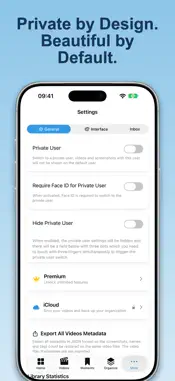
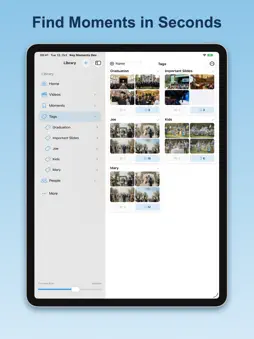
Jump to any moment in your videos in 1 tap. No more scrubbing. No more guessing. Key Moments lets you save exact scenes as visual bookmarks — and instantly jump back to them anytime. — HOW IT WORKS 1. Watch Play your video in the built-in player. 2. Save Tap once to capture the exact moment as a visual bookmark. 3. Jump back Tap the screenshot to instantly return to that moment. — WHY IT'S FASTER • Visual Video Bookmarks Screenshots aren't just images — they're precise entry points into your video. • Scenes Mark and name whole segments as you watch — then replay, loop, or export them as standalone clips. Scenes show right on the player timeline and in their own tab. • One-Tap Capture Save the perfect frame instantly, without interrupting playback. • Smart Organization Tags and smart folders automatically keep your moments organized. • Powerful Home Tab Jump straight to your most watched and recently played moments. • AirPlay Support Stream to Apple TV while keeping full playback control on your device. • Backup & Restore Export your entire library and import it on any device. • Sync Across Devices Your videos and moments stay in sync on iPhone, iPad, and Mac via iCloud. • Private by Design No cloud. No uploads. Your videos stay on your device. • Beautiful Themes Choose from Default, Lavender, Sage, or Rose. — PERFECT FOR • Learning — revisit explanations instantly • Personal videos — relive your best moments • Work — bookmark key points in meetings • Creators — mark scenes before editing — Save it once. Jump back anytime. Available on iPhone, iPad, and Mac. Terms of Use: https://getkeymoments.com/terms.html
What's New
Version 2.4.2 2026-10-17
New in this version: • iPhone Duo support — Key Moments adapts to the cover display, and when you stand the phone up, your video plays above the fold while the...New in this version: • iPhone Duo support — Key Moments adapts to the cover display, and when you stand the phone up, your video plays above the fold while the controls sit below it • Optimised for iPad — a roomier layout that uses the full screen • Variable grid size — choose how large your video and moment previews appear, from the ••• menu on any grid • Optional titles — show a video's title when playback starts, and a moment's title while it plays. Turn it on in Settings • Export to Mac — send a video to your Mac with its title, tags and moments in a JSON file beside it, and get all of it back when you bring one in • Fixes to moment gallery order and scrolling, and general performance improvements Technical Analysis
Package Overview Basic metadata
Bundle ID
com.bohna.favovids Current Version 2.4.2
Minimum iOS 18
Package Size App Store Size
Package Metadata 0 / 5 version records
Detailed binary, privacy manifest, framework, and Info.plist results have not been indexed for this package yet. The verified App Store and archive metadata above remains available.
Developer Information
Known Version Records
0 version records with stored package metadata • 5 known version records
Stored metadata does not guarantee a package is currently available to download.
| Details | Version / IDs | Version date | Action |
|---|---|---|---|
| Not archived | App Store ID: 886637997 | Unknown | Request Version |
| Not archived | App Store ID: 882287073 | Unknown | Request Version |
| Not archived | App Store ID: 880884503 | Unknown | Request Version |
| Not archived | App Store ID: 880844378 | Unknown | Request Version |
| Not archived | App Store ID: 872009384 | Unknown | Request Version |