
Preview







Description
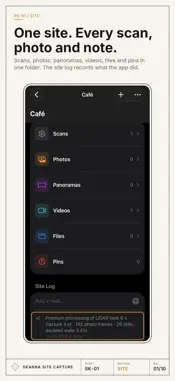
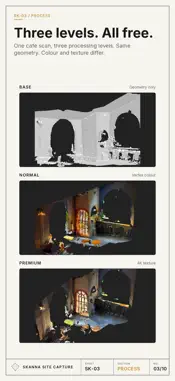
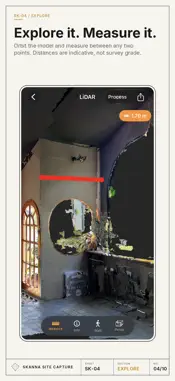
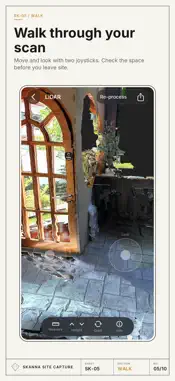
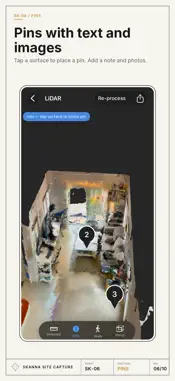
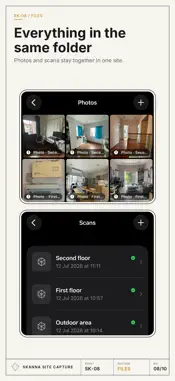
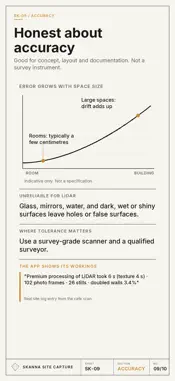
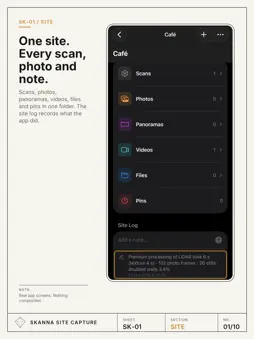
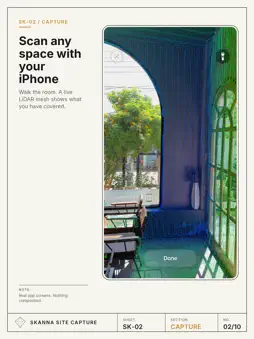
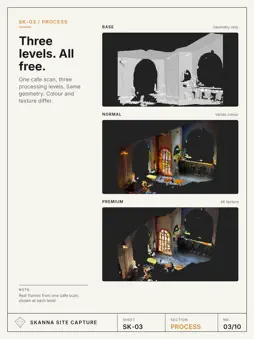
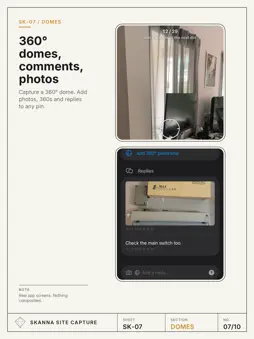
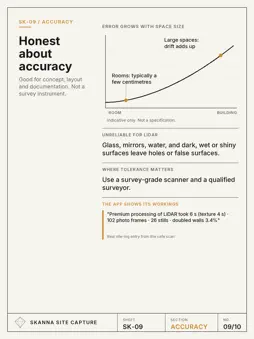
Skanna turns your iPhone or iPad Pro into an efficient data capturing tool. Scan a space, watch the mesh build in real time, and get an accurate, textured 3D model you can measure, annotate and share. All processed on your device. Built for property owners, professionals such as: surveyors, contractors, architects, real estate agents, facility managers and renovators who need to document buildings quickly and keep everything about a property in one place. PRIVATE BY DESIGN • No account. No sign-up. No cloud. • Your scans, photos, videos and notes never leave your device unless you choose to share them • Completely free, No account, NO unlock, NO subscription, ever. CAPTURE • LiDAR scanning with live coverage overlay so you can see exactly what you've captured • Video of the capture path • Guided 360° panorama capture. Follow the aim points and Skanna assembles the sphere • Add standalone photos of details, damage or fixtures • Add images and files from external devices PROCESS ON DEVICE • Automatic mesh cleanup: cracks welded, noise smoothed, walls and floors snapped flat • Photographic colour applied to the model from your scan • Works fully offline, no internet connection needed VIEW & MEASURE • Orbit, pan and zoom around the model, or switch to walk mode and move through rooms at eye level • Dollhouse and orthographic views for a floor-plan-style overview • Tap two points to measure distances directly on the model ANNOTATE WITH PINS • Drop comment pins on any surface of the 3D model • Attach notes, photos and full 360° panoramas to each pin • Reply to pins to build a conversation around every detail ORGANIZE BY SITE • Each property is a site with address and GPS location • Folders for scans, photos, panoramas and files. Add PDFs, images and documents to keep plans and reports with the property • A site log records everything as it happens: new scans, photos, pins and files, with your own notes and replies SHARE • Export models as GLB. Opens in browser viewers and most 3D tools • Export an entire site as a single ZIP: 3D models, photos, panoramas (as standard 360° images), files, pin comments and the full site log. REQUIREMENTS Skanna requires a LiDAR-equipped device: iPhone 12 Pro or later Pro models, or iPad Pro (2020 and later). iOS 16 or later. Capture. Author. Stage. Present.
What's New
Version 1.7 2026-11-25
Notes on photos and 360s Tap any spot on a photo or a 360 to leave a comment, and reply to it like a pin. Draw arrows, boxes, text or freehand in four colours. ...Notes on photos and 360s Tap any spot on a photo or a 360 to leave a comment, and reply to it like a pin. Draw arrows, boxes, text or freehand in four colours. On a 360 the view freezes while you draw, and tapping the note turns you back to that exact view. Notes go with the site export and show on app.skanna.site. A guided 360 Start cards, a level and a lean line help you keep the phone upright and the lens in one place. A frame is only taken when the dot is inside the circle. Do eye level first, then the other rows in any order. Save as soon as the eye level lap is done. Help and guides A new Help page with guides for scanning, 360s, photos that sell a home and giving good feedback. Plus our YouTube channel. New settings Millimetres, sharper 4K 360s, and looking around a 360 by moving the phone. Also The site log now records comments, drawings and deletions. Clearer scan status, a recording timer, and a check before anything is deleted. Premium texture is paused for now while we improve it. Technical Analysis
Package Overview Basic metadata
Bundle ID
io.lidar3d.Skanna Current Version 1.7
Minimum iOS 26.2
Package Size App Store Size
Package Metadata 0 / 0 version records
Detailed binary, privacy manifest, framework, and Info.plist results have not been indexed for this package yet. The verified App Store and archive metadata above remains available.
Developer Information
Known Version Records
0 version records with stored package metadata
Stored metadata does not guarantee a package is currently available to download.
| Details | Version / IDs | Version date | Action |
|---|