
Preview







Description
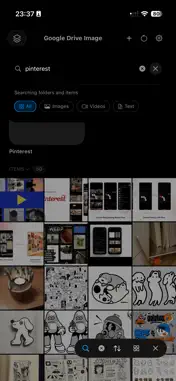
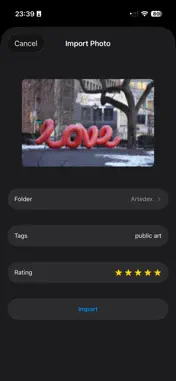
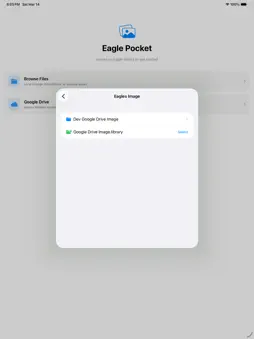
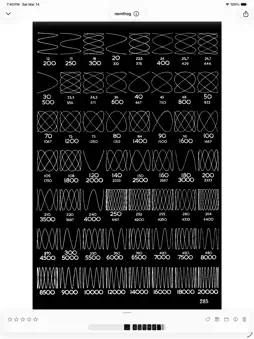
Browse your existing Eagle library on iPhone and iPad. Explore folders, search imported metadata, and view your saved assets on the go. GOOGLE DRIVE — READ-ONLY Connect your Google account and choose an existing .library folder under My Drive. Browse nested folders, thumbnails, tags, ratings and notes. Original files download when you need them for viewing. After the first successful library sync, Eagle Pocket checks for updates about once per minute while the app is active and when you return to it, provided you are signed in. Changes made on your computer appear after the storage service finishes uploading them and the next sync succeeds. Continuous background updates are not guaranteed. The direct Google Drive integration does not upload, edit, move or delete Drive files. LIBRARIES THROUGH FILES Open libraries from local storage, iCloud Drive, or supported network and storage providers through iOS Files. Editing and photo import are available where the storage provider permits writing. OFFLINE VIEWING Browse previously downloaded content offline. Original files that have not been downloaded require a connection. PRIVACY Library synchronization connects your device directly to your storage provider. Eagle Pocket does not operate a library-sync backend. Google Sign-In processes account and security information to authenticate your Google account; see our privacy policy for details. REQUIREMENTS An existing Eagle library created with Eagle for Mac or Windows. Google Drive is optional; successful Google authorization and access to the selected folder are required for a Drive connection.
What's New
Version 1.0.3 2026-10-22
• Google Drive connections are now read-only. Browse existing Eagle libraries without uploading, editing, or deleting Drive files. • Improved synchronization of...• Google Drive connections are now read-only. Browse existing Eagle libraries without uploading, editing, or deleting Drive files. • Improved synchronization of nested folders and library assets. Desktop changes appear after the next successful sync. • Added periodic update checks while the app is active and improved sign-in and sync error handling. • Existing Google Drive users may need to reconnect with read-only permission. Technical Analysis
Package Overview Basic metadata
Bundle ID
com.ankycheng.EaglePocket Current Version 1.0.3
Minimum iOS 18.6
Package Size App Store Size
Package Metadata 1 / 1 version records
Detailed binary, privacy manifest, framework, and Info.plist results have not been indexed for this package yet. The verified App Store and archive metadata above remains available.
Developer Information
Known Version Records
1 version record with stored package metadata
Stored metadata does not guarantee a package is currently available to download.
| Details | Version / IDs | Version date | Action |
|---|---|---|---|
| 16.94 MB | v1.0 App Store ID: 883378197Build: 1.0 | 2026-03-19 11:54:32 | Get Version |