Preview


Description
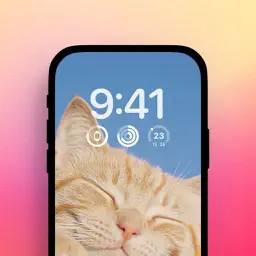
Transform your screenshots into stunning, professional-looking images with SnapScreen — the ultimate screenshot mockup editor. BEAUTIFUL DEVICE FRAMES • Add realistic device bezels for iPhone, iPad, Samsung Galaxy, and MacOS • Choose from a variety of device mockups including the latest iPhone 17 Pro Max • Window-style frames for Mac app screenshots STUNNING BACKGROUNDS • Eye-catching mesh gradient backgrounds • Professionally designed color palettes • Instant visual impact for social media posts POWERFUL EDITING TOOLS • Adjust margins, shadows, and corner radius • Multiple canvas ratios: square, portrait, landscape, and story formats • Crop tool for precise framing • Real-time preview as you edit SEAMLESS WORKFLOW • Share Extension — edit screenshots directly from Photos or any app • Paste images from clipboard • Save to Photos or share instantly • Recent edits gallery for quick access PERFECT FOR • App developers showcasing their apps • Content creators and social media managers • Anyone who wants their screenshots to stand out PREMIUM SUBSCRIPTION (IN-APP PURCHASE): Upgrade to SnapScreen Pro for advanced features: • Smart Text Censoring - Automatically detect and blur sensitive information like credit cards, phone numbers, emails, and addresses (Premium) • Unlimited Saves - No daily limits on exports (Premium) • All Premium Backgrounds & Bezels - Access the complete asset library (Premium) • Priority Support - Get help when you need it (Premium) SUBSCRIPTION DETAILS: • Payment will be charged to your Apple ID account at confirmation of purchase • Subscription automatically renews unless cancelled at least 24 hours before the end of the current period • Your account will be charged for renewal within 24 hours prior to the end of the current period • You can manage and cancel your subscriptions in your App Store account settings after purchase • Any unused portion of a free trial period will be forfeited when you purchase a subscription Term of use: https://www.apple.com/legal/internet-services/itunes/dev/stdeula/
What's New
Version 1.0.2 2026-03-04
New: Redact — protect sensitive text in your screenshots with tools like Censor, Blur, Highlight, and more. Technical Analysis
Package Overview Basic metadata
Bundle ID
com.silverai.screenlay Current Version 1.0.2
Minimum iOS 16.0
Package Size App Store Size
Package Metadata 0 / 3 version records
Detailed binary, privacy manifest, framework, and Info.plist results have not been indexed for this package yet. The verified App Store and archive metadata above remains available.
Developer Information
Known Version Records
0 version records with stored package metadata • 3 known version records
Stored metadata does not guarantee a package is currently available to download.
| Details | Version / IDs | Version date | Action |
|---|---|---|---|
| Not archived | App Store ID: 882876148 | Unknown | Request Version |
| Not archived | App Store ID: 882692739 | Unknown | Request Version |
| Not archived | App Store ID: 882017402 | Unknown | Request Version |