Preview




Description
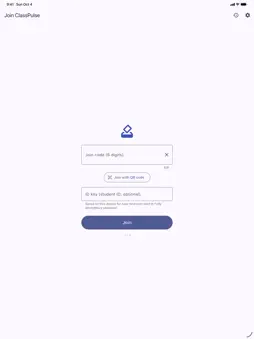
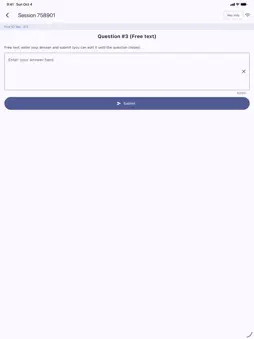
ClassPulse Join is the student app for ClassPulse, a live classroom response system. Enter the join code your instructor shows, and answer questions from your own device. No account or sign-in is needed. How it works 1. Enter the 6-digit join code, or scan the QR code on your instructor's screen. 2. If the session asks for it, enter your ID key (e.g., your student ID). 3. Answer each question when your instructor opens it. What you can do • Answer multiple-choice questions with a single answer or multiple answers • Answer free-text questions (up to 280 characters per entry) • Change your answer and resubmit until the question closes • Use it in RAT sessions for team-based learning (TBL): iRAT, then gRAT (also known as tRAT) • Tap I'm here to respond to an attendance check • Rate your group members from 1 to 5 in peer review, and fill in a course evaluation, when your instructor starts them • See your own answers and attendance in Today's results when your instructor shows it • Keep a participation history on your device and share it as a CSV file Session modes Your instructor chooses the mode for each session: • Named: you enter your ID key, and your instructor sees your name from their roster • Key only: your instructor sees your ID key, not your name • Fully anonymous: no ID key is sent, and your instructor sees counts and percentages only Good to know • If your connection drops, Join reconnects automatically and submits your pending answers again. • The camera is used only to scan the QR code. • Participation history records your answers and times. Question text and options are not sent to Join, so they are not included. The history CSV follows the app language. • English and Japanese. The app follows your device language, and you can change the language in the app. • No ads. • Join needs a session run by your instructor in ClassPulse Studio.
What's New
Version 1.1.7 2026-11-26
Type the 6-digit join code or scan the QR code and you join right away. There is no Join button anymore. If the code is wrong, your phone vibrates. Attendance i...Type the 6-digit join code or scan the QR code and you join right away. There is no Join button anymore. If the code is wrong, your phone vibrates. Attendance is now recorded automatically, with nothing to tap. Technical Analysis
Package Overview Basic metadata
Bundle ID
com.amrteamtokai.classpulseStudent Current Version 1.1.7
Minimum iOS 15.0
Package Size App Store Size
Package Metadata 0 / 5 version records
Detailed binary, privacy manifest, framework, and Info.plist results have not been indexed for this package yet. The verified App Store and archive metadata above remains available.
Developer Information
Known Version Records
0 version records with stored package metadata • 5 known version records
Stored metadata does not guarantee a package is currently available to download.
| Details | Version / IDs | Version date | Action |
|---|---|---|---|
| Not archived | App Store ID: 887984852 | Unknown | Request Version |
| Not archived | App Store ID: 887667348 | Unknown | Request Version |
| Not archived | App Store ID: 887530921 | Unknown | Request Version |
| Not archived | App Store ID: 886833752 | Unknown | Request Version |
| Not archived | App Store ID: 886752227 | Unknown | Request Version |