Preview



Description
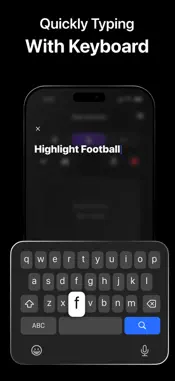
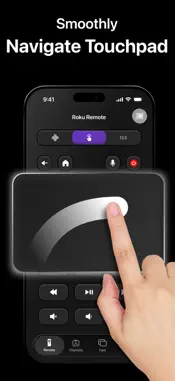
Can’t turn on your TV because you lost your remote right before the football match? Is your dad struggling to use a physical remote with tiny, confusing buttons? Or are you participating in crowded Karaoke party with just one and only TV remote? Don’t worry — we’ve got you covered. RimoTV: Universal Control is here to save the day and make your TV experience way better than ever. Features 1, Support multiple TV devices in universal remote, featuring essential buttons like Back, Fast Forward, and more. We'd like to introduce the Touchpad, Keyboard & Voice functions. Touchpad can help you not to type every single button but smoothly swipe left, right, up & down to choose your text, channels on Tv. About Keyboard, the special in this app is about your sight. When you choose every single character, other apps don't show you what you've typed. In this Rimo app, you can see what you've just entered which is really helpful when you need to check and correct something wrong. Same thing happens with Voice. After all, Touchpad, Keyboard & Voice are for your seamless experience with your TV. 2, Instantly access your favorite streaming apps such as Netflix, YouTube, Hulu, and others. This feature depends on which TV brands and models you're using. But we're able to confirm one thing: All your channels appearing on your TV will apear in our app once you connect the app to your TV. This helps you choose and launch your favorite apps in urgent situations more comfortably. 3, Cast photos and videos in stunning HD quality with smooth, lag-free performance. Unlike other apps, we help you cast clearly with all popups that are built in the feature. You know how much time you need to wait and always notice our help. These are auto-renewable subscriptions. With RimoTV VIP, you can: - Access to all the remote buttons - Smooth and responsive Touchpad & Keyboard - Voice input for faster interaction Download RimoTV now and turn your phone into a powerful, all-in-one TV remote — simple, fast, and always within reach. Disclaimer: - This app is not affiliated with any official TV brands, Chromecast, or AirPlay manufacturers. We just provide a tool for users to use a remote in more comfortable and creative ways. - Some streaming services may have content restrictions that prevent screen mirroring or video casting. - The performance of the cast feature may depend on device compatibility, network stability, and TV model. - Terms of Service: https://sites.google.com/view/privacy-remotv-uc/home - EULA: https://sites.google.com/view/elula-remotv-uc/home
What's New
Version 1.1.4 2026-10-20
- Improve the user experience Technical Analysis
Package Overview Basic metadata
Bundle ID
com.amobear.remotetv Current Version 1.1.4
Minimum iOS 16.0
Package Size App Store Size
Package Metadata 0 / 0 version records
Detailed binary, privacy manifest, framework, and Info.plist results have not been indexed for this package yet. The verified App Store and archive metadata above remains available.
Developer Information
Known Version Records
0 version records with stored package metadata
Stored metadata does not guarantee a package is currently available to download.
| Details | Version / IDs | Version date | Action |
|---|