Preview




Description
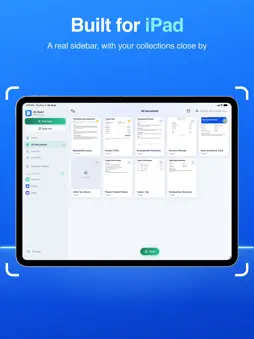
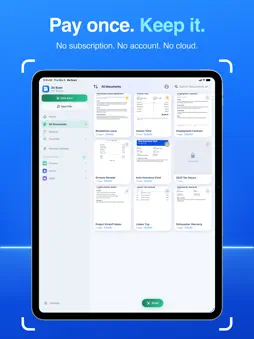
Turn paper into crisp, searchable PDFs in seconds, then sign, fill, redact, merge and convert them, all on your iPhone or iPad. No account. No subscription. No tracking. Point your camera at a contract, a receipt, a form or a page from your favorite book. Do Scan finds the edges, straightens the page and reads the text, so you can find any document later by a word inside it. Something private on the page? Redact it, and it's really gone. SCAN • Automatic edge detection and perspective correction • Scan a whole stack of pages in one go • Color, Grayscale and Black & White filters you can change anytime • Smart titles suggested from the first page OCR AND SEARCH • Text recognition on every page, with automatic language detection • Searchable PDFs: select, copy and find text • Search your whole library by the words inside your documents SIRI, SPOTLIGHT AND SHORTCUTS • Ask Siri to open or search your documents • Find documents in Spotlight by name, or by the text inside them • Use Do Scan actions in Shortcuts • Off until you turn it on, and you choose what's indexed. Locked PDFs are never indexed SIGN AND MARK UP • Save your signature and place it on any page, then move, resize and rotate it with your fingers • Sign in black, blue, red or white • Highlight, draw and write with Apple Pencil or your finger • Add typed text boxes • Fill in PDF forms REDACT FOR REAL • Black out account numbers, addresses, names, anything you'd rather not share • Drag a box over it and it's removed from the PDF, not just hidden under a black bar • Nothing left to copy, search or uncover: the text and image underneath are deleted • Pages keep their size and layout, and everything else stays sharp and searchable PDF TOOLS • Merge documents into one PDF • Reorder, rotate, crop and delete pages • Reduce file size for email • Lock PDFs with a password • Convert to PDF/A for archiving • Export pages as JPEG or PNG CONVERT TO PDF • Word (.doc, .docx) • PowerPoint (.ppt, .pptx) • Photos: pick several, then merge them or keep them separate • RTF, TXT and HTML STAY ORGANIZED • One + button in your library to scan, add photos or open files • Collections, like photo albums: one document can be in several • Favorites for what you use most • Recently Deleted keeps documents for 30 days • Built for iPad, with a sidebar and Apple Pencil support • Ready for iPhone Duo, closed or unfolded • Light and Dark Mode, adjustable interface size PRIVATE BY DESIGN No login, no analytics and no tracking. Do Scan has no server of its own. If you turn on Siri & Spotlight, iOS can use your indexed documents to answer Siri, and Siri may use Apple's Private Cloud Compute. Built entirely on Apple's frameworks, with no third-party code. Available in English, Spanish, French, German, Italian, Russian, Chinese, Arabic and Japanese.
What's New
Version 2.6 2026-11-14
• New: Redact! Drag a box over anything private and it's wiped from the PDF for good, not just covered with a black bar. It's right in the toolbar when you open...• New: Redact! Drag a box over anything private and it's wiped from the PDF for good, not just covered with a black bar. It's right in the toolbar when you open a document • Meet the new + button in My Documents and your collections: scan, add photos or open a file without leaving the library. Anything you add inside a collection lands right in it • Open File on the Home screen now pops its options right out of the button • Skipped the Siri setup? Tap Works with Siri on the Home screen to turn it on anytime • The search bar is easier to spot in Light Mode • Tidier, round swipe buttons in the library Technical Analysis
Package Overview Basic metadata
Bundle ID
com.doscan.app Current Version 2.6
Minimum iOS 16.0
Package Size App Store Size
Package Metadata 0 / 0 version records
Detailed binary, privacy manifest, framework, and Info.plist results have not been indexed for this package yet. The verified App Store and archive metadata above remains available.
Developer Information
Known Version Records
0 version records with stored package metadata
Stored metadata does not guarantee a package is currently available to download.
| Details | Version / IDs | Version date | Action |
|---|