Preview


Description
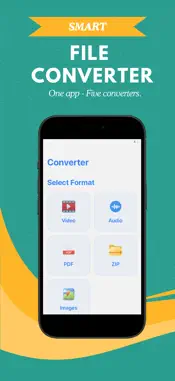
Smart File Converter is a powerful, secure, and native iOS utility designed to handle all of your media and document conversions locally on your device. By leveraging advanced on-device processing, the app eliminates the need to upload files to external servers, providing unmatched speed and complete data privacy. Whether you need to compress media, combine documents, or change file formats for cross-platform compatibility, Smart File Converter offers a unified toolkit that works entirely offline. Key Features: • Image Converter: Easily transform your photos and graphics into the format you need. • Supported Formats: JPG, PNG, WEBP, BMP, GIF, and TIFF. • Quickly convert high-resolution images or adjust formats for web compatibility. • Video Converter: Process and convert video files directly from your photo library. • Supported Formats: MP4, MOV, AVI, MKV, FLV, and WEBM. • Optimize and share videos without compromising visual quality. • Audio Converter: Convert voice memos, music tracks, and audio assets on the go. • Supported Formats: MP3, WAV, AAC, FLAC, M4A, OGG, and WMA. • Transition between high-fidelity and compressed formats seamlessly. • PDF Utilities: Manage documents with a suite of professional PDF tools. • Convert images and scanned files into a single PDF. • Turn text and Office documents (DOCX,, TXT) into PDF format. • Extract pages from any PDF document and save them as individual images. • Combine and merge multiple PDF files into a single document. • ZIP Archiving and Extraction: Compress and organize files in seconds. • Package multiple files and directories into compressed ZIP archives for easy sharing. • Extract and unpack content from ZIP files. Why Choose Smart File Converter? • Uncompromising Privacy: Your personal files, photos, and documents never leave your device. All processing occurs locally, ensuring your information remains completely secure. • Local Speed: Avoid the wait times, queues, and transfer delays of cloud-based converters. Local rendering means files are processed immediately. • Full Offline Capability: Convert files anytime and anywhere, without requiring a cellular network or Wi-Fi connection. • Clean iOS Design: A streamlined user interface built specifically for iOS, offering an intuitive experience with zero learning curve.
Technical Analysis
Package Overview Basic metadata
Bundle ID
devamilabs.smartfileconverter Current Version 1.0.2
Minimum iOS 16.6
Package Size App Store Size
Package Metadata 0 / 1 version records
Detailed binary, privacy manifest, framework, and Info.plist results have not been indexed for this package yet. The verified App Store and archive metadata above remains available.
Developer Information
Known Version Records
0 version records with stored package metadata • 1 known version records
Stored metadata does not guarantee a package is currently available to download.
| Details | Version / IDs | Version date | Action |
|---|---|---|---|
| Not archived | App Store ID: 886711643 | Unknown | Request Version |