
Preview






Description
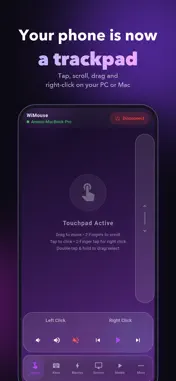
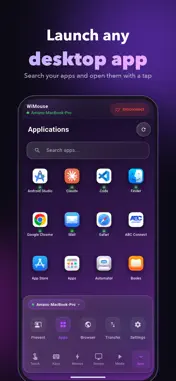
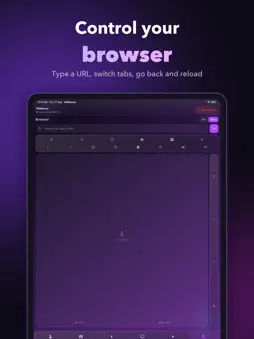
Turn your iPhone or iPad into a wireless mouse, keyboard, trackpad and TV remote for your Windows PC, Mac and Android TV — no cables, no setup hassle. Connect your iPhone and computer to the same Wi‑Fi, install the free WiMouse Desktop Client (Microsoft Store for Windows, Mac App Store for macOS), and start controlling your computer in seconds. Use Your iPhone as a Mouse & Trackpad WiMouse turns your screen into a smooth multi-touch trackpad. Move the cursor, click, scroll, drag and right-click — just like a real touchpad. Air Mouse lets you point by moving your iPhone, using its gyroscope. Full Wireless Keyboard Type on your iPhone and it appears instantly on your PC or Mac. Modifier keys, function keys and shortcuts included. TV Remote for Android TV & Google TV Control your Android TV or Google TV over Wi‑Fi — nothing to install on the TV. Use the D-pad or a swipe pad, play and pause, change volume, and type into search with your keyboard. Tap the mic to search by voice, and open your favourite streaming apps in one tap. Shortcuts in One Tap Build your own deck of shortcuts for Windows and macOS — copy, paste, undo, screenshots and more — or add a ready-made pack. Presentation Remote Slide through PowerPoint and Keynote decks wirelessly — forward, back, black screen and a laser pointer, all from your iPhone. Media & System Controller Play, pause, skip tracks and adjust volume from across the room. Lock, sleep or shut down your computer with a tap. More Ways to Control Your Computer • Launch any desktop app from your iPhone • Control your computer's browser — type a URL, switch tabs, go back • Send files and share the clipboard between iPhone and computer • Voice commands (beta) — control your computer hands-free WiMouse Pro • Screen View — see your computer's screen live on your iPhone or iPad and control it • Switch between up to three computers instantly • No ads Fast, Lightweight & Reliable • Ultra-low latency — smooth and responsive control • Minimal battery drain • Auto discovery of computers and TVs on your network • Your computer connection stays on your local network, AES-256 encrypted — no account needed Setup in 3 Steps 1. Install WiMouse Desktop Client on your Windows PC or Mac (free — search "WiMouse Desktop Client" on Microsoft Store or Mac App Store) 2. Connect both devices to the same Wi‑Fi network 3. Open WiMouse on your iPhone and start controlling For your TV, just open WiMouse — it finds Android TVs and Google TVs on your Wi‑Fi. Works With • Windows 10 / Windows 11 — laptops and desktops • macOS — MacBook Pro, MacBook Air, iMac, Mac mini • Android TV and Google TV Download WiMouse Today Stop struggling with tangled wires or dead batteries. Turn your smartphone into a professional WiFi Remote Mouse, Keyboard, and Trackpad and boost your productivity today! Terms of Use (EULA): https://www.apple.com/legal/internet-services/itunes/dev/stdeula/ Privacy Policy: https://wimouse.vikramshilasoftwares.in/privacy-policy
What's New
Version 5.0.4 2026-10-26
Control your TV WiMouse now works as a remote for Android TV and Google TV. Your phone and TV just need to be on the same Wi‑Fi, and there's nothing to install ...Control your TV WiMouse now works as a remote for Android TV and Google TV. Your phone and TV just need to be on the same Wi‑Fi, and there's nothing to install on the TV. - Use the arrow pad, or swipe on the screen to move around - Press OK to play or pause, and change the volume from your phone - Tap the mic and ask for what you want to watch - Type searches with your phone's keyboard instead of the TV remote - Open Netflix, Prime Video, YouTube and more with one tap Technical Analysis
Package Overview Basic metadata
Bundle ID
com.vikramshilasoftwares.remoteMouse Current Version 5.0.4
Minimum iOS 16.6
Package Size App Store Size
Package Metadata 0 / 10 version records
Detailed binary, privacy manifest, framework, and Info.plist results have not been indexed for this package yet. The verified App Store and archive metadata above remains available.
Developer Information
Known Version Records
0 version records with stored package metadata • 10 known version records
Stored metadata does not guarantee a package is currently available to download.
| Details | Version / IDs | Version date | Action |
|---|---|---|---|
| Not archived | App Store ID: 887160487 | Unknown | Request Version |
| Not archived | App Store ID: 886898339 | Unknown | Request Version |
| Not archived | App Store ID: 886738360 | Unknown | Request Version |
| Not archived | App Store ID: 886646369 | Unknown | Request Version |
| Not archived | App Store ID: 886621443 | Unknown | Request Version |
| Not archived | App Store ID: 885783857 | Unknown | Request Version |
| Not archived | App Store ID: 885043475 | Unknown | Request Version |
| Not archived | App Store ID: 884997275 | Unknown | Request Version |
| Not archived | App Store ID: 884734001 | Unknown | Request Version |
| Not archived | App Store ID: 884384906 | Unknown | Request Version |