
Preview


Description
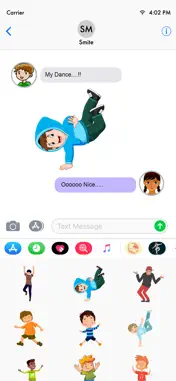
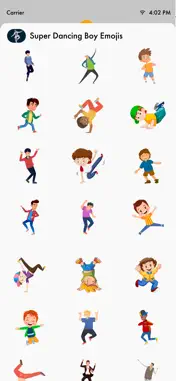
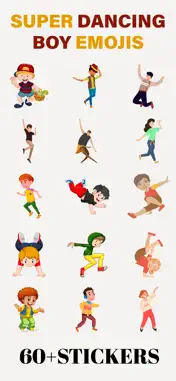
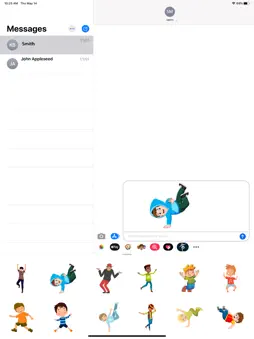
Make your conversations more fun and energetic with Super Dancing Boy Emojis! Send expressive dancing stickers to friends and family directly inside iMessage. How to Download and Install: 1. Open the Messages app on your iPhone. 2. Open any conversation or start a new message. 3. Tap the + button next to the message field to open the iMessage app drawer. 4. Tap Store. 5. Search for Super Dancing Boy Emojis. 6. Tap Get to download. Once installed, the sticker app will automatically appear in your iMessage app drawer and is ready to use. In Case of Already Installed: - If the sticker app is already installed on your device, it will automatically appear in your iMessage app drawer. - Tap the + button and select Stickers to view it. - If needed, tap Edit to reorder or manage its position. No additional setup is required after installation. How to Reorder Sticker Apps: - On the Manage Sticker Apps screen, press and hold the three-line icon next to any app. - Drag it up or down to change its position. - Apps at the top appear first in the iMessage sticker drawer. - Tap Done to save. Remove Unwanted Sticker Apps: -While in Edit mode, remove unwanted sticker apps from the list. -This will hide them from your iMessage sticker drawer. -After organizing your apps, tap Done to save your changes. How to Send Stickers: -Tap any sticker to instantly send it in your conversation. -Touch and hold a sticker to drag and drop it onto a message bubble or photo. -You can send stickers alone or combine them with text and emojis. -Stickers can be placed anywhere in the chat to create fun reactions.
What's New
Version 1.4 2026-03-02
-Minor improvements and fixes. Technical Analysis
Package Overview Basic metadata
Bundle ID
com.marbleroseapps.dancingboysticker Current Version 1.4
Minimum iOS 15.6
Package Size App Store Size
Package Metadata 1 / 5 version records
Detailed binary, privacy manifest, framework, and Info.plist results have not been indexed for this package yet. The verified App Store and archive metadata above remains available.
Price History (USA store)
2 recorded price change points. These are historical observations, not a guarantee of the current price.
| Recorded at | Price | Currency |
|---|---|---|
| 49.99 | USD | |
| 0.99 | USD |
Known Version Records
1 version record with stored package metadata • 5 known version records
Stored metadata does not guarantee a package is currently available to download.
| Details | Version / IDs | Version date | Action |
|---|---|---|---|
| 3.36 MB | v1.4 App Store ID: 882926947Build: 1.4 | 2026-03-02 20:25:43 | Paid / Arcade |
| Not archived | App Store ID: 882861846 | Unknown | Paid / Arcade |
| Not archived | App Store ID: 872689940 | Unknown | Paid / Arcade |
| Not archived | App Store ID: 845864485 | Unknown | Paid / Arcade |
| Not archived | App Store ID: 841902642 | Unknown | Paid / Arcade |