Preview


Description
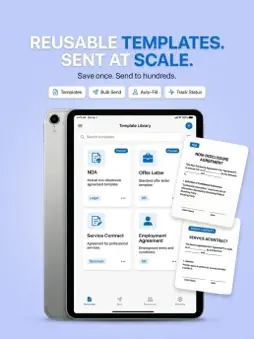
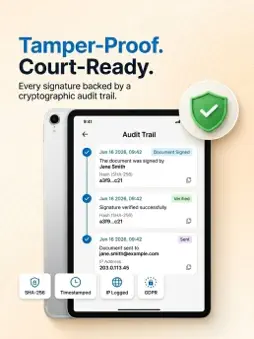
Sign PDF documents, send them for signature, scan paper documents and verify completed signatures — all from one simple app. TapSign makes electronic signatures simple. Create your signature once, add it to documents in seconds, request signatures from others, track progress and keep your completed documents organized. 1. SIGN PDF DOCUMENTS Open a PDF and add your signature, initials, date, text or checkboxes exactly where you need them. Resize, reposition and reuse your saved signature whenever you need it. 2. SIGNATURE MAKER Create a handwritten electronic signature directly on your iPhone or iPad. Save your signature and initials for quick reuse across your documents. 3. SEND FOR SIGNATURE Send contracts, agreements and forms to clients, tenants, colleagues or other recipients for signing. Track the signing process in realtime and see when documents are completed. 4. SCAN & SIGN Use your iPhone camera to turn paper documents into digital files. Capture, clean up and sign documents wherever you are. 5. AUDIT TRAIL Keep a record of important signing activity with a timestamped audit trail associated with your completed documents. 6. VERIFY SIGNED DOCUMENTS Scan the unique QR code to check the details of a signed document and confirm its verification status. 7. TEMPLATES Save frequently used documents and agreements so you can reuse them without starting from scratch. 8. SECURE DOCUMENT MANAGEMENT Keep your documents, signatures and signing records organized in one place, with security features designed to help protect your information. BUILT FOR • Freelancers and consultants signing contracts • Small businesses collecting signatures • Landlords and property managers handling agreements • Professionals sending forms and documents • Anyone who wants to replace printing and scanning with digital signing Sign documents wherever business takes you — from your iPhone or iPad. Payment is charged to your Apple ID at purchase confirmation. Subscriptions renew automatically unless auto-renew is turned off at least 24 hours before the end of the current period. You can manage or cancel your subscription in your Apple ID account settings after purchase. Terms of Use (EULA): https://www.apple.com/legal/internet-services/itunes/dev/stdeula/ Privacy Policy: https://tapsign.app/web/privacy
What's New
Version 1.0.8 2026-11-06
We regularly update TapSign to make signing documents faster and more reliable. What’s new: • Snappier performance across large PDFs and templates • Improved ...We regularly update TapSign to make signing documents faster and more reliable. What’s new: • Snappier performance across large PDFs and templates • Improved folder organization and document recovery • Custom logo branding now available for email header assets and more • Sleek dark appearance across all in-app menus, sheets, and popups • Streak Rewards: Maintain a 4-week streak to spin for Free Lifetime Access • Bug fixes and stability enhancements throughout the app Technical Analysis
Package Overview Basic metadata
Bundle ID
com.despia.tapsign Current Version 1.0.8
Minimum iOS 16.6
Package Size App Store Size
Package Metadata 0 / 0 version records
Detailed binary, privacy manifest, framework, and Info.plist results have not been indexed for this package yet. The verified App Store and archive metadata above remains available.
Developer Information
Known Version Records
0 version records with stored package metadata
Stored metadata does not guarantee a package is currently available to download.
| Details | Version / IDs | Version date | Action |
|---|