
Preview






Description
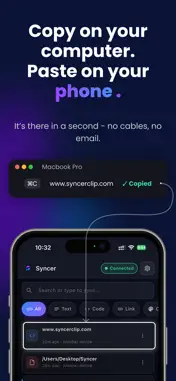
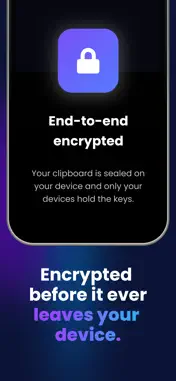
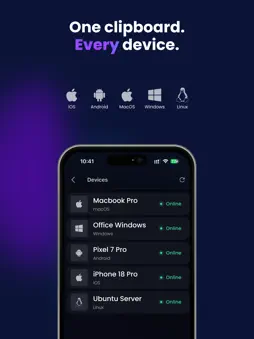
Your clipboard, right inside your keyboard. Copy something on your Mac or any other computer — then paste it straight from the Syncer keyboard on your iPhone. No app-switching. No emailing links to yourself. Your clipboard simply follows you to every device. WHY SYNCER • Paste from your keyboard — the Syncer keyboard puts your synced clipboard inside any text field on your phone. Tap to insert; no jumping between apps. • One clipboard, every device — your iPhone, iPad, Mac and the other computers you use all share a single clipboard. • Encrypted end-to-end — every clip is sealed on your device before it leaves, and only your devices hold the keys. Our servers relay data they have no key to open. • Searchable history — find anything you've copied. Keep it from 1 to 30 days (7 by default); it auto-expires after that. • Passwords stay put — Syncer automatically skips items your device marks as sensitive, so passwords and secrets don't sync. • Encrypted backups — protect your history with a PIN and restore it on a new device. We only ever hold ciphertext. • Passwordless sign-in — a one-time email code, or Google / Apple. No password to remember. HOW IT WORKS 1. Install Syncer on your devices. 2. Pair them in seconds by scanning a QR code. 3. Copy on one device, paste on any other — from the keyboard on your phone. MADE FOR PEOPLE WHO COPY A LOT Developers moving code and commands between a laptop and phone. Writers and students moving links, quotes, and notes. Anyone tired of shuttling text between devices by hand. YOUR PRIVACY We can't read your clipboard — the encryption makes it impossible. We don't sell data, show ads, or build a profile of what you copy. Analytics are strictly opt-in. Syncer — one clipboard, every device.
Technical Analysis
Package Overview Basic metadata
Bundle ID
it.syncer Current Version 1.0
Minimum iOS 18.5
Package Size App Store Size
Package Metadata 0 / 0 version records
Detailed binary, privacy manifest, framework, and Info.plist results have not been indexed for this package yet. The verified App Store and archive metadata above remains available.
Developer Information
Known Version Records
0 version records with stored package metadata
Stored metadata does not guarantee a package is currently available to download.
| Details | Version / IDs | Version date | Action |
|---|