
Preview



Description
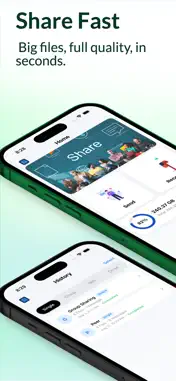
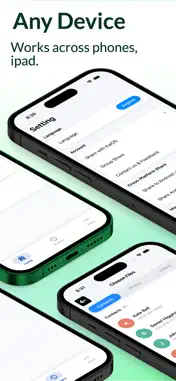
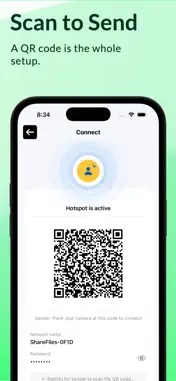
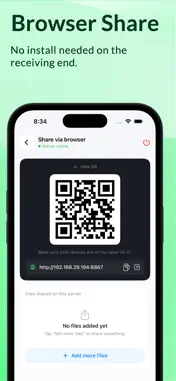
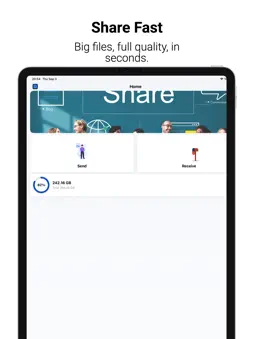
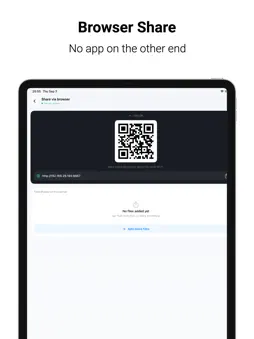
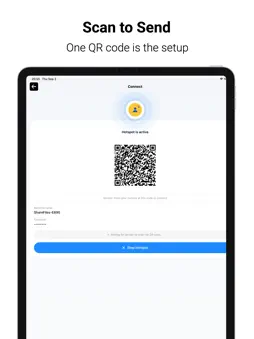
ShareFiles Direct moves your photos, videos and contacts between devices over your local Wi-Fi — quickly, and without uploading anything to the internet. No cables. No cloud accounts. No mobile data. Your files go straight from one device to the other. Whether you are sending holiday photos to a friend standing next to you, moving your contacts to a new phone, or getting a video onto a laptop with nothing but a web browser, ShareFiles Direct keeps it to a few taps. WHAT YOU CAN SEND - Photos and images - Videos and movies - Contacts, sent as standard contact cards - Files of any type you receive are saved and can be opened, previewed or exported FAST WIRELESS TRANSFERS Files travel directly between devices across your local Wi-Fi, at local network speed. Nothing is uploaded to a server first, so a large video does not have to wait on your internet connection. QR CODE PAIRING Point the camera at the code on the other device and you are connected. No accounts to create, no codes to type, no pairing menus to hunt through. GROUP SHARING Start a group and send the same files to several devices at once, or scan in to join a group somebody else has started. SHARE VIA BROWSER Turn your iPhone into a local web page and share files with any device that has a browser — Mac, or another phone. Simply open the web address shown on your iPhone or scan the QR code. The recipient can instantly access and download your shared files without installing anything. Fast. Simple. No extra app required. MESSAGES ALONGSIDE FILES Every session is a conversation. Send a note with the files you are sharing, or ask for what you need, without leaving the app. TRANSFER HISTORY Every session is kept: what was sent, what was received, who it was with and how it went. Reopen a transfer to preview photos and videos full screen, save them to your photo library, export them to Files, or clear out what you no longer need. PRIVATE BY DESIGN Files move directly between the two devices on your local network. They are not uploaded to a cloud server, not stored by us, and not shared with anyone else. There is no account to create and nothing to sign in to. PERMISSIONS - Photos — to show your library so you can choose what to send, and to save what you receive. - Contacts — to list your contacts so you can choose which to send. - Camera — to scan the pairing QR code. Nothing is photographed or recorded. - Local Network — to find nearby devices and transfer files to them. Each is asked for only when the feature that needs it is used.
Technical Analysis
Package Overview Basic metadata
Bundle ID
com.app.ShareFiles Current Version 1.0
Minimum iOS 26.0
Package Size App Store Size
Package Metadata 0 / 0 version records
Detailed binary, privacy manifest, framework, and Info.plist results have not been indexed for this package yet. The verified App Store and archive metadata above remains available.
Known Version Records
0 version records with stored package metadata
Stored metadata does not guarantee a package is currently available to download.
| Details | Version / IDs | Version date | Action |
|---|