
Preview











Description
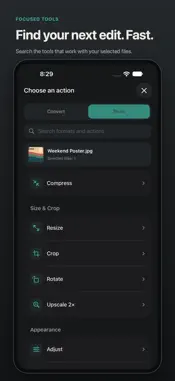
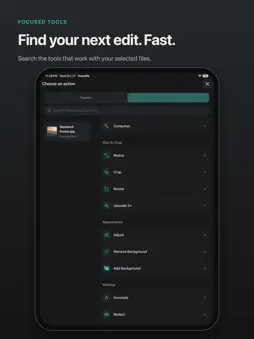
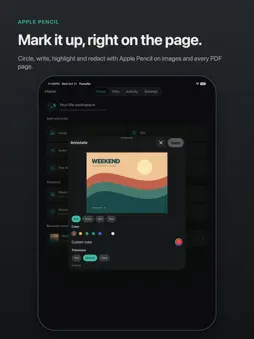
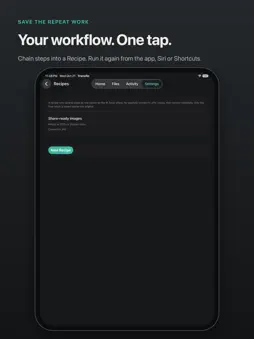
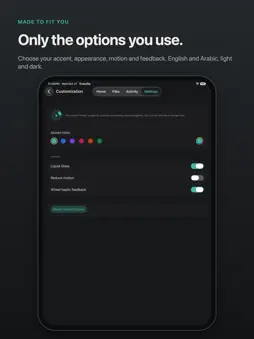
Your files. A better flow. Convert, edit and save files with Transflo for iPhone, iPhone Duo and iPad. Start with an Image, PDF, Audio, Video, Text File or Document. Choose a supported format or tool from a searchable list, then save or share the result. START WITH YOUR FILE Choose images and videos from Photos or Files. Import supported documents from Files, open them in Transflo or use the share extension from another app. On iPad, drag files in from another app. Only compatible options appear for your selection. CONVERT ON YOUR DEVICE Turn HEIC photos into JPG, switch supported image formats, convert audio and video, extract a video's soundtrack or make a GIF. Create a PDF from images, export supported PDF content, and convert supported text documents. Available formats depend on your files and device. MAKE QUICK IMAGE EDITS Crop, resize, rotate and adjust your images. Annotate, redact, add a background or arrange a collage. Remove backgrounds where supported, read QR codes, and edit or remove supported metadata. Extract text with on-device OCR and upscale images 2x. GIVE YOUR PDFS A BETTER ORDER Reorder, rotate, split, merge or extract PDF pages. Add arrows, boxes, pen strokes or text, with separate edits for each page. Review redactions before exporting a new document. Use Apple Pencil for markup on compatible iPads. KEEP THE BEST PART Preview video and audio before exporting. Trim with a two-handle timeline, change playback speed, split or merge compatible clips, mute a video or capture a frame. Playback controls show the current position and selected duration. Expand video previews to fullscreen, and compress supported videos before sharing. SAVE YOUR REPEAT WORK Create Recipes that chain compatible conversion, resizing, compression, metadata removal and renaming steps. Run a saved recipe from Tools. Use Transflo's Convert Files, Compress Files and Run Recipe actions in Shortcuts. SAVE WHERE YOU NEED IT Image results offer saving to Photos or Files. Other outputs open the system share sheet so you can save or send them. Find imported files and results in your workspace, revisit recent files and follow progress in Activity. Review available results, cancel active work and share again later. MADE FOR YOUR SCREEN Use a compact flow on iPhone and iPhone Duo's outer display, with more room when Duo unfolds or you work on iPad. Choose your accent, appearance and visible formats and tools. Set Best, Balanced or Smaller compression defaults and output naming. English and Arabic, right-to-left layout, VoiceOver, reduced motion and optional haptics are supported. LOCAL BY DESIGN File processing runs on your device. No account, advertising or app analytics. Transflo imports working copies and creates new output files. Rename applies to files in the app's workspace. Photos saving asks for add-only access; sharing sends files to the destination you choose. Free and open source under the MIT License. Requires iOS or iPadOS 17 or later. Available options depend on your files, OS and device. Some files are already too optimized to compress further. Watch folders, archive tools, audio normalization, bleep and Smart Rename are Mac features. Support: https://transfloformac.ali-fayed.com/support Privacy: https://transfloformac.ali-fayed.com/privacy
Technical Analysis
Package Overview Basic metadata
Bundle ID
com.transflo.app Current Version 1.0.0
Minimum iOS 17.0
Package Size App Store Size
Package Metadata 0 / 0 version records
Detailed binary, privacy manifest, framework, and Info.plist results have not been indexed for this package yet. The verified App Store and archive metadata above remains available.
Developer Information
Known Version Records
0 version records with stored package metadata
Stored metadata does not guarantee a package is currently available to download.
| Details | Version / IDs | Version date | Action |
|---|