Preview


Description
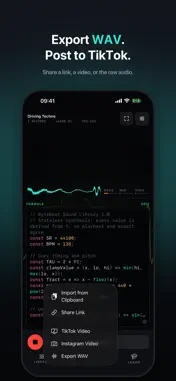
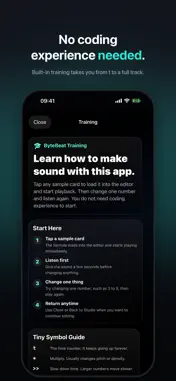
Draw a shape. Hear it as music. Or describe a sound and let AI help you write the code. ByteBeat is a creative coding playground where sound comes from code — techno, chiptune, glitches, drones, and unexpected textures. Start with a drawing, explore a ready-made track, or write one line of math and press play. DRAW IT, HEAR IT, EXPLORE THE CODE Draw a line in Sound Canvas and it becomes a loop — left to right is time, up is higher. Add layers for harmony, bass and drums, or tap Make It a Track to build an arrangement around your shape. Pick a mood and experiment. Open the code behind your drawing to explore how it works and make it your own. DESCRIBE YOUR NEXT SOUND Meet the ByteBeat AI assistant. Ask for a rhythmic chiptune, a darker bassline, or a slower groove. Generate a new formula or ask for changes to your current code. The result goes straight into the editor. Review it, press Apply to hear it, and keep experimenting. Undo or revert when you want to go back. START FROM REAL TRACKS Explore built-in presets ranging from classic one-line formulas to layered arrangements in techno, house, trance, synthwave, drum and bass, cinematic, lo-fi electronic, and ambient styles. Every preset opens in the editor, so you can read how it works and rewrite it. A REAL CODE EDITOR Syntax highlighting, line numbers, undo and redo, and a one-tap row for common operators. When something breaks, error messages point to the line and column so you can find your way forward. LEARN AS YOU GO Start with a guided tour, explore a guide to the app’s controls, or open the language reference from the editor. Runnable examples introduce the operators, rhythms, melodies, and synthesis techniques behind your sound. SEE YOUR SOUND Watch an audio-reactive visualizer respond to your music. Switch skins and scenes, or enter full-screen mode to put the visuals first. SAVE, EXPORT AND SHARE Keep your formulas and canvases in a personal library. Sign in to back up and sync your saved code presets. Export WAV audio, create videos sized for TikTok or Instagram, or share a link that opens your formula in ByteBeat. UNDER THE HOOD • Classic and JS-big evaluation modes • Bytebeat, signed bytebeat, and floatbeat output • Six sample rates from 8 kHz to 44.1 kHz • Adjustable audio buffer size • Editable formulas and layered sound experiments Start drawing, coding, and playing offline without an account. AI assistance and cloud sync require sign-in and an internet connection. WAV exports longer than 15 seconds require sign-in. Code, sound, and experimentation — with more ways to find your next idea.
What's New
Version 2.0 2026-10-08
NEW IN BYTEBEAT 2 CREATE AND REFINE WITH AI Describe a sound, rhythm, or mood and let the new AI assistant turn it into editable ByteBeat code. Start a new form... Technical Analysis
Package Overview Basic metadata
Bundle ID
com.ali.bytebeatlab.ByteBeat Current Version 2.0
Minimum iOS 16.0
Package Size App Store Size
Package Metadata 0 / 3 version records
Detailed binary, privacy manifest, framework, and Info.plist results have not been indexed for this package yet. The verified App Store and archive metadata above remains available.
Known Version Records
0 version records with stored package metadata • 3 known version records
Stored metadata does not guarantee a package is currently available to download.
| Details | Version / IDs | Version date | Action |
|---|---|---|---|
| Not archived | App Store ID: 887613281 | Unknown | Request Version |
| Not archived | App Store ID: 886610771 | Unknown | Request Version |
| Not archived | App Store ID: 883401403 | Unknown | Request Version |