Preview







Description
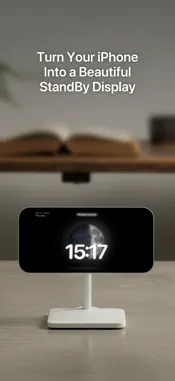
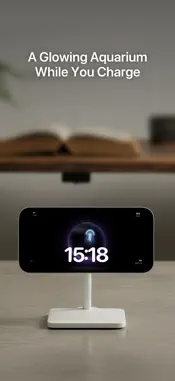
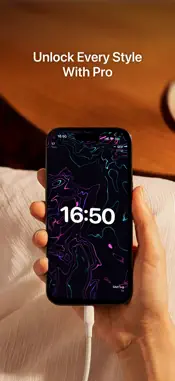
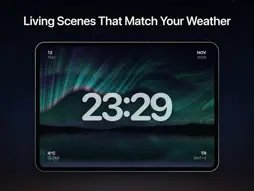
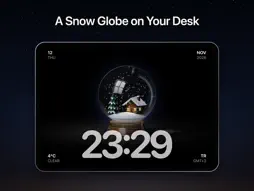
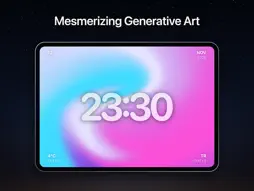
The only StandBy-style dock with a living planetary system — watch the Moon, Mars and Saturn spin while your iPhone charges on your desk or nightstand. Dock transforms your iPhone into a beautiful display while charging. Inspired by StandBy mode, it brings elegant clocks, animated planets, and immersive visuals to your desk, nightstand, or workspace. SIX CLOCK STYLES • Minimal Analog, Analog, Digital, Compact Analog, Word clock, and Slider • Digital clock digits can float subtly, StandBy-style • Charging style: your battery level fills the screen behind a bold two-tone clock • Every clock works beautifully in landscape A LIVING SKY • Animated planetary system with the Moon, planets and real rotation • Live moon phase rendered on the Moon itself • Date, location and weather at a glance MADE FOR YOUR NIGHTSTAND • Clean, distraction-free, dark-first design • Screen saver timing options for overnight use • Launches automatically when you start charging, via Apple Shortcuts • Keep-screen-on while charging Whether your phone is on your desk during work or beside your bed at night, Dock turns it into a display you'll actually want to look at. Terms of Use: https://www.apple.com/legal/internet-services/itunes/dev/stdeula/ Privacy Policy: https://www.alicorak.com/dock/privacy-policy
What's New
Version 1.1.20 2026-11-23
Smoother first launch and small fixes. Technical Analysis
Package Overview Basic metadata
Bundle ID
com.alicorak.celestial Current Version 1.1.20
Minimum iOS 16.4
Package Size App Store Size
Package Metadata 1 / 3 version records
Detailed binary, privacy manifest, framework, and Info.plist results have not been indexed for this package yet. The verified App Store and archive metadata above remains available.
Known Version Records
1 version record with stored package metadata • 3 known version records
Stored metadata does not guarantee a package is currently available to download.
| Details | Version / IDs | Version date | Action |
|---|---|---|---|
| 25.87 MB | v1.1.13 App Store ID: 887802646Build: 1.1.13 | 2026-09-25 20:11:36 | Get Version |
| Not archived | App Store ID: 887759493 | Unknown | Request Version |
| Not archived | App Store ID: 885937192 | Unknown | Request Version |