Preview




Description
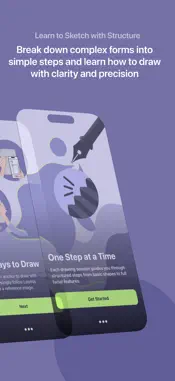
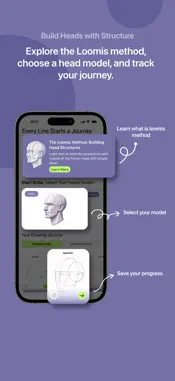
Bring your imagination into the real world — one trace at a time. Wedraw is an intuitive Augmented Reality (AR) tracing app that helps you learn, practice, and express your creativity by overlaying real-world reference images directly onto your environment. Whether you're an aspiring artist, student, or just someone who loves to draw, Wedraw transforms your device into a smart digital projector that helps you trace and sketch with ease. And it doesn’t stop at AR. You can also draw with reference images right inside the app without AR mode. Use our focused drawing space to sketch from references in a distraction-free interface, perfect for when you want to practice anatomy, still life, or characters in a more traditional digital setup. How It Works 1. Open the App — Launch Wedraw and dive straight into a curated collection of drawing models. 2. Choose a Model to Draw — Select from a range of reference images designed to support your practice and creativity. 3. Pick Your Angle — Decide which perspective or pose of the model best suits your drawing intent. 4. Select a Mode — Choose between: - Draw with Reference (side-by-side view, no AR), or - Draw with AR (overlay image on real-world surface) 5. (For AR Mode) Take a photo of your anchor — a flat, real-world surface that the app will use to place your image. 6. Crop & Adjust the Image — Refine the area you want to draw and position it exactly as needed. 7. Start Drawing — Trace over the AR projection or sketch directly from the reference. Create at your own pace, your way. Features You'll Love - Smart AR Tracing: Overlay images onto real surfaces and trace with accuracy. - Draw with Reference: Prefer classic reference drawing? Use side-by-side mode to sketch without AR. - Flexible Anchoring: Image stays even if AR tracking is temporarily lost. - Gesture Controls: Move, scale, and rotate images intuitively. - Minimal Interface: A clean design that stays out of your way and lets your art take the spotlight. Perfect For: - Art Students & Teachers — Practice fundamentals and structure. - Hobbyists & Creators — Recreate your favorite characters, logos, or scenery. - Beginners & Kids — Build drawing confidence at your own pace. - Digital Nomads — Sketch anywhere, anytime, with nothing but your phone. Whether you’re tracing over an anchor or free-sketching from a reference image, Wedraw is your creative companion. It’s not just a tool, it’s a bridge between your ideas and the page. No sign-up. No ads. Just you and your art. Download Wedraw and start creating today. Meet the Wedraw Squad Crafted with passion by Ali An Nuur M. Evan Cendekia Suryandaru Rudi Juandi Butarbutar Rizky Dwi Putra Widia Sania
What's New
Version 1.1 2025-08-18
- Fixed image overlay issues Technical Analysis
Package Overview Basic metadata
Bundle ID
com.challange3.wedraw Current Version 1.1
Minimum iOS 17.6
Package Size App Store Size
Package Metadata 0 / 2 version records
Detailed binary, privacy manifest, framework, and Info.plist results have not been indexed for this package yet. The verified App Store and archive metadata above remains available.
Known Version Records
0 version records with stored package metadata • 2 known version records
Stored metadata does not guarantee a package is currently available to download.
| Details | Version / IDs | Version date | Action |
|---|---|---|---|
| Not archived | App Store ID: 876791687 | Unknown | Request Version |
| Not archived | App Store ID: 875910578 | Unknown | Request Version |