
Preview




Description
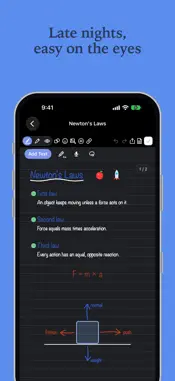
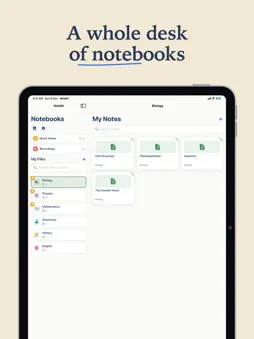
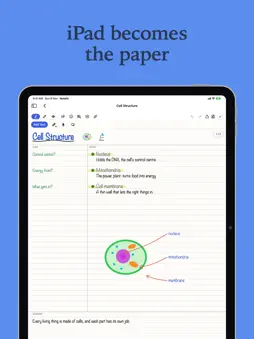
Notelit is your notebook on the Mac — the same notebooks, pages and handwriting as on your iPhone and iPad, now on a big screen with a keyboard. YOUR FILES, ALWAYS TO HAND • Every subject in a sidebar, with the open file right beside it • Quick Notes and Recordings at the top, then My Files with its own search • Pin your favourite files and notes to the top • One search finds files, notes, and the words written on your pages CLICK AND TYPE • Click anywhere on a page and start typing right there • Fonts, sizes, colours, bold, italic and underline for your words • Blank, ruled or grid paper, page by page • Add shapes, stickers and pictures, then move, resize and turn them YOUR HANDWRITING, ON THE MAC • Pages written with Apple Pencil on iPad or iPhone open just as they were • Every note keeps its own paper, so its layout is the same on every device • Circle ink or words with the lasso to move, resize or delete them SYNCED EVERYWHERE • Sign in with Apple and your notes stay in step on Mac, iPad and iPhone — changes arrive moments after you make them • Share a note with a friend who uses Notelit, recordings and all • Share pages to Messages, Mail and other apps, or save them as PDF RECORDINGS • Every recording from your notes in one place • Play them, rename them, and move one into any note MADE FOR LATE NIGHTS • Light and dark mode, with dark pages that export as real paper • Available in 14 languages, including Arabic PLANS Notelit is free to start, with no account needed. • Lite adds all fonts, every sticker pack, the Notelit widgets and Save to iCloud • Pro adds everything in Lite, plus page templates, whole-file PDF export, custom app icons and up to six pins Subscriptions renew automatically unless cancelled at least 24 hours before the end of the current period. Manage or cancel them any time in your Apple Account settings. Terms of Use (EULA): https://www.apple.com/legal/internet-services/itunes/dev/stdeula/
What's New
Version 0.3.64 2026-11-09
What’s new in Notelit 0.3.64 ADDED • Videos on your pages: play, pause, stop, and drag the bar to any second. • PDFs open sharp and fit the page like in Books....What’s new in Notelit 0.3.64 ADDED • Videos on your pages: play, pause, stop, and drag the bar to any second. • PDFs open sharp and fit the page like in Books. Write on them, or press and hold to select text to copy or highlight. • A bar under every text box, photo, video and shape, with all its options in one line. • Send text behind a photo or video, or bring it to the front. • Print straight from Share, with all your printer’s settings. • Every pen keeps its own colour, and new notes start in black. • iPhone Duo: opened out, your files sit on the left and your note on the right. • New Notelit Originals, designed in Canva. FIXED • Writing and moving things is smoother on iPhone and iPad, with far less lag. • Text boxes follow your finger, open with one tap, and each keeps its own style. • Undo and redo go back and forward one step at a time. • Words, pictures and shapes cross between pages, even when placed right on the line. • The lasso now copies, duplicates and moves text too. • Titles always show in full, and closing the video picker no longer freezes the app. A NOTE FROM ME Hi! I’m the solo developer behind Notelit. I design, build and test every part of it myself, and I work hard every day to make it the best notes app in the world. Thank you for being here. Enjoying Notelit? A rating on the App Store means a lot. Have an idea? Send it from Settings. Technical Analysis
Package Overview Basic metadata
Bundle ID
APP-004.Notelit Current Version 0.3.64
Minimum iOS 18.0
Package Size App Store Size
Package Metadata 0 / 0 version records
Detailed binary, privacy manifest, framework, and Info.plist results have not been indexed for this package yet. The verified App Store and archive metadata above remains available.
Developer Information
Known Version Records
0 version records with stored package metadata
Stored metadata does not guarantee a package is currently available to download.
| Details | Version / IDs | Version date | Action |
|---|