
Preview







Description
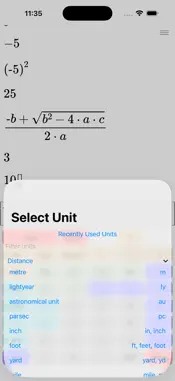
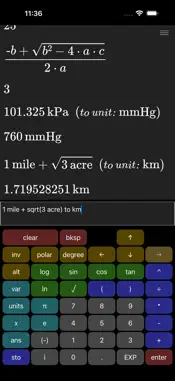
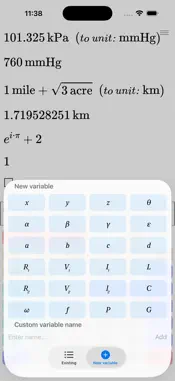
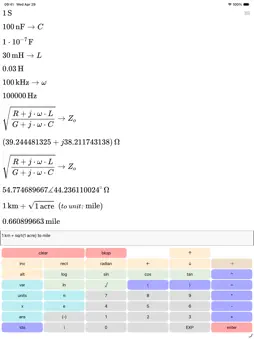
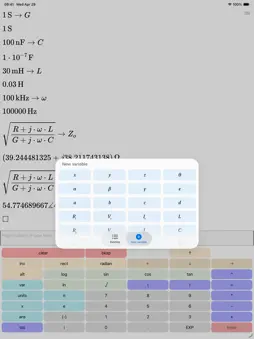
AlexCalc is a scientific calculator with LaTeX display, supporting button or plaintext input. Supports variables, complex numbers, and units. The LaTeX display makes it easy to see how your input is interpreted-- no more counting brackets! Some features: - complex number support, in rectangular or polar form (e.g. `3 + 4i` or `1 angle 90`) - variable storage (e.g. `123 -> x` then `3*x^2 - 4*x + 5 -> y`) - units in equations, and conversion (e.g. `1 inch * 3 ft to cm^2` or `sqrt(60 acre) - 100 ft`) - can enter input by button presses, typing, or copy/pasting. Button presses are all converted to plaintext input for easy copy/pasting. - equation display is simplified upon pressing enter. This means that when entering an equation, it is usually possible to look only at the LaTeX display and not the plaintext input: but when pressing enter, it will look nice. Redundant brackets are removed, including those that are needed for plaintext input (e.g. `(a + b)/(c + d)` can become "a + b" on the numerator and "c + d" on the denominator without brackets). - light/dark themes - previous input history can be accessed and edited by pressing "up" or "down" buttons. - previous inputs/vars/recently used units preserved when the app is closed - standard scientific calculator features, such as: - trigonometric functions: sin, cos, tan, arcsin, arccos, arctan - base 10 and natural logarithmic functions: log (base 10), ln (base e) - `e`, `pi` constants, and square root function - scientific notation input (e.g. `1.23E6` is 1.23 times 10^6)
What's New
Version 1.0.2 2026-04-29
Added support for iOS 18.6 Technical Analysis
Package Overview Basic metadata
Bundle ID
net.alexbarry.AlexCalc Current Version 1.0.2
Minimum iOS 18.6
Package Size App Store Size
Package Metadata 0 / 2 version records
Detailed binary, privacy manifest, framework, and Info.plist results have not been indexed for this package yet. The verified App Store and archive metadata above remains available.
Known Version Records
0 version records with stored package metadata • 2 known version records
Stored metadata does not guarantee a package is currently available to download.
| Details | Version / IDs | Version date | Action |
|---|---|---|---|
| Not archived | App Store ID: 885082964 | Unknown | Request Version |
| Not archived | App Store ID: 885073003 | Unknown | Request Version |