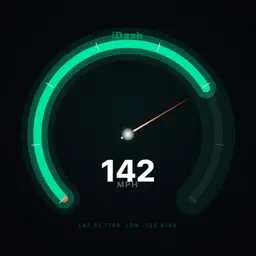
Preview


Description
iDash transforms your iPhone into a fully featured driving dashboard. Whether you're tracking a daily commute, logging a road trip, or just want to know what your car is actually doing — iDash puts every metric front and centre. REAL-TIME GAUGES Choose from six live instruments: a customisable speedometer, heading compass, altitude tracker, G-force plot, GPS coordinates display, and an interactive map. Arrange them in the layout that works for you — solo speedometer for simplicity, a classic split with the map, a full telemetry grid, or a scrolling strip of all six. SPEEDOMETER YOUR WAY Four distinct styles — Arc, Numeric, Vertical Bar, and classic Needle — each with dynamic colour coding that shifts from green to yellow to red as you approach your personal speed thresholds. A ghost marker tracks your top speed for the session. TURN-BY-TURN NAVIGATION Long-press the map to search for any address or place. iDash calculates a route and guides you with step-by-step instructions directly on the dashboard — no need to switch apps. TRIP RECORDING Start recording manually or let iDash detect movement and begin automatically. Every trip logs speed, position, altitude, and heading at your chosen interval. When you're done, review your route on a map, see a speed-over-time chart, and check distance, duration, average speed, and top speed at a glance. EXPORT ANYWHERE Share trips as GPX for use in mapping tools, or as CSV for analysis in Excel or Numbers. Standard formats mean your data is always yours. BEAUTIFUL THEMES Five hand-crafted themes — Ember, Arctic, Radioactive, Violet Shift, and Tungsten — each with its own colour palette and visual effects including bloom glow and CRT scanlines. Swipe left or right to cycle between them instantly. Create your own custom themes with full colour control. BUILT FOR DRIVERS • Keep the screen on automatically while driving • Speed warning and danger thresholds you set yourself • MPH, KPH, or m/s — your choice of units throughout • Coordinates in Decimal Degrees or DMS format • Speed smoothing to filter GPS noise • Optimised for both portrait and landscape iDash uses your iPhone's GPS — no OBD adapter or additional hardware required.
Technical Analysis
Package Overview Basic metadata
Bundle ID
alexStanage.iDash Current Version 1.0
Minimum iOS 26.2
Package Size App Store Size
Package Metadata 0 / 1 version records
Detailed binary, privacy manifest, framework, and Info.plist results have not been indexed for this package yet. The verified App Store and archive metadata above remains available.
Known Version Records
0 version records with stored package metadata • 1 known version records
Stored metadata does not guarantee a package is currently available to download.
| Details | Version / IDs | Version date | Action |
|---|---|---|---|
| Not archived | App Store ID: 883545515 | Unknown | Request Version |