
Preview









Description
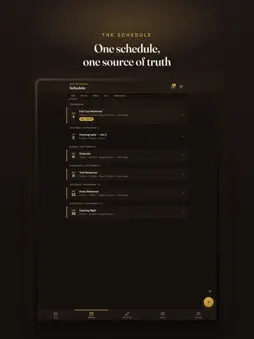
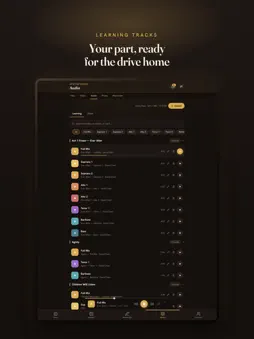
Built around how theatre actually works. Not a generic project tool in a curtain-print skin. Every screen is designed around the rhythms of rehearsal, the relationships between roles, and the moments that matter. Announcements your cast can't miss One feed for your whole production. Pin announcements so they stay at the top. Mention a person, a role, or an entire group. Everyone tagged gets a push notification, not a message lost in a thread of 200. - Mention by role group: @Cast, @Band, @Crew, @Creative - Pinned announcements always stay visible - Push notifications so nothing gets missed Callsheets that build themselves The production manager enters the running order once: which scenes, who's in them, how long each takes. Callboard works out everyone's individual call time and sends each person only what they need to know. - Call times derived from the breakdown automatically - Each member sees their own call and estimated release - Mark scene coverage live during the rehearsal Notes on the fly Capture notes as they happen, tagged by type, while mentioning whoever needs to see them. When the rehearsal ends, Callboard compiles attendance, scene coverage and every note into a rehearsal report ready to distribute to the creative team. - Note types for blocking, music, choreography and technical - Cast and crew can easily find their notes at a glance - Reports assembled automatically from the session data - Attendance and material coverage tracked in the same place Every script, track and clip in one place Scripts and scores hosted in-app with access controlled by production. No more PDFs forwarded outside the production. Learning tracks tagged by song and voice part. Choreography videos your ensemble can rewatch at home. - Scripts and scores viewable and annotatable in-app - Playback learning tracks grouped by their number and voice part - Choreography or blocking video, streamable in-app Callboard Talent A profile for performers, and a way for companies to find them. List your credits, headshots and showreel, and choose exactly who can see them. - Verified credits, pulled straight from shows cast through Callboard - Choose who can see your profile: your own shows, casting companies, or every member - Search performers by name, skill, voice part, or distance from a town - An applicant's profile arrives right alongside their audition application From first audition to closing night The whole production lifecycle, not just rehearsal week. Auditions Signup forms, audition scheduling, and a casting pipeline from application through to offering the role. Attendance Availability collected ahead of time, attendance marked at rehearsal, all visible in one matrix. Props & costumes Track every item by scene and character, with sourcing status and quick-change warnings. Budget Departmental budgets, expense tracking, income, and a break-even calculator for ticket sales. Terms of Use (EULA): https://www.apple.com/legal/internet-services/itunes/dev/stdeula/
What's New
Version 1.15.2 2026-11-04
Videos are easier to use on your phone. - Drag the bar under a video to scrub back to the count you want. It now runs the full width of the player. - New butto... Technical Analysis
Package Overview Basic metadata
Bundle ID
com.callboard.app Current Version 1.15.2
Minimum iOS 15.0
Package Size App Store Size
Package Metadata 0 / 0 version records
Detailed binary, privacy manifest, framework, and Info.plist results have not been indexed for this package yet. The verified App Store and archive metadata above remains available.
Developer Information
Known Version Records
0 version records with stored package metadata
Stored metadata does not guarantee a package is currently available to download.
| Details | Version / IDs | Version date | Action |
|---|