
Preview






Description
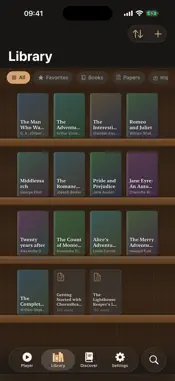
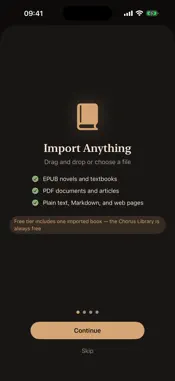
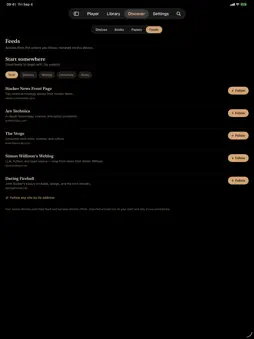
Chorus Reader turns books, PDFs and articles into audiobooks. Tap Listen and it starts reading within a few seconds, then narrates the rest of the book on your iPhone or iPad while you listen. Each word lights up on the page as it is read. NEW IN 3.3: LISTEN FROM HERE • Press and hold any paragraph and choose Listen from Here. Playback starts at that paragraph, whether that part of the book is narrated yet or not. • The chapter list shows which chapters are narrated. Start at any chapter you like. • Export a finished book as an .m4b audiobook with chapters, and its text as VTT or SRT subtitles. READ WHAT YOU ALREADY HAVE • EPUB, PDF, plain text, Markdown, Word and Pages files, and photos of printed pages • Share an article from Safari and it waits in your library • Follow RSS feeds and listen to their newest articles • Chapters are found for you. Skip, scrub and set a sleep timer. A LIBRARY OF CLASSICS IS BUILT IN • More than a hundred hand-picked classics, free for every reader • Hear a sample of the actual book, narrated on your device, before you add it • A curated list of open-access research papers, sorted by field VOICES • Standard, free: more than 40 voices in English, Spanish, French, Italian, Portuguese, Hindi and Mandarin Chinese • Personal: make a voice from 15 seconds of audio, yours or that of someone who agrees to it. English is built in; Spanish, French, German, Italian and Portuguese download when you want them. • Premium, on higher-memory iPhones and iPads: the most expressive narration • Fully Voiced: a different voice for each character in a novel's dialogue ON YOUR DEVICE Narration runs on your iPhone or iPad. There is no account to create, and nothing you read, record or generate is uploaded. Listening works offline. ONE PURCHASE, NO SUBSCRIPTION The free tier includes the Standard voices in seven languages, audio export, the whole Chorus Library and your first imported book. A one-time purchase adds every engine your device supports, voice cloning, Fully Voiced narration and unlimited imports. Everything we ship later is included.
What's New
Version 3.3.0 2026-11-12
Chorus Reader 3.3 LISTEN FROM HERE • Press and hold any paragraph and choose Listen from Here. Playback starts at that paragraph's first word, whether that par...Chorus Reader 3.3 LISTEN FROM HERE • Press and hold any paragraph and choose Listen from Here. Playback starts at that paragraph's first word, whether that part of the book is narrated yet or not. If it isn't, Chorus narrates it first, then the rest of the book. • Tap a narrated paragraph to play from it. • The chapter list shows which chapters are narrated, partly narrated or not narrated yet. Choose one to play it or narrate it. • The setup screen has Start at: the whole book, a chapter, where you left off, or here, with how long that part takes to narrate. NARRATION • A narration interrupted by a crash, by iOS or by closing the app goes on by itself when you open the book. Stop keeps what is narrated, and the book stays stopped until you narrate it again. • Choosing another voice keeps the current narration until the new voice has started. • "Mr.", "Dr.", "M." and other abbreviations no longer end a sentence, so the voice doesn't pause after them. • When a long sentence has to be split, the voice pauses as it does at a comma, not as between sentences. • If a passage comes back silent or cut short, Chorus narrates it again. • Personal voices in Spanish read dialogue dashes and abbreviations such as "Vds." properly. • While a book is being narrated, its audio takes about half the space it did, and finishing it no longer makes a second copy. • Fixed a crash when a Spanish Standard voice read some words, such as the name Ruy. PLAYER • The player has one progress bar, the one you drag to move. It shows what is narrated and what isn't yet. • The book's text has more room: the header is shorter, and the text fills the page. • On iPad, the book's buttons no longer sit under the tab bar. Export, Collections, Narrate Again, text size and Tags are in the More menu. EXPORT • Export the audiobook as an .m4b with chapters, and subtitles as VTT or SRT. On the Mac this replaces Save WAV. FROM 3.2 • Narrations from 3.2 and earlier are kept: a finished book plays as before, and one left unfinished goes on after the audio it has. Technical Analysis
Package Overview Basic metadata
Bundle ID
com.chorusread.app Current Version 3.3.0
Minimum iOS 26.0
Package Size App Store Size
Package Metadata 1 / 6 version records
Detailed binary, privacy manifest, framework, and Info.plist results have not been indexed for this package yet. The verified App Store and archive metadata above remains available.
Developer Information
Known Version Records
1 version record with stored package metadata • 6 known version records
Stored metadata does not guarantee a package is currently available to download.
| Details | Version / IDs | Version date | Action |
|---|---|---|---|
| Not archived | v3.0.0 App Store ID: 890934924Build: 3.0.0 | 2026-09-07 13:25:55 | Request Version |
| 1.95 GB | v3.0.0 App Store ID: 883858306Build: 3.0.0 | 2026-09-07 13:25:55 | Get Version |
| Not archived | v1.3 App Store ID: 883601544Build: 1.3 | 2026-03-27 17:18:04 | Request Version |
| Not archived | v1.2 App Store ID: 883562519Build: 1.2 | 2026-03-20 16:24:48 | Request Version |
| Not archived | v1.1 App Store ID: 883531262Build: 1.1 | 2026-03-19 19:56:27 | Request Version |
| Not archived | v1.0 App Store ID: 882924322Build: 1.0 | 2026-03-05 23:51:45 | Request Version |