
Preview



Description
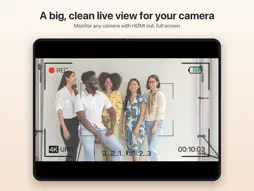
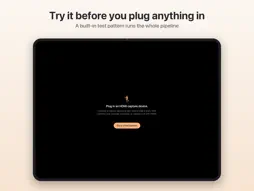
Screenjack turns your iPad into a monitor for anything with an HDMI output. Plug an inexpensive HDMI-to-USB capture device into your iPad's USB-C port, plug your game console, single-board computer, camera, or laptop into it, and see the picture full screen with audio through the iPad. A monitor and nothing else. No recording, no snapshots, no filters, no streaming, no account, no subscription. Honest low latency Frames go straight from the capture device to a Metal layer and are drawn the moment they arrive. Late frames are dropped, not queued, so the app never builds up a backlog behind the source. Real aspect control Fit, Fill, Stretch, and Pixel-perfect. Pixel-perfect scales by whole numbers with nearest-neighbor sampling, so a retro console or low-resolution board shows crisp, even pixels instead of a blur. Stereo audio that works on cheap sticks Some inexpensive USB capture sticks report their audio as mono at 96 kHz when it is really 48 kHz stereo with the channels swapped. Screenjack detects and corrects this automatically, so you get proper stereo instead of garbled sound. Mute and set the volume from the HUD, and swap left and right for any device in Settings. Robust hot-plug Devices appear as you plug them in, the last device you used reconnects automatically, and if a cable comes out you get a clear message instead of a frozen frame. Clear overlays for no device, connecting, no signal, a black picture (usually HDCP on the source), and camera permission denied. Clean canvas Pure black background and the picture full screen. The HUD appears on a tap and fades after two seconds, and the iPad stays awake while video shows. Format control when you want it Auto picks the best format your device offers, preferring a full-resolution picture at the highest frame rate it can reach. Resolution and frame rate depend on your iPad's USB-C port and the capture device. Pick a format per device, and set the color range to Auto, Limited, or Full. Also on your Mac Screenjack is one purchase for iPad and Mac. Buy it once and it works on both. Who it is for • Gamers: a console or a docked handheld on your iPad's display, retro systems at pixel-perfect scale. • Photographers and filmmakers: a big, clean live view for a camera with HDMI out. • Makers and tinkerers: set up a single-board computer or headless box without a spare monitor. BIOS and boot screens show too, because it is plain HDMI. • Anyone with a second laptop and no spare monitor, or who wants a clean preview of a second device. What you need • A source with HDMI out: a game console, single-board computer, laptop, camera, or mini PC. • An HDMI cable. • An HDMI-to-USB capture device, sold as a capture card or capture stick, that connects over USB-C. • An iPad with a USB-C port. A USB-C hub is fine, and a hub with pass-through power lets you charge while you watch. Sources with HDCP on show a black picture. Most game consoles let you turn HDCP off in their HDMI settings; streaming boxes and protected video apps cannot be shown. Bluetooth headphones add audio delay; wired or built-in speakers are better for gaming. How permissions work iPadOS treats an HDMI capture device as a camera, and its audio as a microphone input. Screenjack asks for camera access the first time it connects, after a short explanation, and for microphone access only once video is live and only if audio is on. Turning audio off removes the audio input entirely and clears the microphone indicator. Nothing is ever recorded. Private by design No account, no analytics, and no network access, so nothing can leave your iPad. Try it without hardware On the start screen, tap Show a test pattern to try the app with a synthetic source and a stereo tone that run through the same path as a real device. Requires iPadOS 17 or later and an iPad with a USB-C port.
Technical Analysis
Package Overview Basic metadata
Bundle ID
com.alec-summers.screenjack Current Version 1.0
Minimum iOS 17.0
Package Size App Store Size
Package Metadata 0 / 0 version records
Detailed binary, privacy manifest, framework, and Info.plist results have not been indexed for this package yet. The verified App Store and archive metadata above remains available.
Price History (USA store)
2 recorded price change points. These are historical observations, not a guarantee of the current price.
| Recorded at | Price | Currency |
|---|---|---|
| 4.99 | USD | |
| 9.99 | USD |
Developer Information
Known Version Records
0 version records with stored package metadata
Stored metadata does not guarantee a package is currently available to download.
| Details | Version / IDs | Version date | Action |
|---|