
Preview








Description
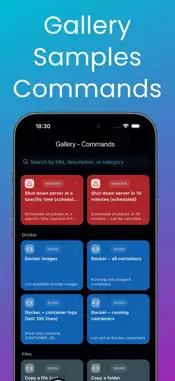
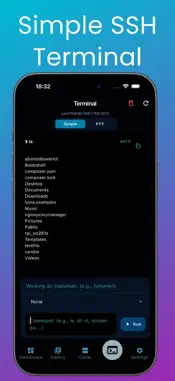
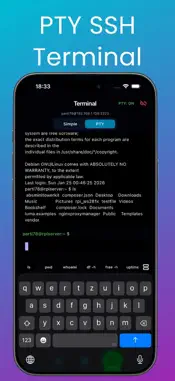
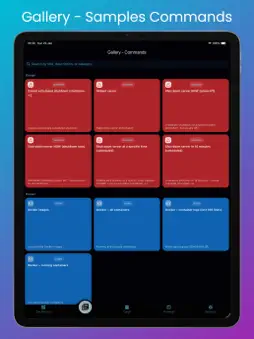
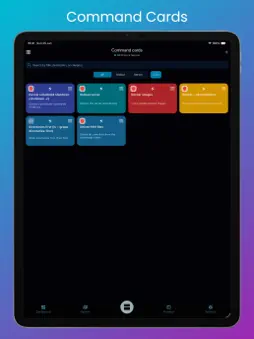
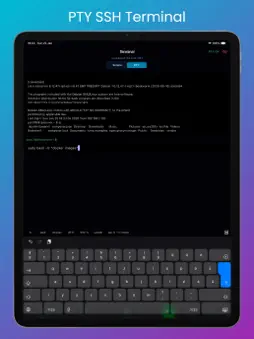
RPI SSH PRO – fast SSH-based server management RPI SSH PRO is a modern, fast, and intuitive SSH client that lets you manage your servers easily from your mobile device. It supports Raspberry Pi, Linux, Debian, Synology (Linux-based) systems, and Windows servers with OpenSSH, providing quick access to system status, maintenance tasks, and command execution. System Overview (Dashboard) View the most important system information at a glance: • Uptime • CPU usage • Temperature • Disks and total storage • Mounted file systems • Number of connected drives Designed for fast diagnostics and everyday server monitoring. Command Gallery (Samples) A wide range of prebuilt command templates: • can be quickly added to your own Command Cards • perfect for maintenance, diagnostics, and administration tasks • works across Linux-based systems and Windows PowerShell environments Command Cards Manage your custom commands using cards: • add, edit, and search command cards • drag & drop reordering • Quick Run mode for one-tap execution • global cards or server-specific cards • reusable commands across multiple servers and platforms Widget Quick Launch Your most important command cards can be added as widgets: • run commands without opening the app • ideal for frequently used maintenance and monitoring tasks • instant access to your most important server actions Multi-server support • add and edit multiple servers • switch between servers quickly • secure connections using SSH host key verification • manage mixed environments (Linux + Windows) from one app Terminal Modes Choose the terminal experience that best fits your workflow: • Simple terminal for basic commands and quick actions • Full PTY terminal for interactive shell usage The Ping screen is also directly accessible from the terminal view, allowing you to: • quickly check network connectivity • test latency and host availability • perform targeted ping tests toward the selected server Ideal for troubleshooting and network diagnostics directly within the SSH workflow. Windows PTY Support • Full PTY SSH terminal for Windows servers • Supports PowerShell and interactive commands • Proper handling of interactive tools, prompts, and real shell behavior • Ideal for Windows Server administration over SSH Settings & Customization The application is fully customizable: • dark / light / colorful / system default themes • language selection • command card size adjustment (compact or large card layout) • SSH and PTY terminal logging • Ping feature settings and configuration • configurable SSH timeout settings • optimized for touch interaction and extended terminal usage Tools section in Settings • Ping – TCP/ICMP network test • LAN Scan – Discover devices on your local network • Port Scan – Scan common ports or custom ranges Full Version All features of the application are available with the Full version purchase. The purchase is one-time only, no subscription required, and helps support further development.
What's New
Version 1.3.1 2026-10-16
New: Connect to servers using an SSH private key. Import your key into the app and use it with an optional passphrase. Password sign-in remains available. Technical Analysis
Package Overview Basic metadata
Bundle ID
com.appsyscode.sshnasrpi Current Version 1.3.1
Minimum iOS 15.6
Package Size App Store Size
Package Metadata 0 / 11 version records
Detailed binary, privacy manifest, framework, and Info.plist results have not been indexed for this package yet. The verified App Store and archive metadata above remains available.
Developer Information
Known Version Records
0 version records with stored package metadata • 11 known version records
Stored metadata does not guarantee a package is currently available to download.
| Details | Version / IDs | Version date | Action |
|---|---|---|---|
| Not archived | App Store ID: 883850456 | Unknown | Request Version |
| Not archived | App Store ID: 883763375 | Unknown | Request Version |
| Not archived | App Store ID: 883720643 | Unknown | Request Version |
| Not archived | App Store ID: 882996754 | Unknown | Request Version |
| Not archived | App Store ID: 882830197 | Unknown | Request Version |
| Not archived | App Store ID: 882754462 | Unknown | Request Version |
| Not archived | App Store ID: 882687445 | Unknown | Request Version |
| Not archived | App Store ID: 882385733 | Unknown | Request Version |
| Not archived | App Store ID: 882308678 | Unknown | Request Version |
| Not archived | App Store ID: 882056219 | Unknown | Request Version |
| Not archived | App Store ID: 881431543 | Unknown | Request Version |