
Preview



Description
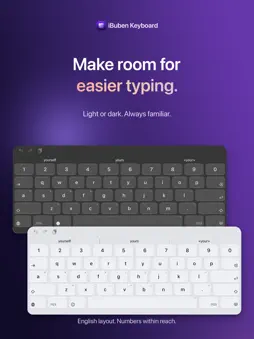
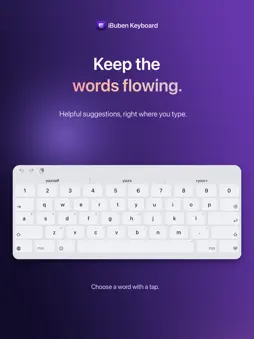
Make everyday typing a little easier. A quick reply, a message in another language, a calculation in the middle of a conversation. iBuben brings useful tools to the place you're already typing, with personal touches that make it feel like yours. The most complete iBuben experience is available on iPhone. iPad offers a more limited set of features and customization options. Color themes, custom swipe-down symbols, and haptic feedback are available on iPhone only. Type in English, Spanish, Russian, and Armenian, including Eastern and Western Armenian. Set up each language separately and switch between them with a swipe across the Space bar. LESS EFFORT, MORE FLOW • Get word suggestions and autocorrection as you type, with a personal dictionary for the words you use. • Save frequently used phrases with Key Words, so you don't have to type them again and again. • Swipe keys for capital letters, numbers, and symbols. Choose the swipe-down symbols you want close at hand. • Add a number row and let smart brackets and quotation marks take care of the matching pair. • Choose from multiple Armenian layouts, including Phonetic, Alternative, and Typewriter, with optional Artsakh word suggestions. • Edit your personal dictionary and import or export a backup. HANDY TOOLS, RIGHT IN YOUR KEYBOARD • Translate selected text and insert the translation when you're ready. • Use the built-in calculator and insert a result with a tap. • Find another way to say it with AI Rewrite for English and Spanish. Choose a natural, professional, or simple style, or describe your own. You decide which suggestions to use. MAKE IT COMFORTABLE Choose round or classic rectangular keys, adjust keyboard height, and find colors you enjoy in light and dark appearances. Try Liquid Glass keys on supported iOS versions. Fine-tune vibration, typing sounds, and key animations. Prefer a simpler look? Clean Keyboard hides extra key labels and turns off key swipes. A LITTLE MORE PERSONAL Keep your favorite emojis together. Create AI Emojis, save your collection, and copy them from the keyboard to paste into a conversation. Choose a kitten or puppy for a friendly morning greeting. AI Rewrite and AI Emojis require a compatible device running iOS 26 or later with Apple Intelligence enabled. Availability varies by language, device, and region. FREE AND PRO Start with free basic typing. Unlock Pro features with a monthly or yearly subscription, or a one-time Lifetime Access purchase. Eligible users can try Pro free for 3 days with Monthly or 7 days with Yearly. After the trial, your subscription continues at the price shown before purchase. Subscriptions renew automatically unless canceled at least 24 hours before the trial or current subscription period ends. Manage or cancel in your Apple Account settings. Lifetime Access has no recurring charge. Restore previous purchases in the app. PRIVACY AND FULL ACCESS Basic typing, word suggestions, autocorrection, and personal dictionaries work on your device. AI Rewrite also processes text on your device. Online translation sends the text you submit to a translation service and requires an internet connection. Full Access is optional for basic typing. Enable it for online translation, saving personal dictionary words from the keyboard, vibration feedback, and refreshing Pro status from the keyboard. Without it, open iBuben to refresh your purchase status. Terms of Use (EULA): https://www.apple.com/legal/internet-services/itunes/dev/stdeula/
What's New
Version 2.3.0 2026-11-05
A little more help with everything you type. • Calculate while you chat. Turn on the built-in calculator in Settings, work out a number, and insert the result ...A little more help with everything you type. • Calculate while you chat. Turn on the built-in calculator in Settings, work out a number, and insert the result with a tap. • Find the right words, in your style. AI Rewrite now lets you choose a natural, professional, or simple style—or describe your own. Available for English and Spanish. • Give your keys a fresh look. Choose round Circleized keys while keeping your favorite theme and colors. • Start your morning with a smile. Choose a kitten or puppy for a friendly greeting on your keyboard. • Get more useful word suggestions, with better support for the words you've saved and the words your keyboard has learned. • Enjoy smoother typing, with improved keyboard response and stability. AI Rewrite requires a compatible device running iOS 26 or later with Apple Intelligence enabled. Availability varies by language, device, and region. Technical Analysis
Package Overview Basic metadata
Bundle ID
com.albertfelixovich.armkeyboardv2 Current Version 2.3.0
Minimum iOS 18.0
Package Size App Store Size
Package Metadata 0 / 0 version records
Detailed binary, privacy manifest, framework, and Info.plist results have not been indexed for this package yet. The verified App Store and archive metadata above remains available.
Known Version Records
0 version records with stored package metadata
Stored metadata does not guarantee a package is currently available to download.
| Details | Version / IDs | Version date | Action |
|---|