
Preview


Description
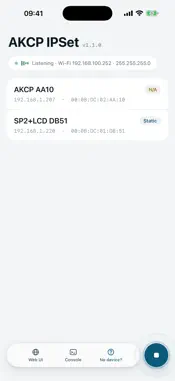
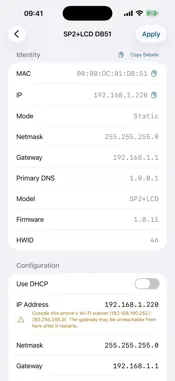
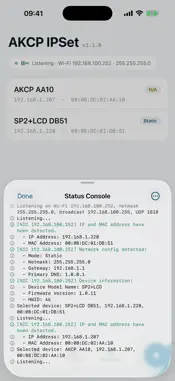
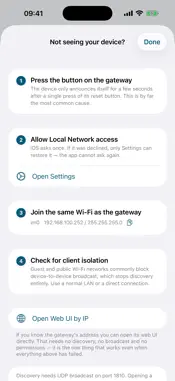
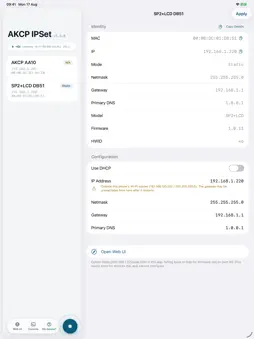
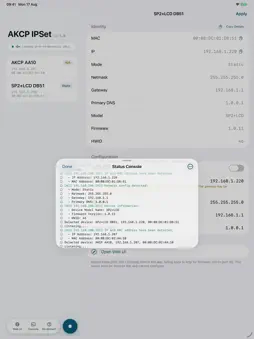
AKCP IPSet configures the network settings of AKCP hardware sensor gateways from an iPhone or iPad, replacing the laptop and serial cable normally needed to commission a new unit. HOW IT WORKS Press the reset button on the gateway once. It announces itself over the local network for a few seconds, and IPSet lists it with its MAC address, current IPv4 settings, model and firmware version. Select the unit, enter the address it should have, and apply. WHAT IT DOES • Discovers AKCP gateways on the local subnet, including units whose address you do not know • Sets IPv4 address, netmask, gateway and primary DNS, or switches the unit to DHCP • Confirms a change by watching for the gateway to reappear at its new address • Warns before applying an address outside your current subnet, or one already answering • Opens the gateway's built-in web interface without leaving the app • Keeps a timestamped log of every discovery and every configuration sent WHAT YOU NEED An AKCP sensor gateway on the same Wi-Fi network as your iPhone, and physical access to its reset button. Guest networks and client-isolated Wi-Fi block discovery. Units on STMProbe firmware older than 1.0.50 can be discovered and browsed but not reconfigured. No gateway to hand? Tap "Show a demo" on the empty device list to walk the full workflow against simulated hardware.
Technical Analysis
Package Overview Basic metadata
Bundle ID
com.akcp.ipset Current Version 1.1.0
Minimum iOS 18.0
Package Size App Store Size
Package Metadata 0 / 0 version records
Detailed binary, privacy manifest, framework, and Info.plist results have not been indexed for this package yet. The verified App Store and archive metadata above remains available.
Known Version Records
0 version records with stored package metadata
Stored metadata does not guarantee a package is currently available to download.
| Details | Version / IDs | Version date | Action |
|---|